Two seconds of silence every time you say the wake word — local voices stop reloading now
You say “hey, what’s on my calendar today” into the mic and then wait. One second, two, and on the third it starts talking — it heard you, it was just loading the voice model into memory. The maddening part is that this happens on every single wake-up. You cannot even call it “slow to start”, because it is not starting; it is starting over.
Local TTS engines — Piper, KittenTTS, anything running on your own machine — load lazily to save memory. That design is fine. The problem is the timing of the unload. One new config key in v0.21.5 fixes it, and the same batch finally makes the desktop voice loop read your configuration. Here is every switch.
1. The problem is not slow loading, it is eager unloading
The original logic: turning on “read replies aloud” or starting a voice conversation takes a lease on the engine, and turning it off releases it. When the last lease is released and the holder count hits zero, the model is unloaded immediately.
A wake-word conversation looks like this: you say the wake word, it enters a voice conversation — that costs a second-plus of warm-up (a Piper voice is tens of MB, KittenTTS up to around 80MB) — you say one sentence, the conversation ends, the lease is released. The model is therefore evicted milliseconds after it finished loading. The next wake pays the whole thing again.
There is a nastier variant: when a release lands during a load (the CLI/TUI toggles run acquire and release on separate threads), the unload finds an empty cache, so the model stays resident with no holders at all — occupying memory and being reused by nobody.
2. tts.keep_warm_seconds: the unload waits a moment
The new key is tts.keep_warm_seconds, default 60:
tts:
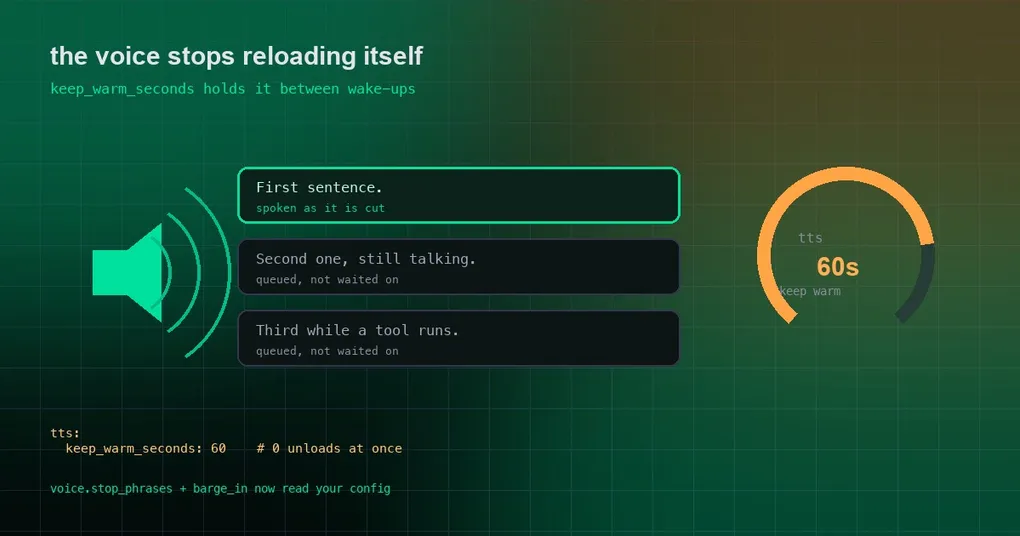
  keep_warm_seconds: 60    # keep a local engine loaded this long after the last toggle off (0 = unload at once)
The semantics are exactly what they sound like: after the last release, the unload is scheduled on a cancellable timer for that long. Any acquire inside the window cancels the pending unload and reuses the loaded model. Three details are worth knowing:
- The value is read per call, so each profile’s own
config.yamlapplies instead of one global value. - A generation counter makes a timer that has already woken up a no-op, so “the timer fired but somebody re-acquired in between” cannot unload a model that is in use.
- A warm-up that finishes with no holders restarts the window — so warming up and immediately switching off still gives you the full 60 seconds.
The default lives in hermes_cli/config_defaults.py, and the behavior is documented in the lease section of website/docs/user-guide/features/tts.md and the TTS block of configuration.md. To check what your install reports:
hermes config get tts.keep_warm_seconds    # 60
hermes config set tts.keep_warm_seconds 0  # back to "unload immediately" if memory matters more
Setting 0 is the escape hatch for memory-constrained machines that do not mind the reload. If your voice usage is heavy, raise it instead — the cost is that tens of MB stay resident for a while.
3. Leases span surfaces, which is what stops them stepping on each other
This part of the design is easy to miss and genuinely useful: each toggle holds a lease, and the model only unloads when the last lease across all surfaces is released. Turning off read-aloud in one Desktop window therefore never pulls the engine out from under a voice conversation running in another.
The same lease mechanism reaches user-declared providers: a command-type provider runs its optional warm_command / release_command, and a Python plugin provider gets warm() / release(). Your own self-hosted TTS server can preload and unload on the toggles instead of you inventing a hook. Desktop calls POST /api/audio/tts-lease with {"lease": "<name>", "active": true} or false, and other frontends can use the same endpoint.
One small extra worth setting: tts.streaming.min_len (default 20) is the shortest first sentence spoken on its own — shorter openers ride with the next sentence. Twenty suits English; CJK voice setups generally use around 6.
4. Spoken stop on the desktop now reads your config
Symptom: the notice tells you to say “отбой” to end the voice conversation, you say it, and the word is sent to the agent as a prompt instead.
Cause: the stop matcher isVoiceStopCommand() matched a hardcoded English list, while the notice shown to you comes from voice.stop_phrases. A Russian user following the on-screen instruction had no chance.
Fix (PR #120751): the matcher now reads the same voice.stop_phrases the notice advertises, keeping the backend’s semantics (tools/voice_mode_transcript.is_voice_stop_phrase):
voice:
stop_phrases: ["stop"] # the whole utterance must equal one of these; [] disables spoken stop- the whole utterance must equal a phrase (case-insensitive, punctuation ignored), not merely contain it;
- a bare string counts as one phrase;
[]disables spoken stop;- a malformed value falls back to the default.
There is a compatibility detail worth flagging: /api/config merges DEFAULT_CONFIG, so a default install always reports stop_phrases: ["stop"]. An implementation that simply used whatever it loaded would make every desktop user lose the extra English phrases — goodbye, never mind, cancel — so this one compares the loaded list against /api/config/defaults to avoid that regression.
5. Barge-in playback uses your threshold
Symptom: you are on a Bluetooth headset, you talk over the reply to interrupt it — and nothing happens.
Cause: the playback trigger level was hardcoded as PLAYBACK_MIN_TRIGGER_LEVEL = 0.14, which sits above a Bluetooth HFP headset’s speech level while a reply plays, so your voice never crossed the line.
Fix (PR #120751): it now uses the existing voice.barge_in_threshold_multiplier (default 3.0) — the knob the CLI/TUI full-duplex listener has always read. No new setting and no environment variable. The config comments describe the model: the quiet-room floor is calibrated before playback, and the speech trigger is that floor times this multiplier.
6. Read Aloud stops speaking placeholders, and tables speak their header
Symptom: with a non-English voice (a Chinese MiniMax voice in the report), a code block was read aloud as the English words “code block omitted”, a URL as “link”, and a Markdown table vanished with nothing spoken in its place.
Fix (PR #120752):
- Code blocks and URLs are silent — no placeholder word in any language, and the code stays visible on screen;
MEDIA:file-link tokens never reach the voice (both the desktop sanitizer and the backend normalizertools/tts_text_normalize.py, which backs the gateway, CLI voice and the desktop WS/POST relays); punctuation right after an inline token is kept, so “see MEDIA:/x.py. Then” keeps its full stop;- Line-final colons close: when a code block following “here is the list:” is removed, the hanging colon becomes a period; a digit-preceded colon (
3:2) is left alone on the backend; - Tables speak their header row — it says “Item, Value, Notes.” and skips the body rows. The listener learns a table is on screen and what it compares, without hearing it cell by cell. A table whose header cells are all empty stays silent.
7. Sentence-by-sentence playback is still on main only
One closely related fix is not in v0.21.5, and it deserves its own note because it addresses the silent opening seconds of a long reply.
With Edge (or any non-streaming) TTS, desktop voice mode used to wait for the entire reply and synthesize it in one go, so a long answer began with seconds of silence. The docs promise sentence streaming, but the earlier fix only covered streaming providers; the sync fallback (awaitFallbackSpeech) still waited for the complete reply. That path now keeps a sentence queue and plays each completed sentence as it is cut (PR #121685, issue #79314), and a sealed interim bubble (message.interim) is flushed on every poll tick, so its last sentence is spoken while a tool runs instead of after it finishes.
That PR merged into main on the afternoon of September 24, 2026 (around 17:12 UTC), after v0.21.5 was published at 10:09 UTC that morning — so it is on main only for now.
8. Function-key voice shortcuts are rebindable (this one is in v0.21.5)
One-shot dictation became an unbound composer.dictate keyboard action, separate from voice conversation, reusing Desktop’s existing capture path for F-keys, Caps Lock, Delete, Space and modifier combinations. The stale Desktop voice.record_key field was removed, with a note that the config stays CLI/TUI-only. Electron arbitration means an assigned F12 reaches the renderer while an unassigned F12 keeps DevTools behavior (PR #120928).
In the same window, macOS function-key workflows were fixed: the TUI parser keeps F1–F12 terminal sequences intact (including modified-key protocol paths), and the live-work dock gained Ctrl+R as a portable F7 fallback across the TUI and classic CLI (PR #120666).
Release status at a glance
| Capability | PR | Status |
|---|---|---|
tts.keep_warm_seconds warm-up hold |
#121080 | in v0.21.5 |
Spoken stop reads voice.stop_phrases |
#120751 | in v0.21.5 |
Barge-in uses voice.barge_in_threshold_multiplier |
#120751 | in v0.21.5 |
| Read Aloud: no placeholders, tables read their header | #120752 | in v0.21.5 |
| Rebindable function-key dictation | #120928 | in v0.21.5 |
macOS F1–F12 and the Ctrl+R fallback |
#120666 | in v0.21.5 |
| Edge/sync TTS sentence-by-sentence playback | #121685 | main only |
What to check on your own install
hermes config get tts.keep_warm_seconds                 # 60
hermes config get voice.stop_phrases                    # - stop
hermes config get voice.barge_in_threshold_multiplier   # 3.0
Then run the real test: say the wake word, speak one sentence, end the conversation, wait a few seconds and wake it again — the second response should be noticeably faster, because the model is still in memory.
The short version
- The pain in local voice is unloading too early, not loading slowly: a wake-only conversation releases its lease milliseconds after warm-up finishes.
tts.keep_warm_seconds(default 60) makes the unload wait, and a re-acquire inside the window cancels it;0restores immediate unloading.- Spoken stop and the barge-in threshold read your config now instead of a hardcoded English list and a hardcoded level.
- Read Aloud no longer speaks placeholders and tables read their header row; sentence-by-sentence playback is still on
main, not in v0.21.5.
This batch belongs to v0.21.5, that patch window with no release notes — the fuller list is on our v0.21.5 release page and in the v0.21.5 window self-check guide.