v0.21.5 ships without release notes again — how to audit what your install actually got
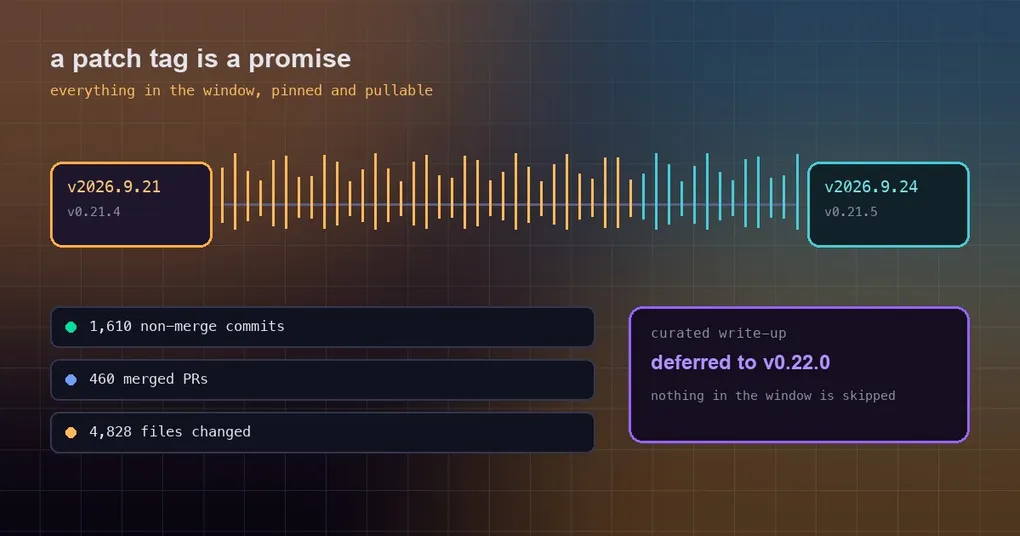
You see “Hermes Agent v0.21.5 released” in a feed, click through, and the body is one short paragraph: this is a patch tag that rolls the window into a stable release for Docker images and hosted deployments, and the full curated write-up is deferred to v0.22.0. You run hermes update, the terminal says the upgrade succeeded. And then — what did you actually get? You cannot tell from anything you have read, and you are not sure whether upgrading today was even the right call. That is not paranoia; it is what patch tags do to people. So this post is about one narrow, practical thing: how to answer that question without waiting for release notes.
Why patch tags often ship without notes
Get this part out of the way once and you stop re-puzzling over it every few weeks.
Hermes ships two kinds of tag. A semantic release — v0.20.0, v0.21.0 — comes with a long write-up: highlights, feature areas, contributor credits. A date-based tag like this one, v2026.9.24, exists for a different job: to seal everything between the previous tag and now into one stable, pullable version.
Why does that need to exist? Because Docker images, Hermes Cloud and hosted deployments all build from the newest release tag, not from main. A fix you land on main does not reach cloud users until it is inside a tag. So when enough has accumulated, a patch tag closes the window.
The cost is that nothing in that window gets individually written up and named. This window is 460 merged PRs, 1,610 non-merge commits, 4,828 changed files (+164,132 / −149,440) and 475 closed issues since v0.21.4, measured at commit f97608f178d1ffeca59860195ab7da295f7c8e5f. The release body is explicit that none of it is skipped — it is all written up together in v0.22.0, which documents everything from v0.21.0 onward.
Put another way: “no release notes” does not mean “nothing in it.” Your upgrade is real. The list just has not been written yet.
Step one: pin down which version you are on
Do not go by feel. One command:
hermes --versionYou will get something like Hermes Agent v0.21.5 (2026.9.24) · upstream <commit>. Note the relationship between the two numbers:
| What you see | What it means |
|---|---|
v2026.9.24 |
The date-based tag — the name on the GitHub release page |
v0.21.5 |
The semantic version — used in artifacts, image names and your config.yaml |
They are the same release, not two. Seeing v2026.9.24 on GitHub while your machine says v0.21.5 is normal — do not try to “fix” it.
On a git install you can also see which commit you are standing on:
cd ~/path/to/hermes-agent && git log --oneline -1On Docker, read the image tag: nousresearch/hermes-agent:v2026.9.24 is this release. This one also added a variant axis — :latest-desktop / :main-desktop / :v*-desktop carry Xvnc/Xfce and Playwright’s headed Chromium, which is what delivers Bot Screen on hosted deployments. Those packages cannot be installed at run time on the published image (unprivileged user, no sudo, sealed /opt/hermes), so the image layer is the only path.
Step two: skip the 460 PRs, read the comparison
The “full changelog” comparison link is the authoritative entry point:
https://github.com/NousResearch/hermes-agent/compare/v2026.9.21...v2026.9.24It is enormous, but you only need three slices of it: new files (especially new pages under website/docs/, which mean a feature landed), the config_defaults.py diff (which means new config keys), and the hermes_cli/ diff (which means new commands or flags). Scanning those three beats reading PR titles top to bottom.
Step three: eight things already usable in this window
Everything below was checked against the content of the tag itself and confirmed to be in this tag. Each item comes with the thing you actually type.
1. Desktop gains full French, German and Spanish catalogs
Desktop now ships complete interface catalogs for all three, selected under Settings → Appearance → Language. display.language: fr|de|es, plus regional aliases such as fr-CA, de-AT and es-419, resolve to the matching catalog instead of falling back to English. Product names and identifiers (Hermes, MCP, API, OAuth, model IDs) stay untranslated.
2. A text direction setting: Auto / RTL / LTR
Further down the same page is Chat display → Text direction. Each chat prose block used to infer its direction from its first strong character, which is guaranteed to guess wrong on an Arabic paragraph that opens with a Latin name. Now you can say it outright: Auto keeps the old behavior, RTL/LTR applies one dir to the prose and both composers. Code stays LTR, app chrome does not flip, and no bidi control characters are added to your text. It is a reading preference in the interface, not a config.yaml key.
3. Webhook deliveries can mirror into the target chat’s session
A delivery used to be fire-and-forget, so replying “which build?” in that chat got you “who are you referring to?”. A route can opt in now:
hermes webhook subscribe ci-alerts \
  --prompt "build {route} failed: {payload}" \
  --deliver telegram \
  --mirror-to-session
A successful subscribe prints an extra line telling you each delivery is mirrored into the target chat’s session. Off by default; only a real boolean true opts in. The boundaries are covered in the dedicated guide linked below.
4. Add a model by slug from every model picker
A new Add custom model… footer row turns the model menu’s search box into slug entry, offering a row per configured provider as you type, and the remembered slug stays in the list as a normal row with a remove ×. Works in the composer menu, the switch-model dialog, Settings → Model and the edit-models list.
5. Local voices stop reloading on every wake-up
A new config key, tts.keep_warm_seconds, default 60:
hermes config get tts.keep_warm_seconds    # 60
hermes config set tts.keep_warm_seconds 0  # unload immediately
After the last lease is released, the unload waits that long; turning speech back on inside the window cancels it and reuses the loaded model. This matters most for wake-only voice conversations, which end right after their ~2s warm-up and used to lose the loaded voice milliseconds later.
6. The desktop voice loop starts reading your config
Read Aloud no longer speaks English placeholders like code block omitted or link and no longer silently drops tables — code blocks and URLs go quiet, and tables speak their header row instead. Spoken stop now reads voice.stop_phrases (default ["stop"]); it previously matched a hardcoded English list, so a Russian user saying отбой as the notice instructed had it sent to the agent as a prompt. The barge-in playback trigger now uses voice.barge_in_threshold_multiplier (default 3.0) instead of a hardcoded 0.14 that sat above a Bluetooth HFP headset’s speech level, which is why talking over a reply never interrupted it.
7. Function-key voice shortcuts are rebindable
One-shot dictation is now an unbound composer.dictate keyboard action, separate from voice conversation, reusing Desktop’s canonical capture path for F-keys, Caps Lock, Delete, Space and modifier combinations; an assigned F12 reaches the renderer while an unassigned F12 keeps DevTools behavior. In the same window, macOS function keys were fixed too — the TUI parser keeps F1–F12 terminal sequences intact, and the live-work dock gained Ctrl+R as a portable F7 fallback.
8. A batch of failures that only ever hit localized Windows
- On French, Spanish or German Windows,
%ZraisedUnicodeEncodeErrorinsidestrftime, because zone names arrive as ANSI code-page bytes that decode into lone surrogates.hermes_time.safe_strftime()now handles it, and on healthy locales its output is byte-identical to before, so the prompt-cache invariant holds. - The scrolling
[gateway-crash] ... UnicodeDecodeError: 'gbk' codec can't decodeon Chinese Windows is fixed: child output is pinned to UTF-8 now. C:\...\report.htmland UNC paths\\server\share\...are recognised as paths and preview correctly, instead of being joined onto the working directory into/repo/C:\....- On a Windows cold start the local backend’s event loop stalls for 12–28s while gateway modules import, and a fixed 10s boot probe latched that as a boot failure. A backend this app spawned now keeps waiting while the child is alive, up to a 90s cap.
A five-minute self-check
After upgrading, these confirm you really have the new surface (on v0.21.5 or newer):
hermes --version                                        # expect v0.21.5 (2026.9.24)
hermes config get tts.keep_warm_seconds                 # 60
hermes config get voice.stop_phrases                    # - stop
hermes config get voice.barge_in_threshold_multiplier   # 3.0
hermes webhook list                                     # shows which routes mirror
When you should actually wait for v0.22.0
You should not. Everything in a patch tag is already the code running on your machine — no document gates your upgrade. Two groups do have a reason to wait: downstream distributors (people packaging images or cutting internal builds for a team) and anyone writing a tutorial about this window, because their list will read better.
If Hermes is just something you use, the only test that matters is: is a specific problem you are hitting fixed in here? This window has plenty of candidates — pick any of the eight groups above and try it.
The short version
- A patch tag without notes is a mechanism, not a shrug: it exists so Docker images and hosted deployments can pick up fixes that live on
main. - The version has two shapes;
v2026.9.24andv0.21.5are one release. - For the list, scan three slices of the comparison — new docs, the
config_defaults.pydiff, thehermes_cli/diff. - Eight change groups in this window are usable right now, from Desktop’s new catalogs to four Windows-localization crash fixes.
For the fuller record of this window, our v0.21.5 release page groups it by feature area; for the previous patch window, see the v0.21.4 window walkthrough. The webhook mirror has its own guide, and the voice changes are covered in keep-warm and sentence streaming. Starting from a fresh machine? The install guide has the full path.