Two ways cron fails in silence: a thread that never starts, and a job that comes back
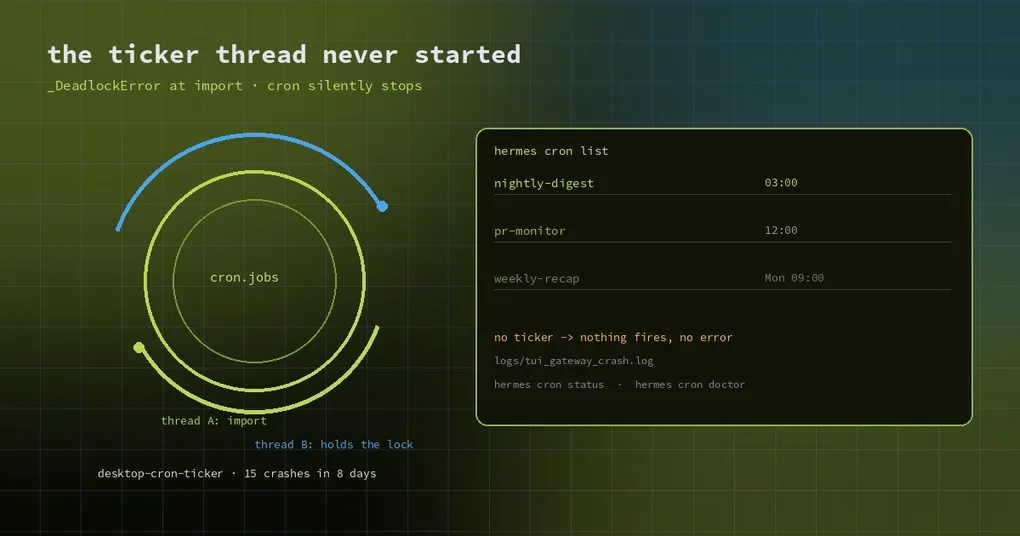
Monday morning. The three jobs that should have run over the weekend did not. hermes cron list shows them all, healthy, and the log has no errors and no failures — nothing happened, because the scheduler was not running.
Cron failures are almost always silent. A model call retries, raises, notifies; a scheduler that never ticks just does not work. Two independent reports this week cover the quietest versions: a thread that never starts, and a job you deleted that comes back on its own.
Mode one: the cron thread dies during import
The desktop backend (the hermes dashboard process) runs an in-process cron ticker so scheduled jobs still fire when no gateway is around. Its entry point is _start_desktop_cron_ticker in hermes_cli/web_server.py, and its first statement is from cron.scheduler_provider import ....
On Python 3.14 that import occasionally hits CPython’s module-import deadlock:
=== thread exception · 2026-10-24 23:23:13 · thread=desktop-cron-ticker ===
  File ".../hermes_cli/web_server.py", line 107, in _start_desktop_cron_ticker
    from cron.scheduler_provider import InProcessCronScheduler, resolve_cron_scheduler
  File ".../cron/__init__.py", line 13, in <module>
    from cron.jobs import (...)
_frozen_importlib._DeadlockError: deadlock detected by _ModuleLock('cron.jobs')
The crucial detail is not in the trace: the exception is raised inside the thread’s first statement, so the retry, fallback and alerting logic never runs. The ticker does not exist in that process until it restarts. One reporter hit it 15 times in eight days on macOS, with the lock alternating between cron.jobs and cron.executions.
What makes it hard to notice is a second scheduler. Most installs also run a launchd or systemd-managed gateway that ticks the same cron store, so jobs keep firing and the dead thread leaves no symptom. Only when the desktop backend is the only scheduler — single machine, app only, no separate gateway — does it become a real and completely silent cron outage.
It does leave a trace: ~/.hermes/logs/tui_gateway_crash.log, search for thread exception and desktop-cron-ticker. The deadlock is tracked in an earlier umbrella entry (#134889, Lane 3), and the direction of the fix is straightforward: import the cron store on the main thread before the ticker thread exists, so the race is removed rather than narrowed.
Mode two: a deleted job is written back to disk
The second mode is more insulting. You run hermes cron remove <id>, the job disappears from hermes cron list, and two manual checks confirm it is gone. A day later it is back on disk, byte-identical — same created_at, same state=completed, same last_run_at. No code path recreates a completed one-shot job, so the only explanation is a writer that loaded the store before the removal and flushed its in-memory copy afterwards.
The mechanism lives in cron/jobs.py. _merge_unexpected_disk_jobs / _unmerged_disk_jobs protect rows that exist on disk but are missing from a save payload — that is the create direction, and it logs (the guard added for #80624). The delete direction (rows in the payload that are gone from disk) is written back unconditionally, with no log line. A long-lived writer that loaded jobs.json before your removal saves the whole store at the end of its work, and the delete is silently undone.
The cost in the report was concrete: the resurrected one-shot job pointed at a retired script, re-ran a nightly suite, and produced two monitoring pages plus an RCA cycle. It happened in an estate with 15 cron stores behind one multiplexed gateway — the more writers, the more likely the race.
The proposed fix is delete tombstones: any save carrying removed_ids also persists those ids with a removal timestamp into a per-store sidecar, cron/jobs.removed.json; every merging save then subtracts fresh tombstone ids from its payload unless the row’s created_at postdates the removal (so a legitimate re-create with a recycled id still works) — and this time it logs. A sidecar rather than a metadata key in jobs.json, so replace=True repairs and external whole-file rewrites cannot erase delete intent.
How to triage it in order
Three commands and one file usually identify which mode you are in:
hermes cron status        # is a scheduler actually running
hermes cron doctor        # common health problems
hermes cron runs          # durable execution attempts: did anything run
hermes cron incidents     # persisted failure incidents
Then check by hand: search ~/.hermes/logs/tui_gateway_crash.log for thread exception. If status reports no scheduler, runs is empty for days, and the crash log mentions desktop-cron-ticker, that is mode one. If the job did run, or if a job “came back”, compare that row’s created_at and last_run_at in jobs.json against what you know — that is mode two.
Four habits that prevent both
- One scheduler per store. A desktop backend, a launchd gateway and a systemd service ticking the same store is the main source of invisible writers. Keep one.
- Confirm removals after a tick, not immediately. Re-check
hermes cron lista few minutes later, or after restarting the scheduler. The race happens in a closing save, not at the moment of deletion. - Do not let cron be the only signal. Have important jobs report completion somewhere external — a webhook, a message, a line in a file. That beats reading
hermes cron listafter the fact. - Run
hermes cron statusafter every upgrade, especially when the Python version or the scheduling topology changed.
The short version
Scheduled jobs fail without a sound, so you have to listen on purpose. Is a scheduler running, did the job actually run, and is a deleted row still on disk — each has a cheap check. Make the checks a habit and Monday mornings stop being a surprise.
Further reading: the cron health-check guide, cancelling a live run, memory continuity across cron runs, what else is in the v0.22.7 window.