Your Agent Only Sees a Filename: Swapping Hermes Speech-to-Text to Qwen
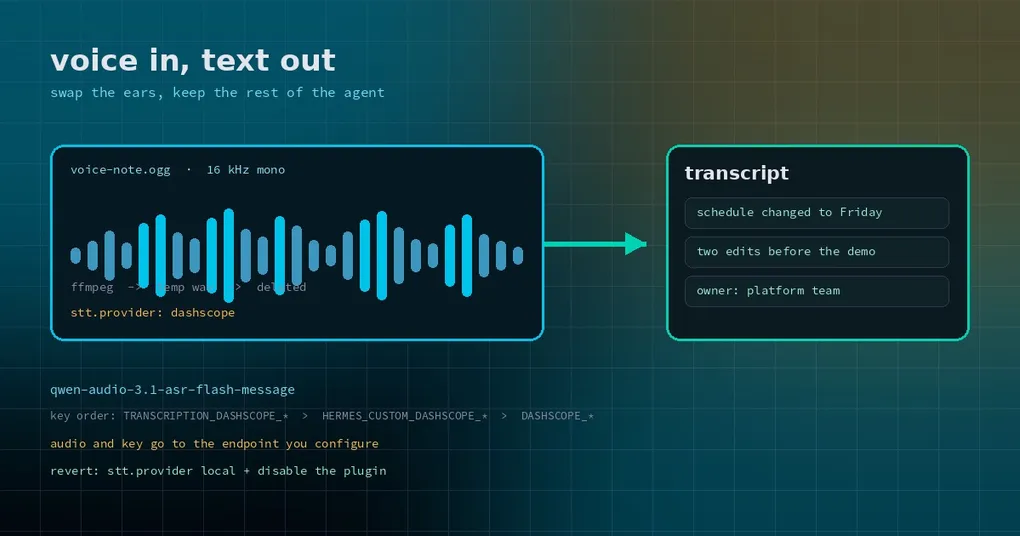
A partner sends you a two-and-a-half-minute voice note: the schedule, plus two things to change. You forward it to Hermes and ask for a task list. It answers that it received an audio file and then asks what was in it. From the agent’s side, that is exactly what it got — an .ogg.
Voice notes are the most common input an agent silently drops. Hermes has a speech-to-text layer with a local Whisper option and several cloud backends, and each has a price: local Whisper eats CPU and takes time to load; cloud backends want either a key on a network you may not have or a per-minute bill. If your team already lives on the Qwen/Alibaba stack, there is now a third path — the community plugin transcription-dashscope, which wires Hermes STT to Qwen-Audio-ASR on the Qwen AI Platform (DashScope).
Which layer it replaces
Hermes splits voice into two independent halves: stt.* turns sound into text, tts.* turns text into sound. By default stt.enabled is on and so is echo_transcripts — the gateway transcribes an incoming voice message and echoes the transcript back as a 🎙️ message.
The backend is pluggable. Core ships several (local Whisper, Groq, OpenAI, Mistral, ElevenLabs, DeepInfra, xAI), and plugins can register additional provider names. This plugin registers dashscope, so the only thing you change is stt.provider.
It covers two flows: automatic transcription of gateway voice messages, and dictation on Desktop or the CLI with live partial text when stt.streaming is on. The default model is qwen-audio-3.1-asr-flash-message.
Three things before you install
A Qwen AI Platform API key. Nothing works without one.
ffmpeg on the machine. The plugin uses it to normalize every recording to 16 kHz mono — the rate the live transcription endpoint accepts, and not something Telegram or WhatsApp voice files happen to use. The conversion writes a temporary wav and deletes it afterwards.
A recent enough Hermes. The catalog entry requires >=0.22.5. Do not force it on an older build; update first.
Then install in order:
hermes plugins install transcription-dashscope
hermes plugins enable transcription-dashscope
hermes gateway restart
The restart is not optional. The plugin brings Python dependencies, and the running process has not loaded them yet. Skip that step and the next command fails with something like DashScope SDK is not importable in this process — that is not a broken install, it is a process that has not switched over.
Four lines to turn it on
Put the key in the profile .env:
DASHSCOPE_API_KEY=sk-your-keyThe plugin reads three variables, highest priority first: TRANSCRIPTION_DASHSCOPE_API_KEY (plugin-specific), HERMES_CUSTOM_DASHSCOPE_API_KEY (the custom-provider set), then DASHSCOPE_API_KEY (the built-in Alibaba provider). Any one of them works, so an existing Alibaba setup needs no new key.
Point STT at it:
hermes config set stt.provider dashscope
hermes config set stt.enabled true
hermes config set stt.streaming true
stt.streaming is the “text appears while you speak” mode. If you only need voice messages transcribed, leave it false — it also removes the noise of mid-sentence revisions.
The knobs that matter for real audio
The default model handles Mandarin well, but real recordings have filler words, accents and background noise. The plugin passes DashScope’s recognition parameters through, and three are worth setting on day one:
hermes config set stt.dashscope.disfluency_removal_enabled true
hermes config set stt.dashscope.max_sentence_silence 400
hermes config set stt.dashscope.vad_model near_meeting_16kdisfluency_removal_enabledstrips “um”, “like”, “you know”. Worth it for meeting notes.max_sentence_silenceis how long a pause must last to end a sentence, in milliseconds. Raise it for slow, pause-heavy speakers and the segmentation gets less choppy.vad_modelpicks the voice-activity model used for segmentation. A near-field meeting model such asnear_meeting_16kis steadier than a generic one in a room.
A few more are worth knowing: keep_dialect preserves dialect instead of normalizing to standard Mandarin, speech_noise_threshold tunes the speech/noise cutoff, vocabulary_id attaches a precompiled hotword list (a large accuracy jump for product names and jargon), and language_hints accepts up to four language hints. Anything without a dedicated config key can be passed wholesale through a parameters dictionary.
Set the language explicitly too. Hermes’ global default is en, for a good reason — Whisper’s auto-detection misfires on short clips. For Chinese input:
hermes config set stt.language zhUnset keys under stt.dashscope fall back to defaults. The endpoint defaults to https://maas.qianwenaiapi.com/api/v1; give it an HTTP address and the plugin swaps in the live endpoint itself. OpenAI-compatible addresses (with /compatible-mode/v1) also work, since the SDK only reads the hostname. workspace is only used when you set it.
Where the audio goes
Be clear about this: the audio and the API key go to the endpoint you configured — the Qwen AI Platform by default — and nothing else leaves the machine. Locally there is one temporary wav used for transcoding, deleted after the call. This is a cloud call. If the recordings are sensitive, either stay on local Whisper or confirm the path matches your compliance rules before switching.
How to back out
Two commands:
hermes config set stt.provider local
hermes plugins disable transcription-dashscope
You will want them in three cases: the account is out of credit or the model is not enabled (Arrearage: Access denied); the audio is too long — this model targets short clips and conversation-level recognition, so an hour-long interview wants a dedicated file-transcription model; or you simply do not want audio leaving the machine.
One more thing to know up front: the SDK 2.0 voice interface is officially labeled preview. After any SDK upgrade, send one voice message and confirm it still transcribes, rather than discovering the break during an important meeting.
Is it worth switching
If your voice input is mostly Chinese, not very high volume, and you would rather not run Whisper locally, this is a good trade: two install commands, four config lines, and the platform handles the rest. It changes nothing above the STT layer — transcripts still land in the session and still trigger the same tool calls; only the ears are different.
If your audio is mostly English, or privacy is the constraint, built-in local Whisper remains the calmer option at the cost of a slow first load and steady CPU. For trimming silence before upload and unloading the model when idle, the STT silence-trim and idle-unload guide goes deeper. The output half — text to speech — is covered in the voice picker guide.