Hermes Images Are No Longer Blurry: The Full Guide to Automatic Upscaling in image_generate and video_generate
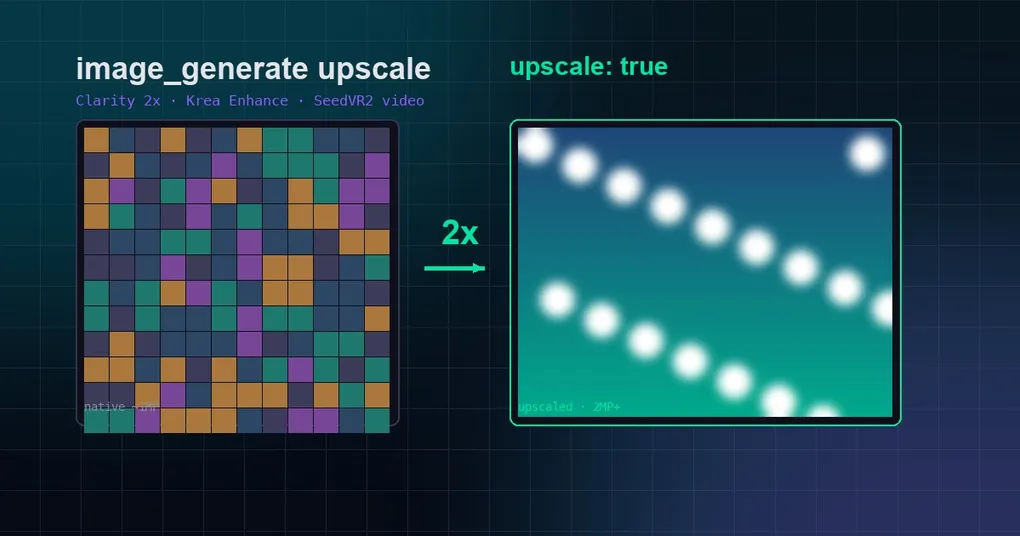
You ask Hermes to generate a product hero image, the AI delivers in seconds, and you nod approvingly — until you drag it into your design file and zoom in, only to find the details dissolve into mush. “Looks fine at generation time, unusable when enlarged” used to be the default experience: out of 21 FAL image models, only one ever upscaled automatically, Krea output was pinned at 1K/1.5K native, and video had no high-resolution path at all. A change merged into Hermes main on 2026-08-08 (PR #81935) turns that page: low-resolution models now upscale by default, and a failed upscale never fails the generation.
Where the problem came from
Before the new behavior, blurry output had three root causes:
- Most models had low native resolution: of FAL’s 21 image models, only
flux-2-prochained an upscaler; the other 20 returned whatever they produced; - Krea output was pinned: Krea 2 Medium generated at 1.5K native, Large at 2K, with no upscale option;
- Video had no upscale path at all:
video_generatereturned whatever resolution it got, period.
The result: you’d ask for “a high-res poster” and receive something around 1MP — fine in the chat window, useless on a billboard.
New default: sub-2MP models upscale automatically
The core policy of this change is simple: every model whose native output is below ~2MP automatically runs a high-resolution pass after generation, so you never silently end up with a low-res image.
| Backend | Models upscaled by default | Upscaler |
|---|---|---|
| FAL.ai | all except Seedream 5 Pro/Lite and Krea 2 Large (native ≥2MP) | Clarity Upscaler (2×, +$0.03/MP) |
| Krea | Krea 2 Medium + Medium Turbo (1.5K native); Large (2K) skips | Krea Enhance (2×, up to 8K ceiling) |
| Other backends | none | no upscaler; native resolution returned |
Models whose native output is already ≥2MP (Seedream 5 Pro/Lite, Krea 2 Large) are not upscaled by default — no point paying to enlarge an image that’s already large.
The upscale parameter: per-call control
The default is just a safety net; real control lives in the upscale parameter, which overrides the default in either direction:
upscale: false— skip the automatic pass, get a faster/cheaper draft;upscale: true— force the pass, even on native hi-res models or image edits.
Precedence is: explicit argument > config > catalog default. So you can set a long-term preference per model in config.yaml (say image_gen.krea.upscale: false to save money), yet still force high-res on one particular important generation by passing upscale: true in that call.
The response includes an upscaled: true/false field so the agent knows exactly which resolution it received.
Video: opt-in SeedVR2 upscaling
Images upscale by default; video is a choice: video_generate also accepts upscale: true, and the FAL backend chains ByteDance’s SeedVR2 video upscaler (fal-ai/seedvr/upscale/video, 2× factor, ~$0.001/MP of output video).
Why not default-on? Because video upscaling is expensive and slow — enabling it by default would double every video’s cost and latency for people who mostly don’t need it. So video stays opt-in; pass the flag when you want near-4K output:
{
  "prompt": "a cinematic drone shot over a coastline at sunset",
  "upscale": true
}
Cost and caveats
Upscaling isn’t free; here are the numbers that matter:
- FAL images: Clarity Upscaler 2×, roughly +$0.03/MP;
- Krea images: Enhance 2×, up to an 8K ceiling, using the same BYO/managed base URL and auth as generation;
- FAL video: SeedVR2 at $0.001/MP of output video — a 5-second 720p→1440p 2× pass costs roughly $0.44.
Three engineering details worth knowing:
- Graceful fallback: if the upscale step fails (network issue, rate limit), the original image is returned automatically — an upscale failure never fails the generation. You always get your image; it just may not be enlarged;
- Editing works too: passing
upscale: trueon image-to-image/editing calls forces the hi-res pass there as well; - Ignored where unsupported: backends without an upscaler simply ignore the
upscaleargument — it’s harmless and behavior stays unchanged.
What it looks like in practice
In the CLI, just talk to Hermes and the agent decides when to pass upscale. When you want explicit control, say so in your prompt:
- “Generate a poster, make it high-res” → agent passes
upscale: true(or relies on the default); - “Quickly draft a few compositions, no need for detail” → agent passes
upscale: falseto save time and money.
On the config side, Krea’s default behavior can be turned off globally:
image_gen:
  krea:
    upscale: false
Part of a bigger media toolbox
Upscaling is one piece of Hermes’ media capabilities. Combined with performance work like STT silence trim and idle unload and document extraction for PDF/Word/Excel/EPUB, Hermes is becoming a complete media workflow on both the reading and generation sides. If image generation is new to you, the v0.20.0 Herald release notes give the overall picture; for more under-appreciated features, the hidden tricks veterans miss post is worth a look.
Bottom line: since 2026-08-08, Hermes images are “sharp by default” — sub-2MP models upscale automatically, upscale: false/true overrides either way for fast drafts or maximum detail, and video gains SeedVR2 on demand. The blurry-image era is officially over.