10 Hidden Hermes Tricks Even Veteran Users May Not Know: From /goal to Pets to an API Server
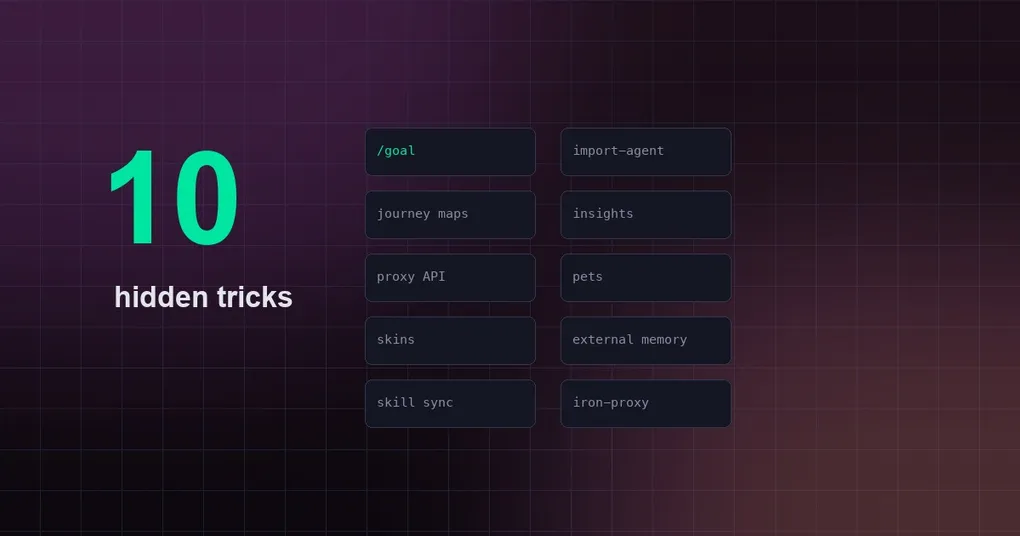
Hermes Agent’s feature surface is absurdly long: 60+ CLI subcommands, 80+ slash commands. Many veteran users fire up hermes chat every day without noticing the whole shelf of “nice-to-have” subcommands sitting right next to it — some that save you from saying “keep going” three times, one that turns Hermes into an API backend for any app, and others that just make your terminal more fun.
Every trick in this article was tested on a real install (or verified word-for-word against the official docs). No hearsay. If you’ve read our earlier productivity tips roundup, consider this its “advanced follow-up” — every item here is new content.
1. /goal: say it once, let it work until done
This is the most underrated one. /goal gives Hermes a persistent objective that survives across turns: after every turn, a lightweight judge model checks whether the goal is satisfied. If not, Hermes automatically feeds a continuation prompt back into the same session and keeps working — until it’s achieved, you pause or clear it, or the turn budget runs out.
/goal Fix every failing test in tests/hermes_cli/ and make sure scripts/run_tests.sh passes for that directoryThe docs are explicit that this is a Ralph loop implementation inspired by Codex CLI 0.128.0’s /goal. It shines for tasks where you’d otherwise have to say “keep going” three times (fix every lint error, port a feature and get CI green, write a report). One-turn tasks don’t need /goal.
2. hermes import-agent: migrate from Claude Code / Codex in one command
If you’re on Claude Code or Codex CLI, moving to Hermes isn’t a redo — it’s one command:
hermes import-agent                    # auto-detect ~/.claude or ~/.codex
hermes import-agent claude-code        # explicit source
hermes import-agent codex --dry-run    # preview only, never touches disk
hermes import-agent claude-code --overwrite --yes
It maps your existing CLAUDE.md / AGENTS.md instructions, permission allowlists, MCP servers, skills, and memories to their Hermes equivalents. The key design decision: API keys and credentials are never imported — those go through hermes setup. And it’s always preview-first: --dry-run doesn’t touch disk.
3. hermes journey: draw your memory and skills as a star map
The desktop app has a “Star Map / Memory Graph” panel — many people don’t realize it has a terminal counterpart:
hermes journey            # timeline bar chart: skills/memories learned over time
hermes journey --play     # playable "constellation scrubber" animation
hermes journey list       # list node IDs (for delete/edit)
hermes journey delete <id>      # delete a learned skill or memory
hermes journey edit <id>        # edit in $EDITOR
It shows you, at a glance, when Hermes learned each skill and what memories settled in. There’s also a matching /journey overlay in the TUI. For anyone who wants to “take stock of their agent’s growth,” this beats digging through ~/.hermes/skills/.
4. hermes insights: your usage, at a glance
hermes insights                  # last 30 days
hermes insights --days 7         # custom window
hermes insights --source cli     # filter by platform
Real output from my machine: sessions, messages, tool calls, input/output/total tokens, active time, model distribution (which model burned how many tokens), platform breakdown, tool-usage patterns, cost estimates. A 7-day window instantly returned 30 sessions, 1,342 messages, 767 tool calls, and 47.5M total tokens — if you’ve ever wondered “what is my agent actually doing, and where is my money going,” this command is the answer.
5. hermes proxy: turn Hermes into an OpenAI-compatible API
Want any app that speaks the OpenAI protocol (Open WebUI, LobeChat, ChatBox…) to use Hermes’ full toolset? hermes proxy runs a local HTTP server:
hermes proxy start       # run the local OpenAI-compatible proxy
hermes proxy status      # check upstream readiness
hermes proxy providers   # list available upstreams
How it works: external apps point at the proxy with any bearer token; the proxy swaps in your real OAuth credentials (e.g. Nous Portal) when forwarding. So frontends get an agent backend with terminal, files, web search, memory, and skills — not a bare model API. The official docs frame the API server the same way: any OpenAI-format frontend can connect.
6. hermes sync: skills that follow you
Tired of copying skill folders between machines? hermes sync is the official cross-device answer:
hermes sync status       # what's synced and from where
hermes sync pull         # pull (including org-shared skills)
hermes sync push         # push your opted-in skills
hermes sync now          # reconcile: pull then push
hermes sync enable <skill> / disable <skill>
hermes sync device       # set this device's label
hermes sync propose      # propose a personal skill back to the team
Personal skills roam between your devices; if you belong to an organization you also get its shared skills and can contribute your best ones back. status tells you exactly where each skill came from and where it syncs.
7. hermes pets: give your agent a pet
Pointless, and genuinely fun. Petdex is a public gallery of animated sprite pets (I measured 4,425 pets on a live pets list). Install one and Hermes shows it reacting to agent activity across the CLI, TUI, and desktop:
hermes pets list              # browse the gallery
hermes pets install <name>    # install a pet
hermes pets select <name>     # set the active pet
hermes pets show              # animate it in the terminal
hermes pets scale 2           # resize
hermes pets off               # disable
From Homelander to 机甲小白 to a Dalek, there’s one for everyone. Watching it bounce while your agent works is a real vibe shift.
8. hermes skin set: recolor on the fly, no config edits
The skin system isn’t just “switch themes” — you can tweak one color of one UI element in place:
hermes skin list            # list available skins
hermes skin use <name>      # switch skins
hermes skin set ui_tool '#00FFFF'   # recolor a single element
The set subcommand adjusts one color of the active skin (the ui_* family) without editing YAML or restarting. The lightest way to fine-tune your terminal look.
9. hermes memory: plug in an external memory brain
On top of the built-in MEMORY.md/USER.md, Hermes supports pluggable external memory providers:
hermes memory setup      # interactive provider selection + config
hermes memory status     # show current provider
hermes memory off        # disable external memory (built-in only)
hermes memory reset      # wipe built-in memory
Available providers: honcho, openviking, mem0, hindsight, holographic, retaindb, byterover — only one active at a time. If you want a serious long-term memory layer (semantic-retrieval-style memory), this is the official doorway.
10. hermes egress: sandbox egress firewall (security easter egg)
The most “hardcore” one: iron-proxy is an optional TLS-intercepting egress firewall that swaps proxy tokens for real API credentials before requests leave a sandbox. Disabled by default:
hermes egress install     # download the iron-proxy binary
hermes egress setup       # interactive wizard (install + CA + mint tokens + config)
hermes egress start / stop / restart / status
hermes egress disable
For workloads running in sandboxed/isolated environments that still need to reach real APIs, it solves the classic “I can’t put real credentials in the sandbox” problem. Advanced users, take note.
Bonus: one-liners worth keeping
hermes monitoring status: gateway health metrics + redacted diagnostics OTLP export state (off by default; pure ops)/wake on: one command to enable hands-free “Hey Hermes” (detection is entirely on-device; audio never leaves your machine). See the wake word docshermes security: OSV.dev supply-chain audit of venvs, plugins, and MCP servers — for the security-obsessedhermes dump: one command exports a full setup summary for support/debugging
How to find more
hermes --help lists all 60+ subcommands, and each one has a detailed description via hermes <cmd> --help. The official features docs are a goldmine too — pages like pets.md, skins.md, goals.md, and wake-word.md tell their own story.
Want the full picture? Start with our productivity tips roundup (session naming, compression, checkpoints — the fundamentals), then pair it with this advanced batch. If you arrived after v0.20, read the Herald release deep dive first to see the whole release.