Hermes v0.20.0 Herald Deep Dive: Conversational Voice, Wake Words, Grounded Citations, and A2A
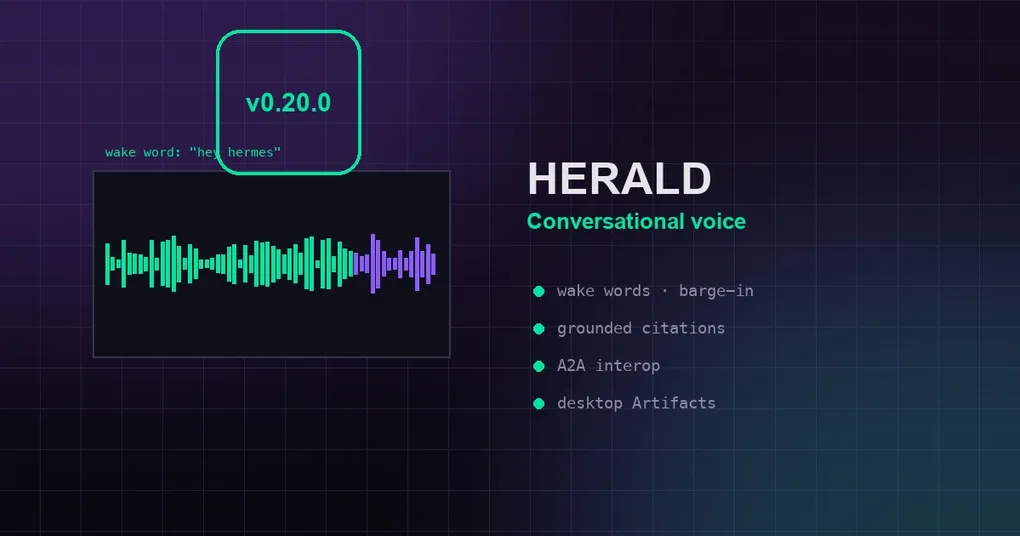
Hermes Agent v0.20.0 (codename Herald) shipped on August 3, 2026. In Greek mythology the herald is the messenger of the gods — and this release finally lets Hermes live up to the name: real-time conversational voice you can interrupt mid-sentence, hands-free wake words, voice on every platform, research backed by verifiable citations, Agent-to-Agent (A2A) interoperability, and signed outbound webhooks that push events to your own systems. It’s one of the largest releases in the project’s history: roughly 3,650 commits, 1,400 merged PRs, 5,200 files changed, ~1,200 issues closed, and 647 contributors since v0.19.0.
This article doesn’t repeat the release notes verbatim. Instead, it breaks the update into the features that matter most to developers, explains why they matter, and shows how to actually use them. For the complete changelog, check our v0.19.0 release notes (the v0.20.0 notes are being published on this site too).
1. The headline: Talk to Hermes — a real conversation, not a voicemail
Voice mode used to work like a walkie-talkie: you speak, wait for the entire reply to generate, then listen to one long audio file. v0.20 changes that completely:
- Speaks while it thinks — Hermes synthesizes speech clause-by-clause as the response streams
- Barge-in — you can start talking mid-sentence; Hermes stops, listens, and the model is told you interrupted, so it adjusts what comes next
- Busy-aware silence detection — it never talks over you
It feels like a phone call: say “Hey Hermes, what’s the weather today?” — and when it’s halfway through, add “…and check tomorrow too.” It immediately course-corrects. The official summary: from “voicemail exchange” to actual conversation.
This works in CLI voice mode, on the desktop, and through every audio-capable gateway adapter.
2. Wake words: talk to your terminal from across the room
Paired with conversational voice is on-device wake-word detection:
- Open-vocabulary phrases — use “hey Hermes” or pick any phrase you like
- On-device detection — no audio leaves your machine while it waits
- Multi-profile voice routing — different wake words can reach different profiles
- Say “stop” on any surface to end the voice chat hands-free
You can be on the other side of the room, say “Hey Hermes” to the Hermes Desktop on a second monitor, and it wakes up and responds. Your terminal is now something you can talk to from across the room.
3. Voice everywhere: voice notes in, auto-TTS replies out
You can now send a voice note to Hermes on WhatsApp, Feishu, DingTalk, LINE, QQ, Photon, or Weixin — it’s transcribed and answered, with platform-aware auto-TTS replies (opus where platforms want opus, captions attached correctly).
STT (speech-to-text) is fully configurable too:
- Its own
hermes toolscategory, GUI toggles, and dashboard dropdowns - Unified language resolution — fixing the classic “transcripts come back in the wrong language” bug class
- OpenAI
gpt-transcribesupport
And all TTS providers share one unified spoken-text preprocessor that cleans markdown, code, and URLs out of speech before it’s spoken.
4. Research you can trust: the grounded-citations skill
The new grounded-citations skill makes Hermes produce research where every claim is backed by a verifiable source:
- Quotes matched against real page text — not hallucinated from memory
- Citations link to the exact evidence
- Fact-checking mode — run the same machinery on any document or claim; it tells you what checks out, what doesn’t, and what couldn’t be verified
The official framing: it’s the difference between “sounds right” and “provably sourced.” If you use Hermes for research, this is a must-have.
5. Outbound webhooks: Hermes pushes events to your systems
Until now, integrating with Hermes meant polling or listening on a platform. Now Hermes pushes signed lifecycle events (session activity, turn completions, tool events) to any HTTP endpoint you register:
- HMAC signatures — receivers can verify authenticity
- Wire it into your CI, home automation, dashboards, or any HTTP-speaking service
- No polling loop required
We wrote a practical guide on Hermes webhook business notifications earlier — this release completes the outbound side of the story.
6. The desktop app becomes a platform: Artifacts, plugin SDK, quick entry
Hermes Desktop stopped being a chat client and started being a workbench:
- Artifacts — versioned cards with sandboxed live preview in a right-rail viewer; generated HTML apps run safely next to the chat
- Plugin SDK — Kanban ships as the founding desktop plugin;
ctx.downloadhands users files; floating pane placement - Quick-entry window — a global hotkey captures a thought into any session from anywhere in your OS
- Multiple GUI windows
Everything you’ve created with Hermes across all platforms (images from MCP-linked tools, HTML apps, etc.) shows up in Artifacts — and because previews are sandboxed, testing is safer.
7. A2A v1.0: agents finally speak a common protocol
Hermes now bundles a plugin implementing the Agent-to-Agent protocol, so it can discover, talk to, and be driven by other A2A-compatible agents. This closes issue #514 — one of the oldest open feature requests in the repo.
The practical value: if your workflows span heterogeneous agent stacks, Hermes now has a standard wire protocol to join them. Let Hermes orchestrate your other agents — or let another agent orchestrate Hermes. Skills and APIs plugged into each agent become drivable as one system.
8. CLI power-user wave: !, /init, /diff, /context, /focus
v0.20 brings a wave of practical CLI commands:
| Command | What it does |
|---|---|
!command |
Run a shell command instantly without spending a model turn |
/init |
Scan your project and generate (or update) an AGENTS.md |
/diff |
Show staged / all / session changes from any surface |
/context |
Break down exactly what’s filling your context window |
/focus |
Reduced-output view with hidden-line recovery |
Ctrl+S |
Stash a half-written prompt into a browsable panel |
Plus hermes import-agent migrates your Claude Code or Codex CLI setup into Hermes in one command.
9. Correct the agent mid-turn: redirects, not restarts
If Hermes is heading the wrong way, you no longer have to /stop and re-explain. Type a correction while it works and the active turn is redirected:
- Work in flight is preserved
- The original prompt is kept
- The agent course-corrects with your new guidance
Paired with double-ESC draft discard and a composer undo stack, steering feels like editing, not restarting.
10. Tools that fix themselves
A sweep of self-recovery upgrades means the agent wastes far fewer turns on tool friction:
- Truncated terminal output spills to a file the agent can read back
patchdetects already-applied edits and diagnoses whitespace mismatcheswrite_fileverifies content on disk- Searches that match nothing probe for near-misses and recover
- The default tool-calling iteration limit jumped from 90 to 500 — long autonomous runs stopped hitting an artificial wall
11. Compression that respects your conversation
Context compression got a deep overhaul:
- Proactive tool-result pruning for large-window models
- Per-turn micro-compaction that amortizes the cost instead of one giant pause
- Guaranteed N-user-message tail (
compression.min_tail_user_messages) — recent conversation always survives - Progress-aware timeouts that stop punishing slow summary models
- Ghost-skill defense — a pruned skill can never silently haunt a session
- Thresholds are configurable per-model and in absolute tokens (
compression.threshold_tokens)
Long sessions stay coherent and stop stalling.
12. Smart approvals grow up
Smart Approvals gained several upgrades:
hermes approvals suggest— mines your approval history into allowlist proposals- Customizable smart-approval policy
- Consecutive-denial circuit breaker — hard-stops a misbehaving loop
- Desktop pairing approvals are now profile-correct with a proper surface to answer them
- A new approval gate for docker/podman daemon-redirect commands
Less clicking “approve,” without giving an inch of control. For the full config walkthrough, see our Smart Approvals setup guide (the real config keys are approvals.mode / approvals.deny — don’t trust outdated tutorials).
13. Faster everywhere, again
Performance keeps compounding:
hermes -wcold start dropped from ~14s to ~1.8shermes updateno-ops got 2–6s faster- Heavy SDKs lazy-load off the import path
- Config reads stopped deep-copying — 54× faster on the telemetry gate
- Tool schemas cached on native Anthropic without history loss
- Desktop shipped its second 60fps wave — streaming cost independent of transcript length, drag at 60fps with five streaming tabs, idle CPU near zero
One clarification: the often-quoted “first token 4.3s → 0.9s” was the v0.19.0 optimization. v0.20 builds on it with cold-start, caching, and desktop rendering gains.
14. New places to run and be reached
- Buzz lands as a bundled gateway platform (Block’s Nostr-based messenger, native WebSocket transport, NIP-42 auth)
- Vercel AI Gateway provider and Vercel Sandbox terminal backend return, modernized
- Desktop gains an SSH remote-backend connection mode
- Relay completed four phases of parity — media, interactive prompts, thread lifecycle, typing indicators
- HSP personal + org skill sync
15. Security & reliability
- Iron-proxy credential-injection egress firewall re-landed
- DNS-pinned SSRF-safe fetches + Slack CDN allowlist
- Strict redaction at compression boundaries; ReDoS eliminated in config-key redaction patterns
- Windows hardening wave — text-mode subprocess decode bug class closed repo-wide, console flashes hidden
- Four session-state integrity fixes + FTS layout optimization (incl. CJK bigram indexing)
How to upgrade
# Existing installs
hermes update

# Fresh install
curl -fsSL https://hermes-agent.nousresearch.com/install.sh | bash
Note: this release requires Node 26 (handled by installers/self-heal/upgrade paths), and the brew + pip/PyPI wheel channels are retired — the supported channels are the shell installer, Docker, and Nix.
Summary
The Herald release’s core story is the messenger: it speaks to you (voice), carries word to other agents (A2A), announces events to your systems (webhooks), and shows its evidence (citations). Combined with the desktop-as-platform push, CLI power commands, smarter compression, and grown-up approvals, v0.20 moves Hermes from “tool” to “colleague that talks, collaborates, and cites its sources.”
If you haven’t tried the voice yet, upgrade and say something to Hermes — then interrupt it mid-sentence. It genuinely feels different. New to Hermes? Start with the installation guide, or revisit the v0.19.0 Quicksilver deep dive for the speed-up story behind this release.