hermes doctor's Large-WAL Warning Is Now Honest
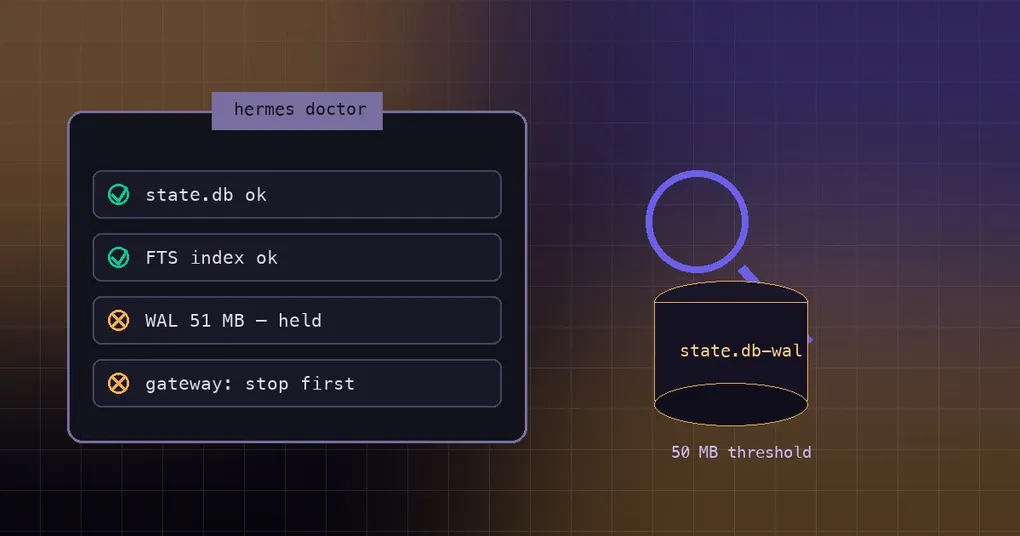
Your always-on assistant has been running for weeks: the gateway never stops, Desktop sits in the background, cron writes to the database on schedule. So on a quiet Saturday you do the responsible thing and run hermes doctor, and it prints a warning — the WAL file is large, run hermes doctor --fix to checkpoint it. You do that too, the tool reports a successful checkpoint and one fixed finding, and everything looks tidy. Then you go back to work and half the session list is missing, or the next start fails outright on a damaged state.db. Nothing about that advice was malicious; it simply did not know the database was in use. PR #113055, merged on 16 September 2026, is about that one line of output.
The symptom: a diagnostic that gives advice that hurts
hermes doctor diagnoses config and dependency problems, and hermes doctor --fix is its self-repair variant. The CLI docs describe the flag in a single sentence: attempt automatic repairs where possible.
Before #113055, any state.db-wal over 50 MB produced an unconditional suggestion to go run --fix. The holder scan — the step that checks whether another process is holding the database — only ran inside --fix. That is the contradiction: the checkpoint --fix performs needs a quiet database, and with the gateway or Desktop running the database is anything but quiet. The Discord threads in issue #110054 are users following that exact line into --fix while the gateway was live, becoming the second writer the deleted-WAL guard then fires on, which is how state.db damage gets reported.
What a WAL is, and when a big one is normal
WAL (write-ahead log) is a SQLite journal mode: new writes are appended to the state.db-wal file first and merged back into the main state.db later. A checkpoint is that merge, and it shrinks the WAL file as a side effect. A holder scan is a short check for any process other than the current one that has the database open.
Given that design, a WAL file growing is expected behaviour. The gateway, Desktop and cron keep appending, and when checkpoints do not happen often enough the file simply gets bigger. Doctor watches exactly two thresholds: above 10 MB it prints an informational line reading normal for active sessions, and above 50 MB the finding is promoted to a warning. A 51 MB WAL on a busy install can therefore be perfectly healthy. The real question was never the number on disk — it is whether that WAL can be merged back safely right now.
What changed: the holder check now runs on the warning path
_state_db_wal in hermes_cli/doctor_state.py now performs the holder check (hermes_state_repair._live_writer_holds_db, the same wrapper _write_health_reason uses) before it says anything actionable. With a holder present, or with the database unprovable:
WAL file is large (51 MB) (normal while Desktop or the gateway is running, or state.db cannot be inspected — checkpoint only with them stopped)
Large WAL file — cannot prove state.db is quiet (stop the profile's gateway first, then run 'hermes doctor --fix' to checkpoint)
The first line is the check’s warn text; the second is the issue it appends. With no holder, the wording changes and the stop order comes before the suggestion:
WAL file is large (51 MB) (may indicate missed checkpoints)
Large WAL file — stop the profile's gateway, then run 'hermes doctor --fix' to checkpoint
Two details in that wording are deliberate. A true from the holder check means “held or unprovable”, never “a live writer is definitely there” — which is why the message reads Desktop or the gateway is running or state.db cannot be inspected. When the answer is unknown, doctor fails closed and assumes a writer rather than asserting one. Between 10 MB and 50 MB the line is still just WAL file is 12 MB (normal for active sessions). The semantics of --fix itself are unchanged.
The correct checkpoint procedure
Order matters more than the commands: stop the writers, checkpoint, then put them back.
hermes gateway status     # check whether this profile's gateway is running
hermes gateway stop       # stop it if it is
hermes doctor             # no --fix yet: see what it says now
hermes doctor --fix # only once it stops reporting an unprovable database- Stop the writers. Stop the profile’s gateway with
hermes gateway stop, and quit Desktop from its menu rather than minimising it. Do not leave a terminal session open on the same profile either. - Confirm it is quiet. Run
hermes doctoragain without--fix. If it still sayscannot prove state.db is quiet, something is still holding the database — find it instead of pushing through. - Checkpoint. Run
hermes doctor --fix. - Read the result. Success prints a pair of numbers shaped like
WAL checkpoint performed (51200K → 176K): the WAL size before the merge, an arrow, then the size after, both in kilobytes. - Put the services back. Restart the gateway, and reopen Desktop if you use it.
If step 3 prints WAL checkpoint skipped: could not take exclusive ownership of state.db, it is followed by the guard’s reason and a hint to stop the gateway and re-run — that is the new behaviour keeping its promise. No exclusive ownership, no checkpoint.
How to tell whether a live writer still holds the database
You do not run the holder scan yourself; doctor does. What it does can be summed up in one sentence: it looks for any other process holding state.db, and only when the scan finds none does it run a BEGIN IMMEDIATE probe to prove the database is genuinely quiet — anything unknown in between is treated as a live holder. That probe runs only after the scan has ruled out a foreign holder, so the check cannot itself become the second writer it is warning you about.
What you can check by hand is simpler: hermes gateway status for the gateway, your activity monitor or task manager for a running Desktop, and any open terminal session on the same profile. When all three are clear, a checkpoint is safe.
What --fix still does, and what it does not
It still checkpoints — it executes PRAGMA wal_checkpoint(PASSIVE), now under the exclusive repair guard (_exclusive_repair_db_guard). The guard means an opener arriving in the middle is refused rather than joined into the same checkpoint.
It says so when it cannot. Without exclusive ownership it prints WAL checkpoint skipped: could not take exclusive ownership of state.db, carries the guard error and the stop-the-gateway-and-re-run hint, and keeps the “cannot prove state.db is quiet” issue instead of pretending the fix landed.
It will not fight a live writer, and it will not repair a state.db that is already damaged. A database that has already been hurt needs the other path: start with how state.db heals itself. If your symptom is database is locked rather than corruption, that is a different failure mode with different fixes — see the state.db lock fixes.
The rest of hermes doctor, without panicking
Most of what the health check prints is a passing status, and only a couple of lines deserve attention:
- A WAL between 10 MB and 50 MB is informational. The message itself says
normal for active sessions. - The large-WAL warning with a live writer is also saying “this is normal”. Its only requirement is that a checkpoint waits until the gateway and Desktop are stopped.
- For sharing your setup, use
hermes dump. It is a plain-text summary designed to be pasted into an issue or a chat, with no colours or formatting.
Exactly one situation needs you to act: no holder, and the WAL never shrinks. That is when the offline checkpoint above is worth doing. The full flag list lives in the hermes doctor command reference.
The short version
A diagnostic’s advice is only as good as its premises. The old line said “run --fix” at 50 MB without ever asking whether the database was quiet; since PR #113055 doctor scans for a holder first and, when one exists or cannot be ruled out, tells you the large WAL is normal while Desktop or the gateway runs — and to checkpoint only with them stopped. This belongs to the same run of work as the v0.21.2 stability patch, which fixed another class of “the tool said something that was not quite true”. If you are about to health-check a long-running install, just remember the order: stop the gateway and Desktop → hermes doctor --fix → start them again.