Gateway profile multiplexing is on by default now
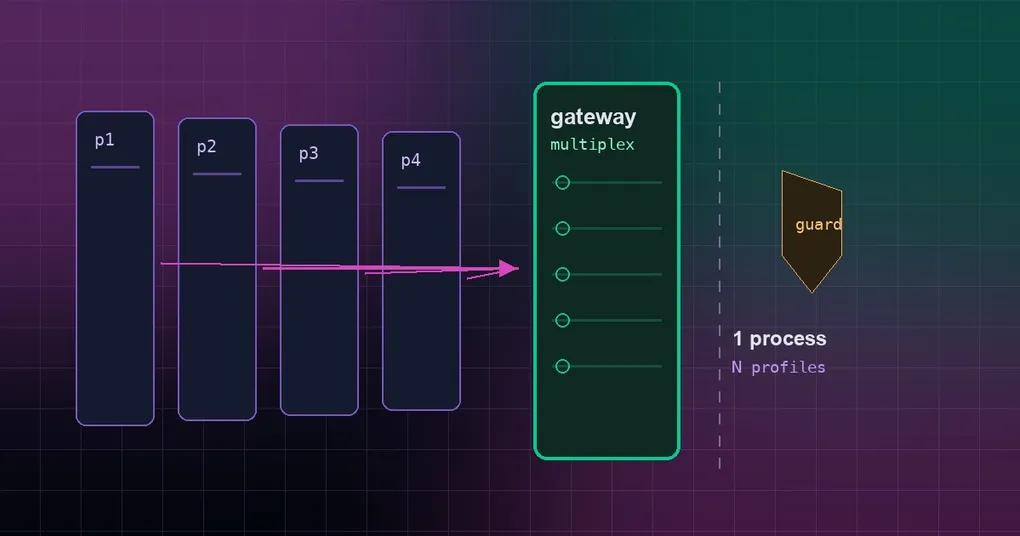
Monday morning and the group chat is silent. You run three Hermes profiles on one box — default, coder, research — and each one has its own systemd unit, its own port, and its own hermes -p coder gateway start that you are supposed to remember. Last night’s reboot brought back two of them, and one profile’s Telegram token ended up polled by two processes at once, so every message got answered twice. You did not change anything; you just have one more thing to babysit for every bot you add. Hermes answers that with a single gateway process that serves every profile on the machine, and as of 2026-09-16 that is the default — with a guard so no existing install flips by surprise.
What a multiplexing gateway is
Three words first. A profile is a self-contained Hermes agent — its own config, credentials, memory, skills and cron jobs, living under ~/.hermes/profiles/<name>. A gateway is the long-running process that keeps your bots connected: it polls your Telegram bot, answers your webhook, wakes cron jobs, and hands each incoming message to an agent turn. Multiplexing means letting one gateway process serve more than one profile.
Until now the standard shape was one process per profile (what the docs call standalone, and what --standalone restores): every profile owns its own unit, its own port and its own PID file. A multiplexer replaces that fleet with a single process — the default profile’s gateway becomes the only inbound process and serves messages for every profile on the box, routing each incoming message to the profile it belongs to. The profiles stay separate agents; only the process is shared.
The per-profile shape is still fully supported, and the multi-instance profile guide walks through running several profiles side by side.
What changed: on by default, but settled at every boot
gateway.multiplex_profiles now defaults to on. The part worth reading twice is what happens when you have never set it: an unset flag is treated as a request, not as a verdict, and the default gateway settles that request once at each boot.
At startup it runs the same preflight as hermes gateway migrate --multiplex, and multiplexes only when the fold would have been safe:
- the default profile exists and there are two or more profiles on the box;
- no secondary profile is still running its own gateway, as a live process or as an installed service;
- no two profiles share a bot credential;
- no port-binding platform is missing its
/p/<profile>/ingress; - the host is one the migration understands — not an s6 container, not Windows Scheduled Tasks.
If any of those fails, the gateway comes up exactly as it always did, serving the default profile only, and logs a WARNING that names the blocker and hands you the hermes gateway migrate --multiplex one-liner. Nothing is changed on disk.
An explicit value is never second-guessed:
gateway.multiplex_profiles: true(what the migration writes) multiplexes regardless of the preflight — you, or the migration, made the call;gateway.multiplex_profiles: false(what--standalonerestores) keeps per-profile gateways for good; with it off, everything below is inert;GATEWAY_MULTIPLEX_PROFILESin the process environment overrides both.
The verdict is written down, not just logged: the default home’s gateway_state.json records multiplex_standalone_reason, and hermes gateway status prints it as ⚠ Serving the default profile only (gateway.multiplex_profiles unset): <reason> together with both remedies. A boot that multiplexes clears it.
Other processes stop guessing the verdict from the merged default, too: hermes -p coder setup, the dashboard, the cron fire path and hermes gateway migrate all read the running gateway’s served_profiles record first, and fall back to the explicit flag only when no gateway is running.
How to check which mode you are in
One command answers it:
hermes gateway status- If you see a line starting with
Serving the default profile only, you are standalone, and the text after the colon is why the boot guard held back. - If there is no such line, the gateway is running as a multiplexer. Its own record —
served_profilesin the default home’sgateway_state.json— lists every profile it serves, and that record is what other tools read.
On the dashboard the same information is on the System page, and /api/status?profile=coder carries the list as gateway_shared_with (null when that profile has a gateway of its own).
You can also test it empirically: try to start a secondary profile’s gateway. In multiplex mode the CLI refuses; in standalone mode it comes up.
One gateway, or one process per profile?
Multiplexing pays off when:
- you deploy in a container or on a VPS where N supervisor units, N ports and N PID files are a burden;
- you run many low-traffic profiles that do not each justify a full process;
- you want a single thing to start, monitor and restart.
Adding a profile then costs one bot token — the running gateway picks it up — instead of another service to babysit. Our guide to serving profiles on a running gateway covers that hot path.
Stay with one-process-per-profile when you want hard process-level isolation between profiles: separate memory footprints, independent crash domains, and the ability to restart one profile without touching the others. When a runaway skill in one profile could take the whole process down with it, that matters more than saving a few units.
Folding the fleet on purpose
Rather than restarting the default gateway and hoping the boot guard agrees, run the migration:
hermes gateway migrate --multiplexIn order, it writes gateway.multiplex_profiles: true on the default profile, stops and uninstalls every installed unit of each secondary, brings the default gateway up as the multiplexer, and confirms from that gateway’s live served_profiles record that every migrated profile is actually being served.
The migration is transactional. The flag goes on first, so a kill anywhere after that point is resumable: re-running the command reads the manifest the migration wrote and resumes from live state — the live default gateway’s served_profiles must cover every profile the manifest migrated before it considers itself done. If a later step fails (stopping a secondary, a daemon-reload after unlinking a unit, writing the config), the secondaries that were already removed are reinstalled and the flag is restored. A rollback that cannot complete keeps the manifest and says so, so you can finish by hand.
It also refuses early, before any working gateway is stopped, when the plan already shows the fold cannot work: a fleet of root system units with no recorded User= to reproduce, a recorded user the system cannot resolve, or a config.yaml it cannot write. A system unit’s User= is preserved — the migration reads it before it removes anything, and threads it into the default bring-up and into the rollback.
If you are starting fresh rather than migrating, it is simpler: install Hermes, let the default gateway start, and the boot preflight does the rest.
What behaves differently once it is on
A multiplexer is the single inbound process, so a second gateway for the same profile would double-bind that profile’s platforms. Everything below is automatic, and inert the moment the flag is off.
A secondary profile cannot start its own gateway. hermes -p coder gateway run, start, install and restart are a hard error with exit code 78, pointing you back at the multiplexer: “The default gateway is running as a profile multiplexer and already serves profile ‘coder’.” The refusal happens in the CLI before any service manager is touched, so a served profile never ends up with a permanently failed systemd unit or a launchd respawn loop. hermes -p coder gateway stop refuses the same way (exit 78) when coder has no gateway of its own — there is nothing to stop but the multiplexer, which hermes gateway stop on the default profile takes down for every served profile.
The dashboard and Desktop follow the CLI. For a served profile, Start and Stop answer 409 with the same explanation, rendered as an inline notice on the System page, and Restart restarts the multiplexer — the process that actually serves the profile — instead of spawning a -p coder restart that could only fail. Because that reconnect touches every bot on the device, both apps ask first: “Restart the shared gateway? All bots on this device reconnect: default, coder, research” — the list is the running gateway’s served_profiles — and report “Shared gateway restarted (3 bots)” when it completes. A standalone profile keeps the plain restart. At the API level, /api/status?profile=coder carries the same list as gateway_shared_with (null for a standalone gateway).
Setup skips the background service. hermes -p coder setup gateway, hermes -p coder setup, hermes -p coder gateway setup and hermes -p coder import still configure that profile’s bots, but they skip the “install the gateway background service” step for a served profile and print “Profile ‘coder’ is already served by the default multiplexer” instead of registering a stray unit or plist that could only sit dead. Add the bot token, and the running multiplexer picks it up.
Port-binding platforms move under a URL prefix. A platform that listens on a port is served on the default gateway’s listener under /p/<profile>/, so a webhook that used to point at that profile’s own port now points at the shared listener plus that prefix — a URL shaped like /p/<profile>/webhooks/.... The boot preflight checks exactly this, as “no port-binding platform without a /p/<profile>/ ingress”.
Tokens stay per-profile, and credentials are never shared. Each served profile brings its platforms up under its own bot credentials, and every turn resolves the routed profile’s config, skills, memory, SOUL and provider keys. A served profile never inherits the launch profile’s credentials, with or without the flag: a child process routed to another home has the launch profile’s Tier-1/Tier-2 credentials scrubbed before its own scope is overlaid, and an unscoped credential read for a secondary raises instead of quietly returning the default profile’s value. Give each profile its own bot token — two profiles sharing one is precisely what the preflight refuses.
--force still exists. run, start, install and restart accept --force if you deliberately want a separate process for one profile, which is not recommended while the multiplexer is running. And the cross-profile lifecycle wrapper script from standalone setups is not used in multiplex mode: you only manage the default gateway.
Opting out durably, or forcing it
Set the flag on the default profile — it owns the multiplexer — and restart its gateway:
hermes config set gateway.multiplex_profiles false
hermes gateway restart
Equivalently, in the default profile’s ~/.hermes/config.yaml:
gateway:
  multiplex_profiles: false
(The flag is also accepted as a top-level multiplex_profiles: true for convenience.)
false keeps per-profile gateways for good: an on-disk false is honoured as a deliberate rollback, and every behaviour described above goes inert. true forces multiplexing even where the boot preflight would have held back, because the call is yours. GATEWAY_MULTIPLEX_PROFILES in the default gateway’s process environment overrides both, which is the handy lever in a container where you control the environment rather than the file.
There is one more lever on the unattended path: hermes update can fold a fleet into the default gateway on its own, and gateway.auto_multiplex_migration is the key that governs it — hermes config set gateway.auto_multiplex_migration false makes that opt-out explicit. A managed false beats a user true, and the update refuses to fold a fleet into a default system unit whose User= it cannot resolve.
Troubleshooting and the short version
hermes gateway statussays a secondary still runs its own gateway. Stop and uninstall it — a live PID or an installed unit is what the guard waits on — then re-runhermes gateway migrate --multiplex.- Two profiles share a bot credential. Give one of them its own token; the preflight will not grab tokens another process still holds.
- A port-binding platform has no
/p/<profile>/ingress. Point its webhook at the default listener with that prefix, or stay standalone. - Nothing folds on an s6 container or Windows Scheduled Tasks. The host is not one the migration understands, so the boot guard cannot fold it for you; keep per-profile gateways there.
- You got exit code 78 starting a secondary. That is the contract, not a bug: manage the default gateway with
hermes gateway restart, and reach for--forceonly if you really want a separate process. - A migration died halfway. Re-run
hermes gateway migrate --multiplex; it resumes from the manifest it wrote, and an incomplete rollback keeps the manifest and tells you what is left.
The short version: multiplexing is on by default, but a machine that is not ready for it changes nothing — an unset flag is settled at each boot, the verdict is recorded and shown in hermes gateway status, and an explicit true or false always wins. If you run several bots on one box, hermes gateway status is now the one command that tells you which world you are in. The full flag list is in the hermes gateway command reference.