Hermes Multi-Instance Without Conflicts: The Complete Profile Guide
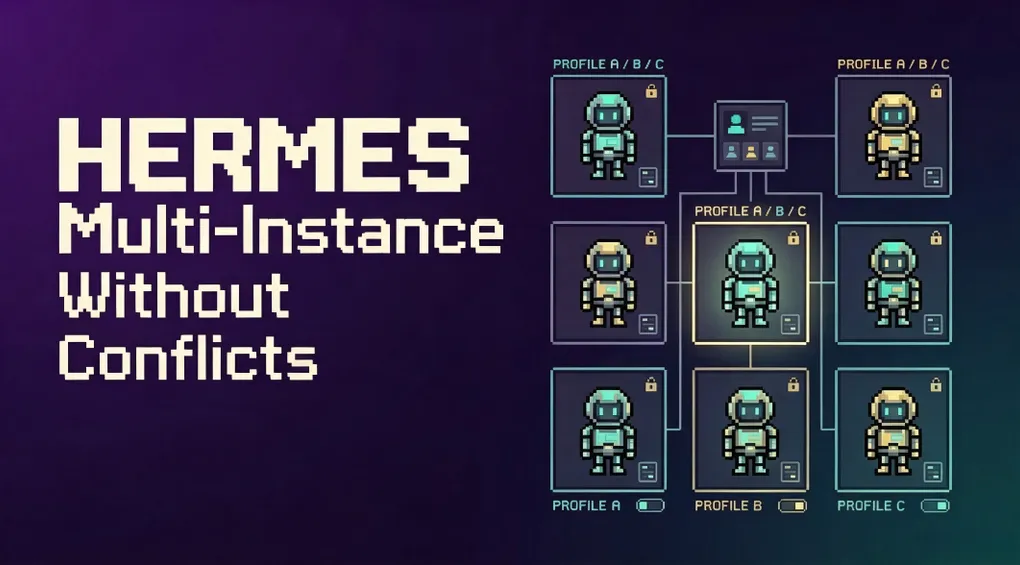
When people first try Hermes, they often throw everything into the default session: coding, email, research, cron jobs — all mixed together. Before long, the memory gets messy, the personality drifts, and the API bill becomes impossible to attribute.
Hermes has a cleaner answer: Profiles. A profile is an independent Hermes home directory with its own:
config.yaml(model, tools, gateway settings).env(API keys, bot tokens)SOUL.md(personality / system prompt)memories/(memory)sessions/(conversation history)skills/(skills)cron(scheduled jobs)- gateway state
Think of it as running multiple isolated Hermes instances on a single machine. This guide shows you how to turn that machine into a real multi-tenant AI studio.
1. Quick start: create a coding profile
hermes profile create coder
coder setup
coder chat
Three lines. coder is now its own command with its own config, memory, and sessions. You can:
coder config set model.default anthropic/claude-sonnet-4
echo "You are a senior engineer focused on Python and infrastructure." > ~/.hermes/profiles/coder/SOUL.md
coder chat
Meanwhile, plain hermes chat remains untouched.
2. What a profile really is: HERMES_HOME isolation
Hermes decides where “home” is via the HERMES_HOME environment variable. The command coder chat is essentially:
HERMES_HOME=~/.hermes/profiles/coder hermes chatBecause get_hermes_home() is used in 119+ places, config, memory, sessions, skills, gateway PID, logs, and cron all automatically scope to that directory.
But note: a profile is not a sandbox. On the default local terminal backend, Hermes still runs as your OS user and can access your whole filesystem. For filesystem isolation, use Docker — not just a profile.
3. Three ways to create a profile
3.1 Blank profile
hermes profile create mybotCreates a fresh profile with bundled skills. Then run mybot setup to configure API keys.
3.2 Clone config only (--clone)
hermes profile create work --cloneCopies your current profile’s config.yaml, .env, SOUL.md, and skills. Same model and capabilities, but fresh memory and sessions.
Great for: same model, different persona or working directory.
3.3 Clone everything (--clone-all)
hermes profile create backup --clone-allCopies everything: config, keys, persona, all memories, skills, cron. A working snapshot.
Note: session history, state.db, backups, state-snapshots, and checkpoints are excluded because they can be tens of GB. For a full backup including history, use hermes profile export or hermes backup.
3.4 Clone from a specific profile
hermes profile create work --clone-from coder
hermes profile create work-backup --clone-from coder --clone-all
3.5 Add a description for kanban routing
hermes profile create researcher --description "Reads source code and external docs, writes findings."The kanban orchestrator uses this description to route tasks to the right profile.
4. Switching and using profiles
Automatic command aliases
Every profile gets a wrapper at ~/.local/bin/<name>:
coder chat
personal-bot gateway start
research config set model.default openai/gpt-4o
Explicit -p flag
hermes -p coder chat
hermes --profile=coder doctor
hermes chat -p coder -q "hello"    # works anywhere in the command
Sticky default (hermes profile use)
hermes profile use coder
hermes chat          # now targets coder
hermes profile use default
Like kubectl config use-context.
Knowing where you are
- The prompt becomes
coder ❯ - The startup banner shows
Profile: coder hermes profileshows current profile name, path, model, and gateway status
5. Multiple gateways: one bot per profile
Each profile can run its own gateway:
coder gateway start
personal-bot gateway start
research gateway start
Each gateway is an independent process with its own bot token. Configure different Telegram/Discord/Slack tokens per profile:
nano ~/.hermes/profiles/coder/.env
nano ~/.hermes/profiles/personal-bot/.env
Token lock safety
If two profiles accidentally use the same bot token, the second gateway errors out and names the conflicting profile. Supported for Telegram, Discord, Slack, WhatsApp, and Signal.
Persistent services
coder gateway install      # creates hermes-gateway-coder service
personal-bot gateway install
systemd/launchd services are independent and restart independently.
Bulk management script
Save this as ~/.local/bin/hermes-gateways:
#!/bin/sh
set -eu

profiles="default coder personal-bot research"

usage() {
  echo "Usage: hermes-gateways {start|stop|restart|status|list}"
}

run_for_profile() {
  profile="$1"
  action="$2"
  if [ "$profile" = "default" ]; then
    hermes gateway "$action"
  else
    hermes -p "$profile" gateway "$action"
  fi
}

action="${1:-}"
case "$action" in
  start|stop|restart|status)
    for profile in $profiles; do
      echo "==> $action $profile"
      run_for_profile "$profile" "$action"
    done
    ;;
  list)
    hermes gateway list
    ;;
  *)
    usage
    exit 2
    ;;
esac
Then:
chmod +x ~/.local/bin/hermes-gateways
hermes-gateways start
hermes-gateways stop
hermes-gateways restart
hermes-gateways status
6. Multiplexing: one gateway serves every profile
When you have many profiles, running one process per profile gets heavy. Hermes supports multiplexing: only the default profile’s gateway runs, and it serves inbound messages for all profiles.
Enable it
hermes config set gateway.multiplex_profiles true
hermes gateway restart
Or in ~/.hermes/config.yaml:
gateway:
  multiplex_profiles: true
What changes in multiplex mode
-
Secondary profiles cannot start their own gateway If
coderis already served by the multiplexer, runningcoder gateway starterrors. -
HTTP-inbound platforms use
/p/<profile>/prefixPOST http://host:8644/webhooks/<route> # default profile POST http://host:8644/p/coder/webhooks/<route> # coder profilePort-binding platforms (
webhook,api_server,msgraph_webhook,feishu,wecom_callback,bluebubbles,sms,whatsapp_cloud,line) can only be configured on the default profile. Other profiles are reached through the prefix. -
Polling/connection platforms still need one token per profile Telegram, Discord, Slack, Matrix, Signal, etc. work fine multiplexed, but each profile must have its own bot token. Two profiles cannot poll the same
(platform, token)pair. -
Session keys are namespaced by profile
agent:<profile>:...ensures two profiles on the same platform/chat never collide. The default profile keeps the historicalagent:main:...namespace. -
One PID, lock, and status surface
hermes statusreports the multiplexer and the profiles it serves;hermes status -p coderslices to one profile.
When to use multiplexing
- Container/VPS deployments where N supervisor units are a burden.
- Many low-traffic profiles that don’t each need a full process.
- You want a single thing to start, monitor, and restart.
When not to use it:
- You need hard process-level isolation.
- One profile crashing must not affect others.
- You want to restart one profile independently.
7. Profile routes: assign different communities to different agents
When several communities share one bot token — for example one Discord bot serving many guilds — route specific guilds/channels/threads to different profiles:
gateway:
  multiplex_profiles: true
  profile_routes:
    - name: acme-server
      platform: discord
      guild_id: "1234567890"
      profile: acme

    - name: acme-support
      platform: discord
      guild_id: "1234567890"
      chat_id: "9876543210"
      profile: acme-support

    - name: tg-group
      platform: telegram
      chat_id: "-1001234567890"
      profile: tg-profile
Matching rules
- All declared fields must hold (AND).
- Unset fields are ignored.
- Specificity:
thread_id(8) >chat_id(4) >guild_id(2) > platform only. - A route keyed on a channel also matches threads/forum posts whose parent is that channel.
If a route names a profile that doesn’t exist, messages fall back to the default profile.
8. Working directory and HOME isolation
Set a default working directory
If you want a profile to start in a specific project folder:
terminal:
  backend: local
  cwd: /absolute/path/to/project
Note: cwd: "." on the local backend means “the directory Hermes was launched from”, not “the profile directory”.
Per-profile HOME
By default, host installs keep your real OS-user HOME so tools like git, ssh, gh, npm, Claude Code, and Codex can reuse existing credentials. The tradeoff is that profiles share normal user-level CLI state.
For strict per-profile CLI isolation, set:
terminal:
  home_mode: profile
Hermes then launches tool subprocesses with HOME={HERMES_HOME}/home. You need to initialize profile-specific ~/.ssh, ~/.gitconfig, ~/.config/gh, etc. inside that profile home.
Hermes also exposes HERMES_REAL_HOME to subprocesses so scripts can still find the actual account home.
9. Profile distributions: share a whole agent
A profile distribution packages a complete Hermes agent as a git repository:
my-research-agent/
├── distribution.yaml    # manifest
├── SOUL.md              # personality
├── config.yaml          # config
├── skills/              # bundled skills
├── cron/                # scheduled tasks
└── mcp.json             # MCP servers
Install it with one command:
hermes profile install github.com/you/my-research-agent --aliasThen run:
my-research-agent chat
my-research-agent gateway start
Update it with:
hermes profile update my-research-agentWhat is not included in a distribution
auth.json,.env, and other secrets;memories/,sessions/, state.db, logs (user data);- checkpoints, backups, caches.
Everyone brings their own API keys and memories; the shared part is persona + skills + config.
10. Managing profiles
hermes profile list           # list all profiles
hermes profile show coder     # show one profile's details
hermes profile rename coder dev-bot   # rename (updates alias + service)
hermes profile export coder   # export to coder.tar.gz
hermes profile import coder.tar.gz   # import from archive
hermes profile delete coder   # delete (requires confirmation)
hermes profile delete coder --yes    # force delete
You cannot delete the default profile. To remove everything, use hermes uninstall.
11. Common pitfalls and recommendations
| Pitfall | Correct approach |
|---|---|
| Treating a profile as a sandbox | Profiles isolate Hermes state, not the filesystem. Use Docker for filesystem isolation. |
| Two profiles sharing one bot token | Each profile’s polling/connection platform needs its own token. |
| Configuring port-binding platforms on secondary profiles while multiplexing | Configure webhook/api_server/feishu/etc. only on the default profile; reach others via /p/<profile>/. |
Thinking cwd: "." means the profile directory |
On the local backend it means the launch directory; use an absolute path for a fixed project. |
| Memory leakage in a shared Hermes | Create separate profiles for different purposes; each has its own memory. |
| Skills out of sync after update | hermes update automatically syncs bundled skills to all profiles. |
12. A recommended multi-profile layout
If you’re planning from scratch, consider:
| Profile | Purpose | Model | Toolsets |
|---|---|---|---|
default |
General daily questions | lightweight model | basic tools |
coder |
Coding, review, refactoring | strong code model | code-wiki, git, docker |
writer |
Docs, blogs, copy | long-context model | web, memory |
research |
Research, papers, competitive analysis | reasoning model | arxiv, web, browser |
ops |
Deployments, monitoring, CI/CD | strong tool model | docker, ssh, cron |
personal-bot |
Telegram/Discord personal assistant | chat model | gateway platforms |
Each profile has its own persona, memory, and API keys. No conflicts.
Conclusion
Hermes profiles are not just “multiple accounts.” They are a complete multi-tenant state isolation system that lets you run several specialized agents on the same machine, each with its own identity, memory, and tools.
When one Hermes isn’t enough, don’t force all contexts into a single session. Spend two minutes creating a profile. You’ll find that when your AI agents don’t fight over shared state, they become far more useful.