Hermes 多开不打架:Profile 多实例完全指南
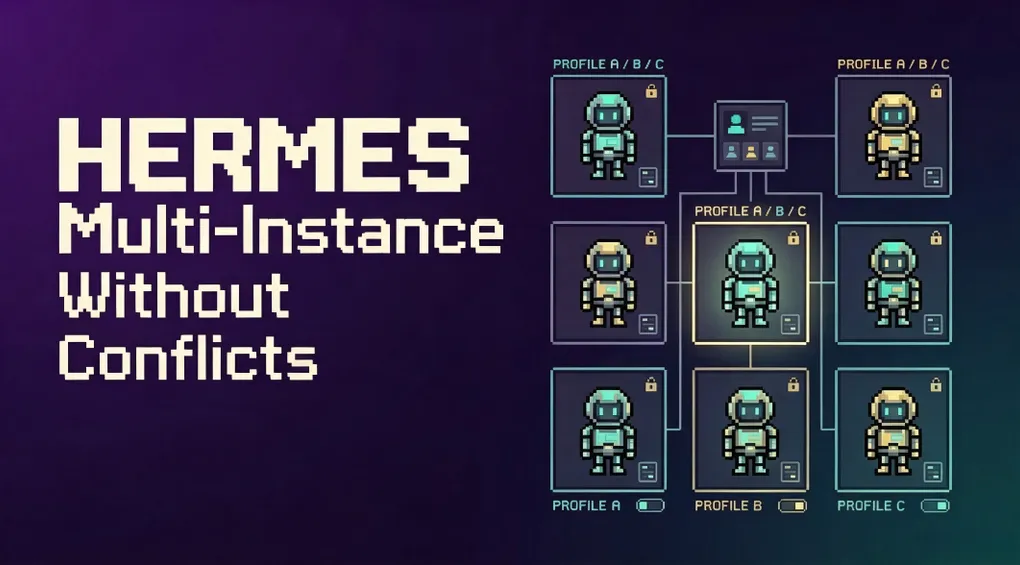
很多人第一次用 Hermes 时,会把所有事情都塞给一个默认会话:写代码、回邮件、查资料、跑定时任务,全混在一起。没过多久,记忆就乱了,人格也串了,API 账单还分不清是谁花掉的。
Hermes 其实有一个更优雅的解法:Profile。每个 Profile 是一个独立的 Hermes home 目录,拥有自己独立的:
config.yaml(模型、工具、网关配置).env(API 密钥、bot token)SOUL.md(人格、系统提示)memories/(记忆)sessions/(对话历史)skills/(技能)cron(定时任务)- gateway 状态
你可以把它理解为:同一台机器上跑多个互不干扰的 Hermes 实例。本文带你把这台机器变成真正的多租户 AI 工作室。
1. 快速上手:创建一个 coding Profile
hermes profile create coder
coder setup
coder chat就这么三行。coder 立刻变成一条独立的命令,它有自己的配置、记忆和会话。你可以:
coder config set model.default anthropic/claude-sonnet-4
echo "你是一个专注于 Python 和基础设施的资深工程师。" > ~/.hermes/profiles/coder/SOUL.md
coder chat
而默认的 hermes chat 仍然不受影响。
2. Profile 的本质:HERMES_HOME 隔离
Hermes 本身通过 HERMES_HOME 环境变量决定“家目录”在哪里。coder chat 这条命令本质上就是:
HERMES_HOME=~/.hermes/profiles/coder hermes chat因为 get_hermes_home() 在 119 个以上的代码位置被使用,所以 config、memory、session、skill、gateway PID、log、cron 等所有状态都会自动 scope 到对应目录。
但注意:Profile 不等于沙箱。在默认的 local 终端后端下,Hermes 仍然以你的 OS 用户身份运行,能访问你的整个文件系统。如果你需要隔离文件系统,要用 Docker,而不是只靠 Profile。
3. 创建 Profile 的三种姿势
3.1 空白 Profile
hermes profile create mybot创建全新 Profile,带 bundled skills。然后跑 mybot setup 配置 API key。
3.2 克隆配置(–clone)
hermes profile create work --clone复制当前 Profile 的 config.yaml、.env、SOUL.md 和 skills。同样的模型和能力,但 memory 和 session 是全新的。
适合:同一个模型,换一套人格或工作目录。
3.3 完整克隆(–clone-all)
hermes profile create backup --clone-all复制所有内容:配置、密钥、人格、全部记忆、技能、cron。是工作快照。
注意:session history、state.db、backups、state-snapshots、checkpoints 不会复制,因为可能几十 GB。要做全量备份,请用 hermes profile export 或 hermes backup。
3.4 从指定 Profile 克隆
hermes profile create work --clone-from coder
hermes profile create work-backup --clone-from coder --clone-all
3.5 给 Profile 写角色描述(用于 Kanban 路由)
hermes profile create researcher --description "擅长阅读源码和外部文档,撰写调研报告。"Kanban orchestrator 会根据这个描述把任务路由给合适的 Profile。
4. 切换与使用 Profile
自动命令别名
每个 Profile 会自动生成 ~/.local/bin/<name> 的 wrapper:
coder chat
personal-bot gateway start
research config set model.default openai/gpt-4o
-p 显式指定
hermes -p coder chat
hermes --profile=coder doctor
hermes chat -p coder -q "hello"    # 位置任意
设置默认 Profile
hermes profile use coder
hermes chat          # 现在默认用 coder
hermes profile use default
类似 kubectl config use-context。
查看当前 Profile
- CLI 提示符会变成
coder ❯ - 启动 banner 会显示
Profile: coder hermes profile显示当前 Profile 名称、路径、模型、gateway 状态
5. 多 Gateway 并行:每个 Profile 一个机器人
每个 Profile 可以独立运行自己的 gateway:
coder gateway start
personal-bot gateway start
research gateway start
每个 gateway 是独立进程,有独立的 bot token。要给不同 Profile 配置不同 Telegram/Discord/Slack token:
nano ~/.hermes/profiles/coder/.env
nano ~/.hermes/profiles/personal-bot/.env
安全:token 锁
如果两个 Profile 不小心配置了同一个 bot token,第二个 gateway 会报错并指出冲突的 Profile。支持 Telegram、Discord、Slack、WhatsApp、Signal。
持久化服务
coder gateway install      # 创建 hermes-gateway-coder 服务
personal-bot gateway install
systemd / launchd 各管各的,独立重启。
批量管理脚本
把下面脚本保存为 ~/.local/bin/hermes-gateways:
#!/bin/sh
set -eu

profiles="default coder personal-bot research"

usage() {
  echo "Usage: hermes-gateways {start|stop|restart|status|list}"
}

run_for_profile() {
  profile="$1"
  action="$2"
  if [ "$profile" = "default" ]; then
    hermes gateway "$action"
  else
    hermes -p "$profile" gateway "$action"
  fi
}

action="${1:-}"
case "$action" in
  start|stop|restart|status)
    for profile in $profiles; do
      echo "==> $action $profile"
      run_for_profile "$profile" "$action"
    done
    ;;
  list)
    hermes gateway list
    ;;
  *)
    usage
    exit 2
    ;;
esac
然后:
chmod +x ~/.local/bin/hermes-gateways
hermes-gateways start
hermes-gateways stop
hermes-gateways restart
hermes-gateways status
6. 多路复用:一个 Gateway 服务多个 Profile
当 Profile 数量很多时,每个 Profile 都跑一个独立进程会占用较多资源。Hermes 支持 multiplexing:只启动默认 Profile 的 gateway,它同时服务所有 Profile 的入站消息。
开启方式
hermes config set gateway.multiplex_profiles true
hermes gateway restart
或在 ~/.hermes/config.yaml 里写:
gateway:
  multiplex_profiles: true
多路复用下的变化
-
Secondary Profile 不能再启动自己的 gateway 如果
coder已经在 multiplexer 里服务,你跑coder gateway start会报错。 -
HTTP 入站平台走
/p/<profile>/前缀POST http://host:8644/webhooks/<route> # default profile POST http://host:8644/p/coder/webhooks/<route> # coder profilewebhook、api_server、msgraph_webhook、feishu、wecom_callback、bluebubbles、sms、whatsapp_cloud、line 这些端口绑定型平台只能在 default Profile 里配置,其他 Profile 通过前缀访问。
-
轮询/连接型平台(Telegram、Discord、Slack、Matrix、Signal) 每个 Profile 必须用自己的 bot token,不能两个 Profile 共用同一个 token,否则启动失败。
-
session key 按 Profile 命名空间
agent:<profile>:...确保同一平台/聊天下不同 Profile 不会冲突。default Profile 保留历史agent:main:...命名空间。 -
一个 PID / 锁 / 状态面
hermes status显示 multiplexer 和服务的 Profile;hermes status -p coder只看 coder。
什么时候用多路复用?
- 容器/VPS 部署,N 个 supervisor 单元太复杂;
- 多个低流量 Profile,不值得各跑一个进程;
- 想要一个统一的入口来监控和重启。
什么时候不要用?
- 需要硬进程级隔离;
- 一个 Profile 崩溃不能影响其他 Profile;
- 想独立重启单个 Profile。
7. Profile 路由:把不同频道/服务器分配给不同机器人
当多个社区共用同一个 bot token 时(例如一个 Discord bot 服务多个 guild),可以按来源路由到不同 Profile:
gateway:
  multiplex_profiles: true
  profile_routes:
    - name: acme-server
      platform: discord
      guild_id: "1234567890"
      profile: acme

    - name: acme-support
      platform: discord
      guild_id: "1234567890"
      chat_id: "9876543210"
      profile: acme-support

    - name: tg-group
      platform: telegram
      chat_id: "-1001234567890"
      profile: tg-profile
匹配规则
- 所有声明的字段必须同时满足(AND);
- 未声明的字段被忽略;
- specificity:
thread_id(8) >chat_id(4) >guild_id(2) > 仅 platform; - 按
chat_id配置的路由会自动匹配该频道下的 thread/forum post。
如果路由指向的 Profile 不存在,会 fallback 到 default Profile。
8. 工作目录与 HOME 的隔离
设置默认工作目录
如果你希望某个 Profile 启动时默认在某个项目目录:
terminal:
  backend: local
cwd: /absolute/path/to/project注意:cwd: "." 在 local 后端表示“启动 Hermes 时的目录”,而不是 Profile 目录。
设置 per-profile HOME
默认情况下,host 安装会保留真实 OS 用户的 HOME,这样 git、ssh、gh、npm 等工具能复用现有凭证。副作用是不同 Profile 共享这些 CLI 凭证。
如果你需要严格隔离,可以设置:
terminal:
  home_mode: profile
此时 Hermes 会把子进程的 HOME 指向 {HERMES_HOME}/home,你需要在里面初始化 ~/.ssh、~/.gitconfig、~/.config/gh 等。
Hermes 同时暴露 HERMES_REAL_HOME 环境变量,脚本仍能找到真实账户 home。
9. Profile 分发:把整套 Agent 分享给别人
Profile 分发(Distribution)把一个完整的 Hermes agent 打包成 git 仓库:
my-research-agent/
├── distribution.yaml    # manifest
├── SOUL.md              # 人格
├── config.yaml          # 配置
├── skills/              # 自带技能
├── cron/                # 定时任务
└── mcp.json             # MCP 服务器
别人可以一键安装:
hermes profile install github.com/you/my-research-agent --alias然后就能运行:
my-research-agent chat
my-research-agent gateway start
更新也简单:
hermes profile update my-research-agent分发时不包含什么?
auth.json、.env等密钥;memories/、sessions/、state.db、log 等用户数据;- checkpoints、backups、cache 等。
每个人都有自己的 API key 和记忆,共享的是“这个人格 + 这套技能 + 这个配置”。
10. 管理 Profile
hermes profile list           # 列出所有 Profile
hermes profile show coder     # 查看某个 Profile 详情
hermes profile rename coder dev-bot   # 重命名
hermes profile export coder   # 导出为 coder.tar.gz
hermes profile import coder.tar.gz  # 导入
hermes profile delete coder   # 删除(需要确认)
hermes profile delete coder --yes   # 强制删除
不能删除 default Profile。要清空整个 Hermes,用 hermes uninstall。
11. 常见坑与建议
| 坑 | 正确做法 |
|---|---|
| 把 Profile 当沙箱用 | Profile 只隔离 Hermes 状态,不隔离文件系统。隔离文件系统用 Docker。 |
| 两个 Profile 共用同一个 bot token | 每个 Profile 的轮询/连接平台必须配独立 token。 |
| 多路复用下给 secondary Profile 配端口绑定平台 | 只在 default Profile 配 webhook/api_server/feishu 等,其他 Profile 用 /p/<profile>/ 前缀。 |
cwd: "." 以为是 Profile 目录 |
在 local 后端表示启动目录,要固定项目目录请写绝对路径。 |
| 共享 Hermes 但记忆串了 | 给不同用途创建不同 Profile,每个 Profile 有自己的 memory。 |
| 更新后技能不同步 | hermes update 会自动同步 bundled skills 到所有 Profile。 |
12. 一套推荐的多 Profile 架构
如果你刚开始规划,可以这样划分:
| Profile | 用途 | 模型 | 工具集 |
|---|---|---|---|
default |
日常通用问题 | 轻量模型 | 基础工具 |
coder |
代码开发、审查、重构 | 强代码模型 | code-wiki、git、docker |
writer |
文档、博客、文案 | 长上下文模型 | web、memory |
research |
调研、论文、竞品分析 | 推理模型 | arxiv、web、browser |
ops |
部署、监控、CI/CD | 强工具模型 | docker、ssh、cron |
personal-bot |
Telegram/Discord 个人助理 | 对话模型 | 网关平台 |
每个 Profile 有独立人格、独立记忆、独立 API key,互不打架。
结语
Hermes 的 Profile 机制不是简单的“多账号切换”,而是一套完整的多租户状态隔离方案。它让你在同一台机器上运行多个专业 Agent,各自为政又协同工作。
当你觉得一个 Hermes 不够用时,不要硬把所有上下文塞进一个会话。花两分钟创建一个 Profile,你会发现:AI 不打架,效率反而更高。