Let the agent cut video on your own machine: Kinocut joins the Hermes plugin catalog
You have a two-hour meeting recording and three clips to publish from it: a product demo, a Q&A highlight, and a vertical cut for social. The old way is to push 8 GB of footage into an online editor, wait for it to transcode, wait for the waveform, then drag a timeline one frame at a time — all while deciding whether that footage should leave your machine at all. An afternoon later, you have one clip.
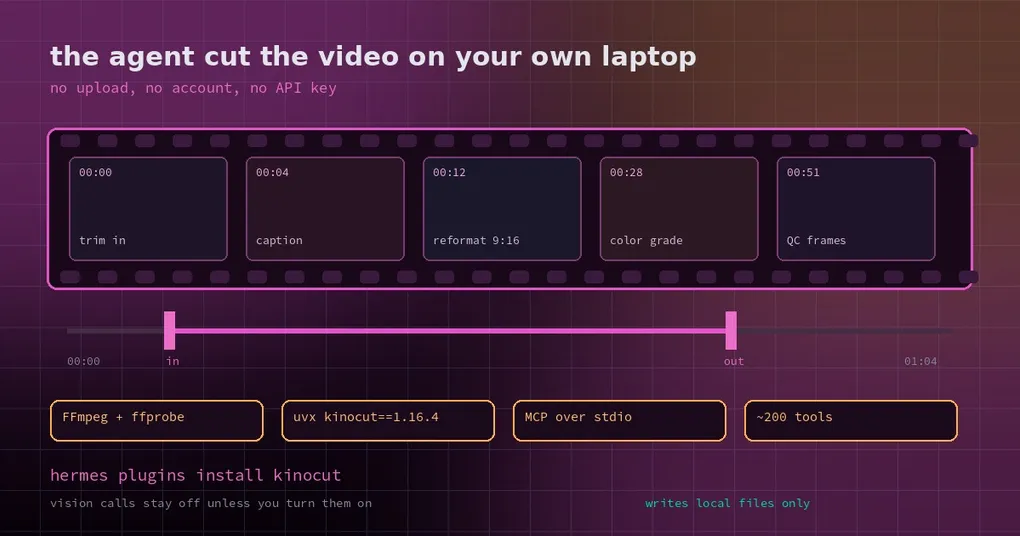
The other way is to let an agent edit on your own computer. On October 27 the Hermes plugin catalog picked up Kinocut: it exposes local FFmpeg as a set of MCP tools and ships two workflow skills — one for editing, one for repurposing long footage into short clips. Ordinary trimming and color grading happen locally, with no account and no API key.
Three layers, so nothing gets confusing
- Kinocut itself is a standalone project (
KyaniteLabs/kinocut): an MCP server plus skills, with aplugins/kinocutdirectory that acts as the plugin bundle for agent hosts. - The Hermes catalog only lists it. The entry pins one human-reviewed commit (
31ddab08…), so what you install is the code a reviewer read — an author pushing new commits does not change your install. - The runtime is a separate version line: bundle 1.16.7 pins a launcher of
uvx kinocut==1.16.4, and the actual media work is done by FFmpeg and ffprobe on your machine.
Installing inside Hermes is one command:
hermes plugins install kinocutTwo prerequisites: uv (the Python runner) and FFmpeg/ffprobe on PATH. The first launch downloads Kinocut and its dependencies from PyPI; later launches reuse the cached environment. To check the setup first:
uvx kinocut==1.16.4 doctorWhat a real editing session looks like
Once installed, you do not memorise FFmpeg flags — you state the intent:
Drop the first 40 seconds of ~/recordings/kickoff.mp4, keep 6 minutes from 00:41, burn in the captions, export to ~/out/kickoff-cut.mp4, and give me a thumbnail at 00:12.
The agent picks the tools: video_info for duration and streams, video_trim to cut, a thumbnail tool to grab a frame and check quality. The tool surface is large — roughly 200 MCP tools covering trim, concat, captions, reframing, grading, and frame quality checks.
The second skill, kinocut-repurpose, is the one content people will actually feel: turn one long recording into vertical clips with captions, in batch. That is the real pain — not “can it cut”, but “I have done this cut eleven times this month”.
Two hundred tools have a cost — deal with it on purpose
Every tool description travels with the model request. Two hundred tools means a large schema block in every turn: tokens spent, and a model that has more ways to pick wrong. Kinocut’s docs give a Hermes-specific answer — an mcp_servers allow-list with just what you need:
mcp_servers:
  kinocut:
    command: uvx
    args: ["kinocut==1.16.4"]
    tools:
      include: [search_tools, video_info, video_trim, video_thumbnail]
      resources: false
      prompts: false
Details that matter: this explicit server config takes precedence over the plugin’s own launcher, so keep the version aligned with the plugin’s mcp.json; run /reload-mcp in the session after editing config; include takes the server’s native tool names; and search_tools helps you discover names but does not re-enable excluded tools. Widening and narrowing a tool surface like this is the same trade-off discussed in MCP tool costs and spend limits.
The privacy boundary, stated plainly
This is where “local editing” can mislead, so be precise about which parts are local.
Truly local, no credentials: FFmpeg trimming, concatenation, transcoding, grading. That is most day-to-day work.
Network access depends on how you use it: the first launch installs from PyPI; a URL input downloads that media; font and model-weight features fetch assets from GitHub; an explicit Revideo install runs npm ci.
Off by default, and only you can turn it on: Kinocut’s vision model calls. KINOCUT_VISION_MODE defaults to off, and — stronger than a default — an inherited API key or use_ai=true cannot override it. To have Hermes look at frames with its own image model, let Kinocut produce frames (video_thumbnail) and inspect them with Hermes’s image tools.
It is not a network sandbox. Project code, assets, and URLs you provide can still reach the network. Hence the operational rule the docs give: prefer new output paths, never target credential directories, session files, or agent config. Read it together with the plugin catalog’s trust model.
Is it worth installing
If you already run real work through Hermes and you have video to process, yes — and not because “video editing” is a fun checkbox. It is because the footage never leaves your machine. Recordings of meetings, customer interviews, internal demos: uploading them is itself a decision, and local editing removes it.
If all you need is captions on one clip every few months, pulling 200 tools in and narrowing them down may be more ceremony than typing a couple of FFmpeg commands. The catalog’s value is “one command, reviewed pin, workflow skills included” — not a replacement for understanding what FFmpeg does.
Timeline: the catalog entry merged to main on October 27; v0.22.5 (released October 23) does not include it, so expect it on the plugin pages after the next catalog sync. The command surface is in the hermes plugins reference.