v0.23.0 lands: five things that change in your working day, and three to fix before you upgrade
Monday morning, three windows are open on the same project: a terminal, the Desktop app, and a bot chat on your phone. You type a correction in one of them, and the other two answer from a transcript that no longer exists. If that has ever cost you ten minutes of re-explaining, v0.23.0 is aimed exactly at you.
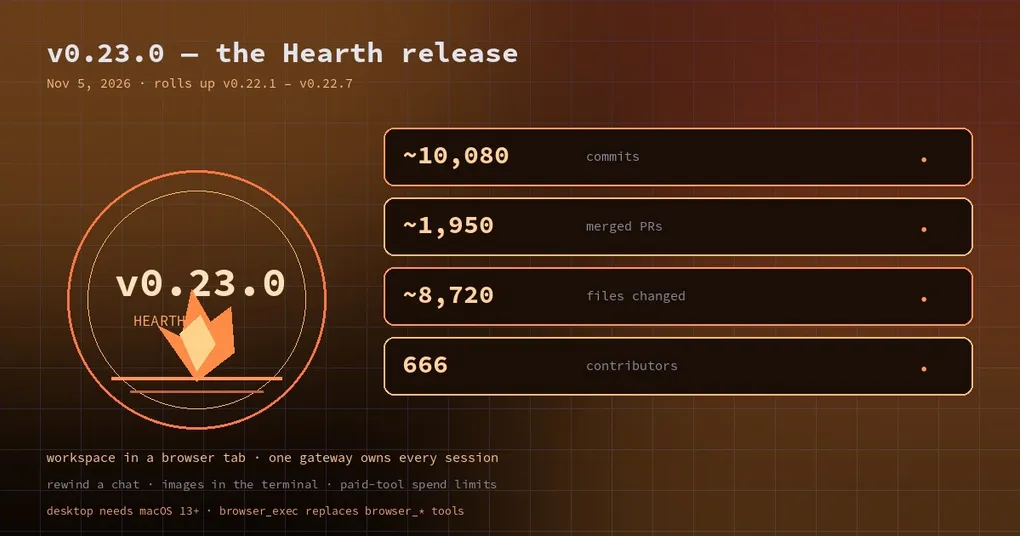
The Hearth Release shipped on November 5, 2026, and its numbers are enormous for a reason that is easy to misread: it rolls up and documents seven patch releases (v0.22.1 through v0.22.7) that shipped as installable tags without curated notes. So the headline figure — roughly 10,080 commits, 1,950 merged PRs and 8,720 changed files since v0.22.0 — is not one sprint’s work, it is a quarter’s merge queue finally written down.
Rather than repeat the changelog, this post is about consequences: five things that change in an ordinary working day, three things that will break if you do not touch them, and the commands to check both.
1. Your three windows finally share one brain
The structural change is that a single gateway now owns every session on a machine. The classic CLI, the TUI, Desktop, editor integrations over ACP, messaging bots and cron all attach to it as clients instead of each starting their own agent against the same chat.
That is the root cause of a bug class you have probably met: the same message written twice, an answer that appears in one surface and not another, a /retry that resends into a copy nobody is looking at. One queue and one history per session removes the copies.
There is a second-order benefit that matters more day to day. Because Desktop is a client of the same queue, you can edit or steer a queued prompt from the app while the current turn is still running, and it will not run twice. If you already read our guide on running one gateway per host, this release finishes the job the migration started — including repairing slash commands, /retry, /refine, /review, clarify cards and usage reporting.
2. Rewind stops being a scary button
Editing an earlier prompt used to mean /undo plus hope. In the CLI and TUI, pressing Esc twice on an idle empty composer, or typing /rewind, lists your earlier prompts newest first:
/rewind          # pick a prompt to edit & resend, or fork from there
/rewind 3        # jump straight to the third-newest prompt
/rewind fork 2   # fork a new session from that point
Press Enter to edit and resend, or f to fork. What makes this safe is what happens when you change your mind: nothing is truncated until the edited text is actually submitted, and the edit is re-validated against the picked turn first. Cancel with Esc Esc or Ctrl+C and the session is untouched.
The fork path reuses /branch, so it rewinds only the child — your original session keeps its rows and stays usable. That is the difference between experimenting and gambling.
Note the surface: /rewind is CLI and TUI only. On messaging platforms it is refused, because truncating a transcript from a chat message is exactly the kind of action that should require the terminal.
3. The workspace follows you into a browser tab
webapp.enabled: true makes the gateway serve the Desktop workspace itself — same chats, same Group Chats, same plugins, same settings — and hermes webapp opens it.
hermes webappIt is off by default and it is single-user by design: a signed-in tab acts as you, so it shows your real sessions rather than a separate account’s. On a laptop that means opening your workspace on an iPad without installing anything; on a workstation it means reaching the same rooms from a machine where you cannot install an app. The Docker image and Nix package ship it, so a container deployment gets a UI without a second product.
4. Images stop being file paths
Paste a screenshot into the CLI or TUI and it draws in the chat. Terminal support decides the quality: real pixels in kitty and Ghostty, iTerm2, WezTerm and Konsole; coloured blocks in everything else; full resolution in VS Code’s terminal when image support is on.
If you work by screenshot — a broken layout, a stack trace in a dashboard, a design mock — this removes the step where you describe an image you already have.
5. Paid tools get a price tag, and a ceiling
MCP servers that spend money per call can now declare it. The approval prompt shows the price and the running total for the chat, and spend_limit adds a hard ceiling:
mcp_servers:
  renders:
    command: "render-mcp"
    tool_costs:
      create_image: 20
      animate: {credits: [5, 20], note: "per animation"}
    spend_limit: 100
    cost_unit: credits
The behaviour worth knowing: once a chat is at the limit, every further costed call asks again — even on a trust: full server, even under /yolo — and where nobody can answer, such as a cron job or a headless run, the call is refused rather than silently charged. The counter lives in memory and follows the conversation through compaction and /branch; it is a session budget, not the vendor’s invoice.
Three things to fix before you upgrade
Old browser tools are gone. Browser automation is browser_exec only. The ten browser_* tools and agent-browser were removed, so any prompt, skill or toolsets list that still names browser_navigate needs editing. Machines that used Camofox get the camofox plugin installed automatically.
hermes mcp serve became hermes mcp-serve. The command moved into a plugin. Nothing rewrites your MCP client config, so if Claude Code or Cursor launches Hermes as a server, update that command yourself.
Desktop needs macOS 13+ and 64-bit Windows. Electron 44 dropped the older targets. If a colleague is still on macOS 12, they will find out at the worst moment.
Also worth a look: Word, PowerPoint and Excel are now one microsoft-office skill (old copies stay on disk until you delete them), and built-in skills dropped from 58 to 44 with 12 niche ones moved to optional installs.
The upgrade itself
hermes update
hermes doctor
hermes version
hermes doctor exits non-zero while it still lists an unresolved problem, which makes it usable as a health gate in a script rather than something you read and forget.
If you want the long version — every feature area, the contributor list, and the complete upgrade notes — the v0.23.0 release page is the reference. And if you are still deciding how to organise profiles on the new session model, the command palette guide is a faster way to move around than memorising flags.