One update filled a 434 GB hole in the disk
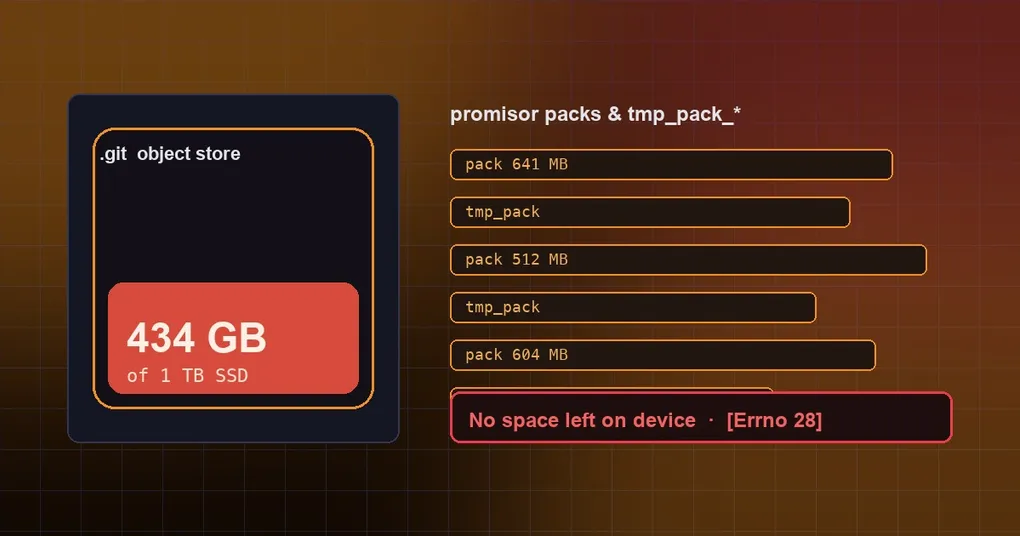
You click Update on the laptop, go make coffee, and come back to a browser that will not open, an editor complaining about disk space, and Hermes itself refusing to start. The culprit turns out to be ~/.hermes/hermes-agent/.git, which grew from roughly a gigabyte to 434 GB and ate a 1 TB SSD.
This was not “the update download was huge”. A background version check triggered on-demand fetching on a particular install layout, and it snowballed. Here is the mechanism, the real numbers, and how to clean up.
A git call that only asks about one path
The Hermes desktop app runs a consistency check at startup (internally: bundle-skew). It asks whether the code bundled into the app matches the code on disk, and prompts for a restart if they diverge. It does that with two git commands:
git merge-base --is-ancestor <stamp> HEAD
git rev-list --count <stamp>..HEAD -- apps/desktop/...
Both are cheap in a normal clone. The problem is the install layout: some installs are treeless partial clones (--filter=tree:0 — trees are fetched on demand instead of being kept for every historical commit).
The second command is path-filtered (-- apps/desktop/...). To count how many commits in that range touched apps/desktop, git has to read every commit’s tree across the range. None of them are local, so git falls back to the promisor machinery and fetches them over the network — and every fetch leaves its own promisor pack on disk. Longer history means more trees to fetch and more packs.
In the incident report, that range covered 1,784 commits.
From 1 GB to 434 GB: the numbers
Everything below comes from the report in issue #129514 (macOS, 1 TB SSD):
| Item | Value |
|---|---|
.git growth |
~1.1 GB for a full clone → 434 GB |
| Promisor packs | 2,659 (~398 GiB) |
Abandoned tmp_pack_* files |
1,309 (~29 GiB) |
| Largest single pack | 641 MB |
| Concurrent background maintenance | 179 processes at peak (git maintenance run --auto → git commit-graph write --split --reachable), each ~2 GB RSS |
| System load | load average 220 |
| Check cadence | a new rev-list every ~2 minutes after the reboot, each running 9–15 minutes |
| Outcome | the update failed with [Errno 28] No space left on device, the Mac rebooted, and the CLI/TUI would not start afterwards |
Earlier bursts were in the same report: 138 promisor packs on Sep 25, 11 on Sep 27, 339 on Sep 28, with an unexpected reboot in between. This was not one unlucky run — it accumulates.
Why “it is already fixed” does not save you mid-update
The fix landed on Sep 28. Today the check on main looks like this:
const options = {
  cwd: repoRoot,
  env: { ...process.env, GIT_NO_LAZY_FETCH: '1', GIT_TERMINAL_PROMPT: '0', GCM_INTERACTIVE: 'Never' },
  timeoutMs: 5000
}
GIT_NO_LAZY_FETCH=1 means do not fetch objects on demand — fail instead. That is exactly the semantics this check wants, since it should never depend on the network. Add the 5-second timeout and process-tree reaping, and it can no longer drag the machine down.
But there is a timing problem, and it is the most valuable part of the report:
The build that runs the check is the one already installed, and it is only replaced at the very end of the update.
The reporter’s desktop app was built on Sep 27 from 96cce68 — one day before the fix. Once the update pulled 1,292 commits, the old app’s check walked 96cce68..HEAD using the old code, without GIT_NO_LAZY_FETCH. The disk filled, the update failed before the step that swaps in the new desktop build, so the unfixed app stayed installed — and resumed the loop after the reboot. It does not heal itself.
Check whether you are affected
Four read-only commands, a few seconds:
du -sh ~/.hermes/hermes-agent/.git                          # object store size; ~1GB is normal
ls ~/.hermes/hermes-agent/.git/objects/pack/*.pack | wc -l  # pack count; single/double digits are normal
ls ~/.hermes/hermes-agent/.git/objects/pack/tmp_pack_* | wc -l  # unactivated downloads; normally 0
df -h ~                                                     # free space
Then look for a queue of git processes and abnormal load:
uptime
ps aux | grep -E '[r]ev-list|[g]it maintenance' | wc -l
Pack counts in the hundreds, a pile of tmp_pack_*, load in the dozens — that is the same pattern.
How to clean up
This is a general git cleanup sequence, not an official command list. Make sure you understand each step before running it:
- Stop the bleeding. Quit the desktop app (otherwise it fires again every couple of minutes) and stop the running
git rev-list/git maintenanceprocesses. Do not start heavy work on that machine meanwhile. - Delete the unactivated leftovers.
tmp_pack_*files in.git/objects/pack/are incomplete downloads that git will never reference; they are safe to remove. In the reported case that alone reclaimed about 29 GiB. - Consolidate the object store. Run
git gc(prefaced bygit repack -adif needed) to fold the scattered packs. Be aware that gc on a repo with 2,659 packs is slow and CPU-hungry — do it while the machine is otherwise idle and watchdf -h. - Update the code from the command line. The key detail: update from a terminal, not from the pre-fix desktop app that caused the problem. See the hermes update reference for the flags. If your install is a filtered/shallow clone stuck in this state, a fresh full install from the official channel is often faster than untangling it.
- Confirm the fix is in place. After updating,
~/.hermes/hermes-agent/apps/desktop/electron/bundle-skew.tsshould containGIT_NO_LAZY_FETCH. If it does not, you are still on the old code. - Set a mental ceiling for
.git. Roughly a gigabyte is healthy; tens of gigabytes means something is quietly pulling history. Do not wait for the disk to fill up first.
Where this stands
As of 2026-10-01 issue #129514 is still open and labelled P1. It is a follow-up to #125932, which described the same mechanism at a milder stage (dozens of stuck git processes). The fix itself is on main — bundle-skew.ts now sets GIT_NO_LAZY_FETCH=1 with a 5-second timeout, and hermes_cli/_subprocess_compat.py carries a matching NO_LAZY_FETCH_ENV — but the upgrade path from a pre-fix build has no protection, which is the core problem the report raises. Whether old builds get an additional guard is not settled.
If you install from a partial clone, or you click Update inside the desktop app, run steps 1 and 2 above today.
The takeaway
Not a single line of code here was “wrong”. Two reasonable decisions collided: use a treeless clone to save disk, and run a version-consistency check for safety — where that check contains a path-filtered history walk that, on a treeless repo, means “download this entire history”. Once the snowball started, git’s own background maintenance piled on and took out CPU, memory and disk together.
Three signals are worth remembering: the size of .git, the number of pack files, and the count of tmp_pack_* leftovers. All three take seconds to read, and all three would have told you something was wrong long before the disk filled. Updates have other failure modes too — an update that gets stuck but reports success and doing an upgrade gracefully are both worth a read.