The scan said safe — then looking at the skill ran it
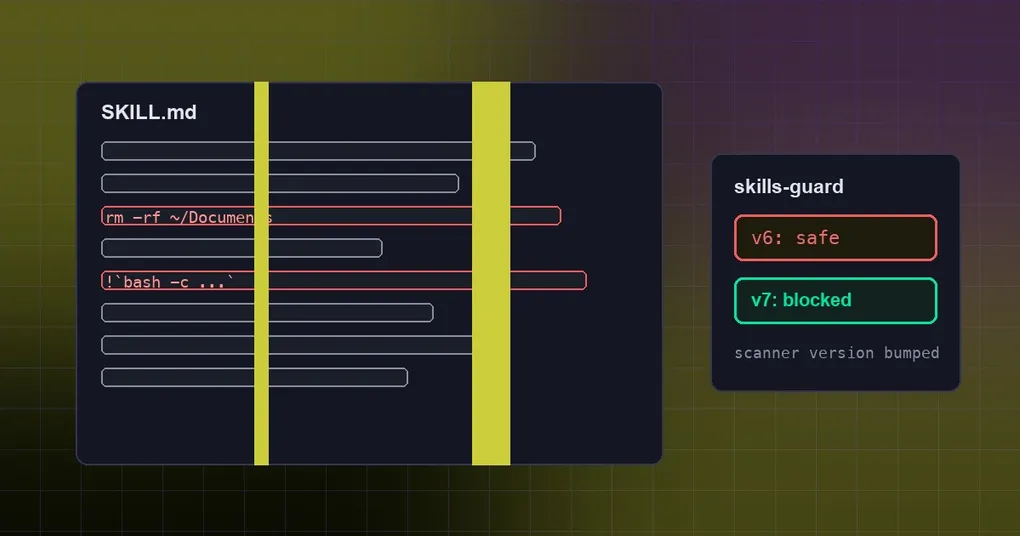
You install a community skill from a hub. An installed line flashes by, the scan report says safe, and you move on. Three weeks later you open the skill in a session just to look at it — and something runs.
The dangerous moment was not installing it. It was looking at it. Here is what the skills guard actually scans, which three cases it missed, and the one cleanup action worth doing today.
How the guard works
Externally sourced skills go through a regex static scan, then a trust-aware install policy decides whether they land:
| Trust tier | safe verdict | caution verdict | dangerous verdict |
|---|---|---|---|
| builtin (bundled skills) | allow | allow | allow (never scanned) |
| trusted (openai/skills, anthropics/skills, huggingface/skills, NVIDIA/skills) | allow | allow | block |
| community (any other source) | allow | block | block |
| agent-created | allow | allow | error back to the agent (only when skills.guard_agent_created is on) |
Every verdict is cached together with a scanner version (SCANNER_VERSION, v6 before this fix). That version matters: when it changes, cached verdicts stop counting and the skill gets re-scanned.
The three blind spots
1. Only a literal $HOME counted as home
The rule that catches “delete your home directory” matched the literal string $HOME:
rm -rf $HOME/Documents     → matched, critical
rm -rf ~/Documents         → missed, judged safe
So rm -rf ~/Documents sailed through at every trust tier. The fix matches bare-tilde forms too (~/, ~ , ~*, ~$), for both rm and rmdir.
2. Nothing was watching the !cmd`` auto-exec syntax
Hermes skills support an inline shell fragment: a !`cmd` written in the skill body is expanded through bash -c when the skill is viewed or loaded. It is off by default and configured explicitly:
skills:
  inline_shell: false        # default off; only enable it for sources you trust
  inline_shell_timeout: 10   # seconds per !`cmd` snippet
But no scan rule corresponded to it. A skill whose body contained !`rm -rf ~/Documents` scanned safe, installed, and then executed the next time you opened it.
The fix adds an inline_shell_exec pattern (severity high, category execution). It requires a non-space payload, so a skill that merely documents the syntax does not get flagged.
3. A blocked install reported itself as successful
The third one is not a scan rule at all — it is the interface. The TUI-gateway install path ran do_install(skip_confirm=True) with a sink console and unconditionally returned installed: True.
So when the security scan blocked a skill, the caller (for example, a one-click install in the desktop app) was told the install succeeded. After the fix, installed: True only comes back from a real install; failures return an error envelope (code 5031) whose message and data.log carry the printed tail — the scan-block explanation, the ambiguity candidate table, or the fetch failure — instead of dumping it into a sink.
Will skills you already have be re-scanned?
Yes — and it works through the version stamp, not a reinstall. Because cache entries store scanner_version, once the scanner moves to v7:
- previously cached “safe” verdicts are invalidated;
- installed hub skills get re-scanned under v7 when they are checked;
- anything newly installed goes through v7 directly.
That second point is the one that matters: if your machine still runs the v6 scanner, the conclusion “I scanned it and it was safe” was never valid for the bare-tilde case — the rule simply did not exist.
What to do now
- Confirm the scanner version. After updating to a build with the fix,
SCANNER_VERSIONintools/skills_guard.pyshould readskills-guard-v7(it was v6 before). - Re-scan what you already installed. This is the important one:
It re-scans installed hub skills. The full subcommand list is in the hermes skills reference, and where to find skills is covered in skill hubs and search sources.hermes skills audit - Leave
skills.inline_shelloff unless you trust the source. The flag is documented as an explicit opt-in for trusted sources; this fix deliberately did not trust-scope it (that is a product decision), so the rule only makes the risk visible at install time. - Know the scanner’s limits. It is regex, not dataflow analysis. Its own module notes name a known gap: language-level write APIs —
open(..., 'w'),Path.write_text,shutil.copy*— aimed at agent-config files surface only a low-severity reference finding, because a static regex cannot tie the call to a dynamically computed destination. Passing the scan is not the same as being safe to run blind. - Review agent-created skills too. With
skills.guard_agent_createdon, a dangerous verdict on an agent-written skill is returned to the agent as an error so it can rewrite; that catches obvious bad patterns, it is not a review.
To tighten the boundary further, project-local skills and the trust gate covers how repo-vendored skills enter the trust decision, while optional skills and using the MCP catalog safely are two other sides of the same question.
Where this stands
PR #128443 merged into main on 2026-09-30; there is an earlier report of the same family of problems (issue #63307, the swallowed scan verdict on the install RPC). The newest tag, v0.21.5, is dated 9-24, so tags still ship the v6 scanner — git installs tracking main are already on v7.
The takeaway
The three blind spots share one shape: the scanner looks at what characters are written, while the real risk often lives in how those characters get executed. $HOME and ~ are the same directory; !`...` and bash -c ... are the same execution. Static matching sees the first and misses the second.
The single most valuable action for you is short: after updating, run hermes skills audit. It re-checks the skills already on your machine under v7 — and some of them were never really checked at all.