Hermes MCP include: an explicit empty list now blocks everything, everywhere
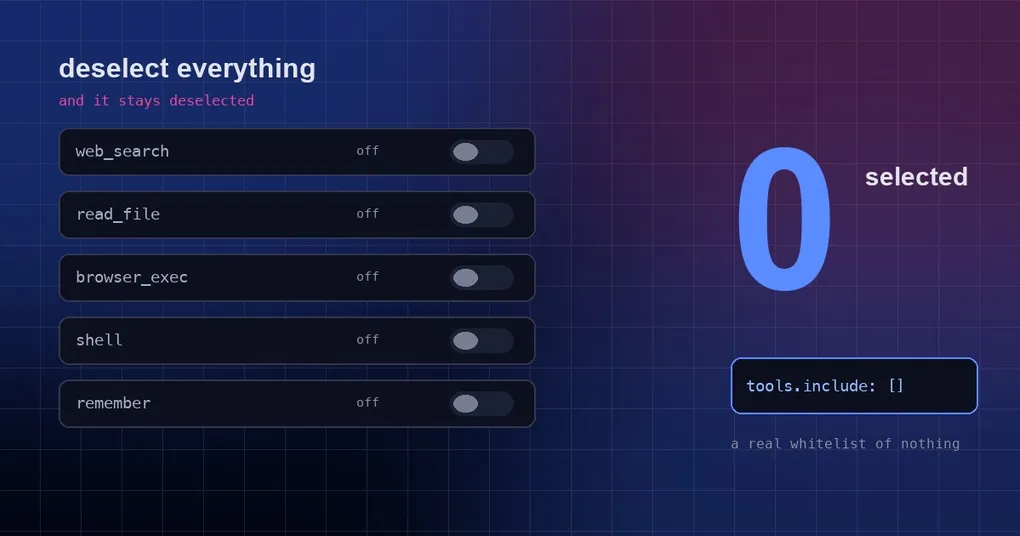
You wired a filesystem MCP server into your team’s Hermes Agent and, to be safe, unchecked every tool it ships with — you figured you would re-enable them one at a time if anyone ever actually needed them. The config genuinely says tools.include: [], and you assumed that settled the matter. Then one afternoon hermes mcp list prints all next to that server, and the agent is still reading and writing those directories. The empty list was not being read as a block-all; it was being read as “this key is not set”, which means “no filter”, which means everything is enabled.
One sentence of background: MCP (Model Context Protocol) is the protocol that lets Hermes call tools served by external servers, and tools.include is that server’s tool whitelist — only the tools named in it may be called.
Three states for tools, and only one of them is a block-all
There are really only three states here, and their meanings are wildly far apart:
- Absent: no
toolsblock at all, or atoolsblock without anincludekey. This means “no filter” — every tool that server exposes is enabled. - Partially filled:
include: [read_file, list_directory]. A genuine whitelist; only those tools can be called. - Explicitly empty:
include: []. This is a block-all — nothing gets registered.
The catch is that the last two are trivially collapsed into one branch in code. An empty list is falsy in Python, so the moment you write cfg.get("include") or [], “the user wrote an empty list” and “the user wrote nothing at all” become indistinguishable — and the second one is the exact opposite of what the user intended.
Worth noting: the runtime was always right. tools/mcp_tool_registration.py registers nothing when it sees include: [], so not a single tool reaches the agent. Your lockdown really was in force. The UI was lying to you.
The empty list went missing in half the UI
Since the runtime was behaving correctly, the bug had to live in the readers. Several surfaces read include through or [] or a plain truthiness check, so an empty list and a missing key were treated as the same thing and rendered as “all tools enabled”. PR #109188 (merged into main on 2026-09-12) fixes the readers that had drifted apart. Its title is “fix(mcp): include: [] no longer reopens as “all tools enabled” in CLI, catalog and desktop”; it closes issue #12865, and the diff is +107 / −31 across 8 files.
A table makes the split obvious (“before” and “after” mean before and after PR #109188):
| Checkpoint | Before | After |
|---|---|---|
hermes mcp list |
all |
0 selected |
hermes tools list row |
all tools enabled |
[include only: (none)] |
hermes tools picker |
every tool pre-checked; confirming re-enabled them all | nothing pre-checked; confirming keeps include: [] |
Runtime _make_tool_filter("demo")("a") |
False | False (unchanged) |
Four changes are worth remembering:
_tool_filtersinhermes_cli/mcp_config.py: if the key holds a list, return that list (empty list included); returnNoneonly when the key is missing or is not a list. The list output and the configure picker now testis not Noneinstead of truthiness.hermes_cli/tools_config_mcp.py: the pre-checked state of thehermes toolspicker, and the list row now rendering[include only: (none)].hermes_cli/mcp_catalog.py: the pre-check run during an interactive reinstall respects a prior[]instead of falling back to the catalog default.apps/desktop/src/lib/mcp-tool-filter.ts:isToolEnabledtreats “include exists” as a whitelist — more on that in the next section.
The code comment is blunt about it:
An explicit
include: []is a real (block-all) whitelist; the runtime registers no tools, so it must not be collapsed into “no filter” here.
One more thing worth stating plainly: the runtime side was already fixed in a separate commit (fb1ec36a4b86). This PR is about the readers that were still diverging from it. So this is not a new feature — it is every surface being realigned with semantics the runtime had already settled on.
Desktop’s sneakiest trap: delete the key and everything comes back
In the desktop MCP panel, isToolEnabled in apps/desktop/src/lib/mcp-tool-filter.ts now reads “include is present” as a whitelist. That looks like a small change, but it closes a trap nastier than anything on the CLI side: when you switch off the last included tool, it keeps include: [] rather than deleting the key.
Why that matters: at the config-file level, an empty list and a missing key are not remotely the same thing.
- Keeping
include: []= explicit block-all; nothing gets registered. - Deleting the
includekey = no filter; the server silently reopens completely.
In the UI both look identical — every checkbox is simply unchecked. Deleting the key looks like tidying up, but it actually rips the lockdown out. If your team has scripts or habits that “clean up empty fields”, that is precisely the pattern to watch for.
For provenance: the desktop portion was cherry-picked from #52874 (@Bartok9, itself a rescue of #13096 by @dingn42).
How to actually lock down an MCP server
Write the intent into the YAML explicitly instead of trusting whatever the UI defaults to:
mcp_servers:
  demo:
    command: npx
    args: ["-y", "@modelcontextprotocol/server-filesystem", "/srv/data"]
    tools:
      include: []        # explicit block-all: register no tools at all
  demo2: {}              # no tools key = no filter, everything enabled
Then verify it, in this order:
- Run
hermes mcp list. Next todemoyou should see0 selected, notall. - Run
hermes tools. That row should read[include only: (none)]; open the picker and no tool should be pre-checked, and confirming straight away should not turn anything on. - When you later want a specific tool, add its name to the
includelist — do not delete the key.
If you upgraded from an older build, it is worth auditing your existing config as well: for any server that is in the “meant to block everything, nobody has touched it since” state, check whether it actually has include: [] or simply has no include at all. The two look almost identical and do opposite things.
Further reading: for using context variables inside MCP config, see Hermes MCP config context variables; for the security boundary around the MCP tool surface, see the Hermes MCP catalog security guide; if you are still choosing which servers to attach, the Hermes official remote MCP catalog is a good starting point; and if you have not installed Hermes yet, the install guide covers the prerequisites and the first step.
The short version
tools.include: []was never “unconfigured”. It is a block-all. The runtime always read it that way; several surfaces used to read it wrong.- PR #109188 (merged into
mainon 2026-09-12) bringshermes mcp list,hermes mcp configure,hermes tools, catalog reinstall and the desktop MCP panel back in line with the runtime: an explicit empty list means 0 selected. - The trap that bites hardest is deleting the key:
include: []and noincludeat all look the same in the UI and mean opposite things. - Verification is cheap: if
hermes mcp listsays0 selected, your lockdown holds.