Hermes Agent MCP Config Context Variables: ${userHome}, ${workspaceFolder} and 3 More Cursor-Style Variables
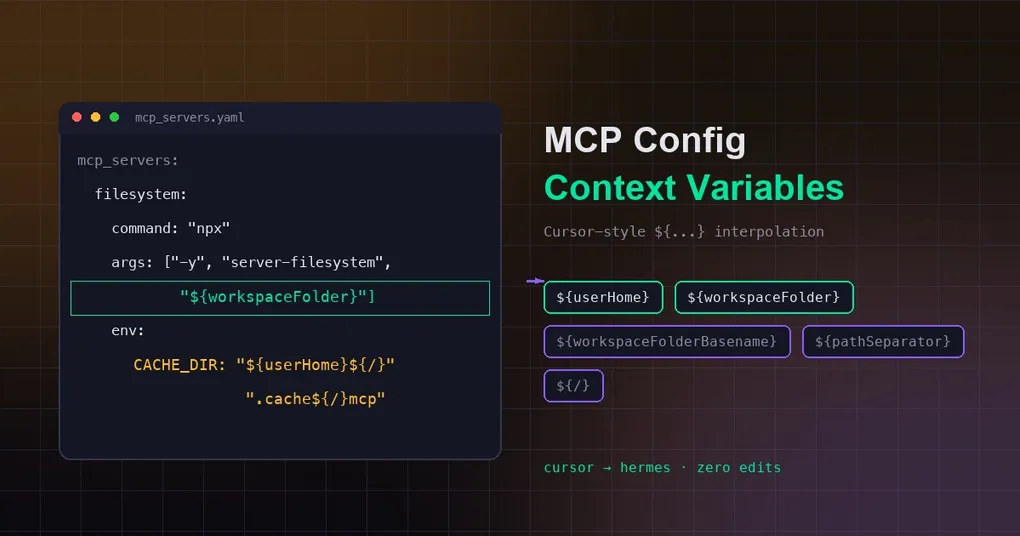
Setting up an MCP server should be a five-minute job, but for most of us it isn’t — because the config is full of absolute paths. /Users/you/.cache/mcp, C:\Users\you\projects\webapp: every machine, every teammate, every moved folder means editing the config again, and a shared mcp.json quickly becomes unportable. This week, Hermes makes those paths portable with Cursor-style context variables, so you write the config once and it works everywhere.
Still hard-coding paths in your MCP config?
Configuring MCP servers has an annoying recurring problem: paths. /Users/neo/.cache/mcp, C:\Users\neo\projects\webapp — change machine, change user, change project directory, and you edit everything again. Worse, if your team commits MCP config into the repo, everyone’s absolute paths differ and a shared mcp.json becomes impossible to keep portable.
A feature merged into Hermes Agent main on 2026-08-08 fixes exactly this: MCP server configs now support Cursor-style context-variable interpolation — ${userHome}, ${workspaceFolder}, ${workspaceFolderBasename}, ${pathSeparator} and ${/}. Two things follow:
- An
mcp.jsonyou wrote for Cursor moves into Hermes with zero path edits; - Paths in configs can finally be written in semantic, relative terms — portable across machines and users.
The 5 context variables
| Variable (case-sensitive) | Resolves to |
|---|---|
${userHome} |
The current user’s home directory (os.path.expanduser("~")) |
${workspaceFolder} |
The session’s workspace root (see resolution chain below) |
${workspaceFolderBasename} |
The basename of ${workspaceFolder} (last path segment) |
${pathSeparator} |
The OS path separator (os.sep — \ on Windows, / elsewhere) |
${/} |
Shorthand for ${pathSeparator} |
⚠️ Case matters: only these five exact spellings are recognized.
${USERHOME}is not a context variable — it falls through to the normal environment-variable lookup like any other${...}reference.
Real config examples
Variables can appear in any string position of a server entry: args, env, url, headers — all of them.
Example 1: filesystem server pointed at the current workspace
mcp_servers:
  filesystem:
    command: "npx"
    args: ["-y", "@modelcontextprotocol/server-filesystem", "${workspaceFolder}"]
Wherever you launch Hermes, the filesystem server automatically targets the current session’s workspace — no session IDs to remember, no cd first.
Example 2: cache dir built from home + separator
mcp_servers:
  my-server:
    command: "node"
    args: ["server.js"]
    env:
      CACHE_DIR: "${userHome}${/}.cache${/}mcp"
${/} makes this one config work on Windows (\) and macOS/Linux (/) at the same time.
Example 3: migrating straight from Cursor
The most common pattern in Cursor’s mcp.json is the "${env:VAR}" secret reference. Hermes supports it too:
mcp_servers:
  github:
    command: "npx"
    args: ["-y", "@modelcontextprotocol/server-github"]
    env:
      GITHUB_PERSONAL_ACCESS_TOKEN: "${env:GITHUB_TOKEN}"
${env:GITHUB_TOKEN} and ${GITHUB_TOKEN} resolve to the same variable; values are read from the active profile’s secret scope (falling back to the process environment), so drop the secret into ~/.hermes/.env and you’re set. An unset variable keeps its literal placeholder instead of erroring.
How ${workspaceFolder} resolves (priority order)
${workspaceFolder} is not simply the process start directory — it walks a three-level chain:
- The session’s recorded terminal cwd: written on every completed terminal command and keyed by the raw session id — one session’s
cdcan never leak into another session’s resolution; - A registered task/session cwd override: the cwd that TUI / Desktop / ACP sessions register before any tool runs;
- A sentinel-free absolute
$TERMINAL_CWD: the worktree path set forhermes -w <worktree>sessions.
Only when no reliable anchor exists does it fall back to the process os.getcwd().
In practice this means: open a project in the desktop app, or cd into a subdirectory in the TUI, and ${workspaceFolder} follows the actual workspace of the current session — not the directory you happened to launch from.
Resolution order: context vars → env vars → literal
For each ${...} reference, interpolation tries, in order:
- Exact match against the 5 context variables (highest priority);
- Environment-variable lookup (profile secret scope →
os.environ); - Otherwise the literal placeholder is kept (e.g.
"${NOT_EXIST}"stays as-is).
So context variables do not change any existing env-var semantics — old references like ${HOME} are completely unaffected; you just gained five “first-class” names.
When this pays off
- Team-shared configs: commit
mcp_serversinto the repo and every member works after a clone — no more stepping on each other’s absolute paths; - Multi-machine sync: desktop + laptop + CI sharing one config;
${userHome}and${/}absorb the platform differences; - Workspace-bound tools: servers that must run against the current project (filesystem, linters, code search) —
${workspaceFolder}follows the session automatically.
For the full MCP server key reference (tools.include/exclude, the trust tier, auth: oauth, and more), check our hermes mcp command reference. To see the wider MCP story in the latest release, read our v0.20.0 Herald release notes. New to Hermes Agent? Start with the install guide before experimenting.
Bottom line: swap absolute paths for ${userHome}, ${workspaceFolder} and ${/} in your MCP config, and you get portability plus “follows the current workspace” behavior for free — with configs that interoperate with the Cursor ecosystem unchanged.