Hermes Bot Mode: Turn Your Profiles into a Roster of Named Bots — Official Desktop Plugin, Fully Explained
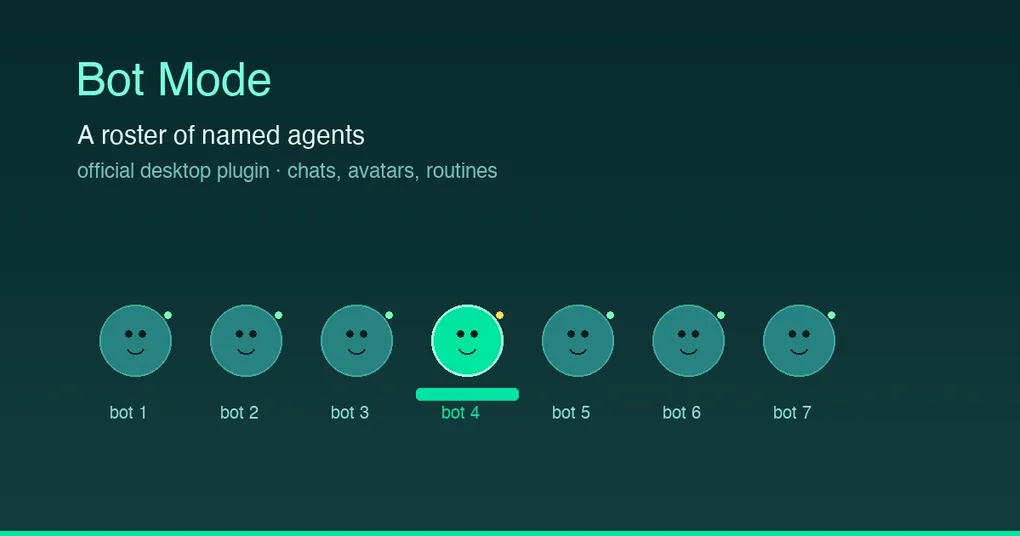
Isn’t this how you’d want AI to work: a “research assistant” gathering sources, a “code reviewer” nitpicking your PRs, a “daily briefing secretary” summarizing your inbox every morning — each doing its own job without stepping on the others, occasionally passing each other a message? That used to mean manually juggling profiles. Now Hermes has shipped it as a product: Bot Mode.
It’s an official desktop plugin by Nous Research (launched August 13, already 503★ on GitHub) that turns your agent profiles into a roster of named bots — each bot with its own chat, avatar, personality, and schedule. This post breaks down everything the community has been buzzing about this week.
Bot Mode in one sentence
A bot is a Hermes profile (config, memory, skills, credentials, and chat history fully isolated under ~/.hermes/profiles/<name>/); the plugin is just a GUI on top of that primitive. No core patches, no background daemons, no extra storage — “everything is standard Hermes surface.”
The seven key points, explained
1. Bots pane: a roster plus instant New Agent
A Bots pane appears on the left: one row per bot (avatar, latest-message preview, timestamp), click to land in its chat. New Agent creates a bot in seconds — name, title, description — and the Advanced disclosure opens the full profile config: clone from an existing profile, pin a provider/model, write a custom SOUL.md, skip bundled skills.
2. Right-click: edit, duplicate, delete
Right-click any bot: Edit Profile changes avatar/title/description any time, with an Advanced section editing the live profile (per-skill and per-toolset enablement, model pin, full SOUL.md); Duplicate full-clones the bot (config, skills, SOUL.md, memory, and its look); Delete Profile removes it permanently — after the same destructive confirmation the desktop app’s profile menu uses, and the default profile cannot be deleted.
3. Avatars: from geometric faces to AI portraits
Four options: cute geometric faces (7 shapes × 10 colors, with blinking eyes that “scan” while the bot works), an uploaded image, an AI-generated portrait when an image backend is configured, and a pixel pet companion that bounces beside the avatar while the bot is busy.
4. Routines: every bot gets its own schedule
The Routines pane hosts recurring tasks per bot, backed by Hermes cron — “Summarize my inbox every morning” lives right next to the bot that does it, and runs land in the bot’s own chat history. These are plain cron jobs (namespaced [bot:<name>] <routine>), visible in hermes cron list and the core Cron page — nothing hidden.
5. Bot-to-bot messaging: a signed Agent Inbox
Every bot has a persistent Agent Inbox conversation. Bots message each other with attribution ([Message from agent 'researcher']), and their SOUL.md teaches them the protocol, including how to reply. Under the hood it’s a real CLI handoff: hermes -p <bot> chat -c "Agent Inbox" -q "..." — not a toy, standard commands.
6. @mentions: hand off from any chat
Type @researcher have a look at this in any chat and the active bot hands the message off, waits for the reply, and reports back. The most intuitive way to run a multi-agent team.
7. Multi-source agents: the engineering foundation behind Bot Mode
The companion PR (#86875, merged Aug 15) lays the groundwork: the desktop renderer keeps concurrent sockets to agents on every registered connection, a union roster (all agents across connections, duplicate handles deduped once) is exposed to plugins via hermes:agents:roster; the SDK gains host.connections() / host.agents() / host.warmAgent() / host.ensureAgent(); and Settings → Connections can dispatch hermes update to every eligible instance at once (one dead box can’t wedge the batch). It’s also why SkillsView now ships in the plugin SDK — so Bot Mode’s create/edit-agent dialogs can embed the real Capabilities surface (see the Desktop Skills Hub).
How to install
git clone https://github.com/NousResearch/Hermes-Bot-Mode ~/.hermes/desktop-plugins/hermes-botsThen in the desktop app: Ctrl+K → “Reload desktop plugins” (or restart the app), and a Bots tab appears next to Sessions.
Heads-up: this is a desktop plugin — it must be installed on the machine running the Hermes desktop app, not on the gateway. Gateway on your homelab, desktop on your MacBook → install on the MacBook.
Requirements: a desktop app with the plugin SDK; the profiles.* / image.generate gateway RPCs ship in hermes-agent ≥ mid-2026 builds (hermes update). Older gateways still work — the plugin degrades gracefully: the roster works everywhere; Advanced editing and avatar generation light up when the RPCs exist.
Who it’s for
- Multi-role workflows: a “team” of research + review + writing bots
- Personal assistant matrix: one bot per duty, Routines running each schedule
- Multi-profile users: see Multi-Instance Profiles — Bot Mode is that concept, given a GUI
- Community/group ops: give each member a bot with a personality
Release status
- Hermes-Bot-Mode plugin: created August 13, MIT, by Nous Research
- Companion core features (multi-source agents, SDK, fan-out updates): merged to main Aug 15 (#86875, 5,471 desktop tests passing), not in any official release yet
- To try it:
hermes update, then install the plugin on the desktop side; core features land with the next release
Wrap-up
Bot Mode turns “a group of agents collaborating” from a concept into an out-of-the-box desktop experience: roster management, instant bot creation, personality avatars, per-bot schedules, bot-to-bot messaging, @-handoffs — all built on standard profiles + RPCs + cron + CLI. No magic, just engineering. It snaps together with cron, skills, and chat, which is exactly why it’s getting unprecedented attention: the official project is pushing Hermes toward a genuine multi-agent workbench.