Stop Drawing Architecture Diagrams by Hand: The Archify Skill Validates Before It Delivers
Writing a README or a handover doc, you always end up adding a structural diagram next to the prose. Drawing one is not the hard part. The hard part is that it starts going stale the moment you finish it: two modules get refactored, a message queue appears, and the diagram still shows last month’s shape — so the next person who trusts it learns the wrong system.
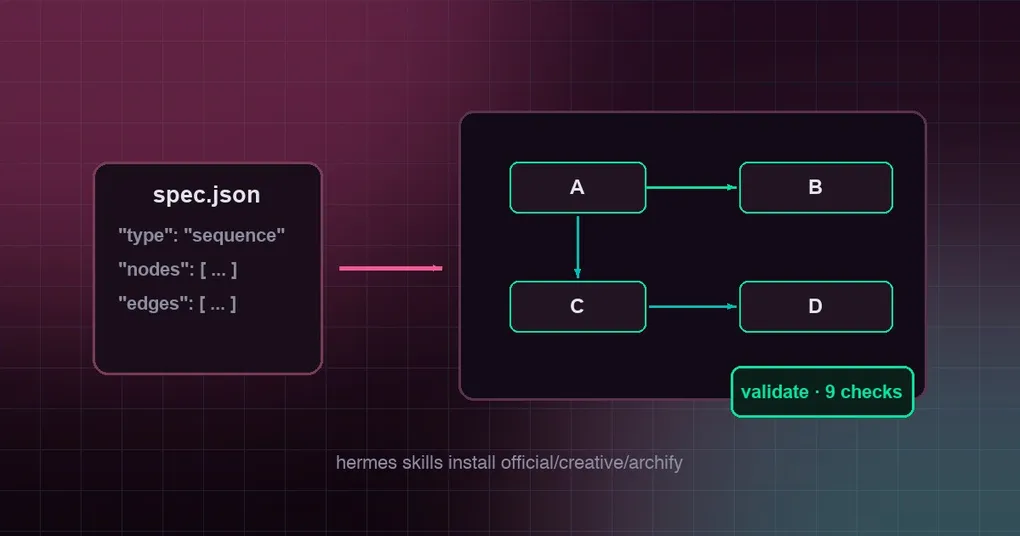
Archify is an optional Hermes skill aimed squarely at that problem. You give it a small typed JSON spec (or paste in the Mermaid you already had), and it produces a self-contained interactive HTML diagram — after running a validation pass on it.
What it actually does
Think of archify as treating a diagram as a schema-governed artifact rather than a picture:
- five diagram types:
architecture,workflow,sequence,dataflowandlifecycle(state machine); - output is self-contained HTML: dark and light themes, pan and zoom, search, relationship tracing, optional trace motion, and PNG / JPEG / WebP / SVG / WebM export;
- input can be plain-language requirements, or Mermaid you copied from somewhere else (
flowchart,sequenceDiagram,stateDiagram); - when the diagram has to reflect real code, it can read repository evidence instead of working from your description alone.
The important difference is the last step: every candidate goes through a nine-check validate / deliver receipt. “Is this diagram right?” becomes something you can check, not something you eyeball.
Installing it
hermes skills install official/creative/archifyIt is an official optional skill — not part of a default install. It lives at optional-skills/creative/archify, is authored by tt-a1i, MIT licensed, version 2.17.0.
One design detail is worth knowing: on the Hermes side this is an upstream-maintained catalog entry. The skill itself lives at tt-a1i/archify (the Node CLI, schemas, renderers, examples and references are all there), and installing pulls the current tree live from that repository, quarantined and scanned like any hub install. The upside is direct: the copy you install cannot go stale.
There is exactly one prerequisite: Node.js 18+ on PATH. Installation pulls roughly 200 files (~8 MB, mostly upstream tests and examples) and the fetch is pinned to a single tree SHA. Confirm the result with:
node bin/archify.mjs doctorNo npm install is needed inside the skill package.
Five types, one workflow
For you the workflow is always the same: describe what you want, get an HTML diagram plus a validation receipt.
A few choices save time in practice:
- “what is the system made of and how do the parts connect” →
architecture; - “what order does a request move through these steps” →
workfloworsequence(the former for branching flow, the latter for round trips between participants); - “where does the data come from, what happens to it, where does it land” →
dataflow; - “what states does this object have and what events move it” →
lifecycle.
If you already have Mermaid — plenty of meeting notes and issues do — pasting it in and letting archify convert it to an interactive version beats re-describing the thing from scratch.
How it splits work with the built-in skill
Hermes ships an architecture-diagram skill: zero dependencies, and the fallback next to archify (the two share the same Cocoon AI lineage).
The choice is simple:
- one diagram, no Node install, no interactivity or export needed → the built-in skill;
- a validation receipt, Mermaid conversion, sequence/lifecycle types, or exports beyond a single HTML file → archify.
Two things to keep in mind
- Its update check only prints a notice. The upstream “update awareness” step runs
scripts/check-update.mjs, which reads a release manifest from GitHub and only prints a notice — it never downloads or installs anything. If outbound calls are unwanted in your environment, skip it. - Reading your code has a context requirement. When you ask archify to ground a diagram in repository evidence, it reads what is in your current working directory — so invoking it from the repository root is far more useful than from an empty temp folder.
The short version
The selling point is not “the agent can draw” — that stopped being novel a while ago. It is that archify treats a diagram as something with a schema, a validation pass and a receipt: five types that map to five clear intents, input that can be typed JSON or existing Mermaid, output that is interactive HTML with multiple export formats, and an upstream-maintained catalog entry so your copy is never stale.
If you are shopping for optional skills, the optional skills roundup gives a wider view. For visualization more generally, see the 3D office post and the desktop skills hub. The full command surface for installing, trusting and managing skills is in the hermes skills reference.