一个飞书机器人同时连接多个 Hermes:v0.19 Profile 路由手把手教程
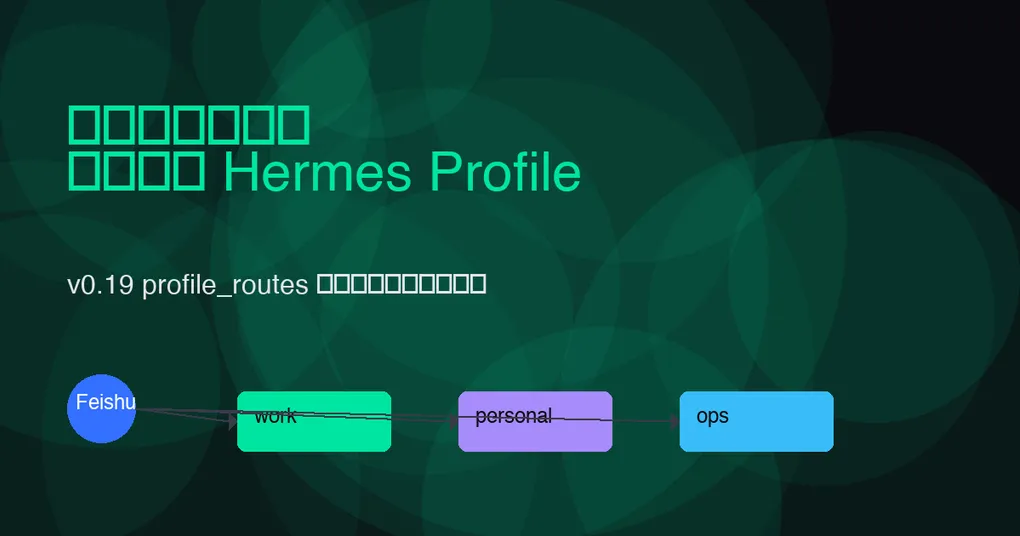
Hermes Agent v0.19 之前,如果你想在飞书的不同群里跑不同的 Agent 人格,最朴素的办法是:每个群单独建一个飞书机器人应用,再各跑一个 Hermes Gateway。Token 多、进程多、配置还分散。
v0.19 的 multiplex_profiles + profile_routes 让你只用一个飞书机器人应用、一个 Gateway 进程,就能把不同群组/话题的消息分发给不同 Profile。每个 Profile 有独立的模型、技能、记忆和密钥,但共享同一个机器人身份。
本文基于 Hermes v0.19.0 官方 release 和现有项目文档,给出完整可落地的配置示例。
想先看整体特性?可以阅读我们整理的 Hermes v0.19.0 Quicksilver 发布说明,以及官方 v0.19.0 release notes。
前置条件
- Hermes Agent >= v0.19.0
- 一个已创建并通过审核的飞书(Lark)机器人应用
- 机器人已启用「事件订阅」并能接收
im.message.receive_v1等消息事件 - 已在飞书开放平台获取
app_id、app_secret、encrypt_key、verification_token
如果你还没把飞书机器人接进 Hermes,可以先在 ~/.hermes/.env 里配好基础凭证:
FEISHU_ALLOWED_USERS=ou_xxxxxxxx,ou_yyyyyyyy
FEISHU_APP_ID=cli_xxxxxxxxxxxxxxxx
FEISHU_APP_SECRET=xxxxxxxxxxxxxxxxxxxxxxxxxxxxxxxx
FEISHU_ENCRYPT_KEY=xxxxxxxxxxxxxxxx
FEISHU_VERIFICATION_TOKEN=xxxxxxxxxxxxxxxx
Hermes 的飞书适配器从 v0.6.0 起就是完整 Gateway 适配器,支持消息卡片、群聊、图片/文件附件和交互回调,所以基础连通性不会成为障碍。
核心概念:multiplex_profiles + profile_routes
在 v0.19 之前,Hermes 的 Gateway 已经是「一个进程同时接入多个平台」。v0.19 新增的能力是:同一个平台、同一个 bot token,再按来源路由到不同 Profile。
关键配置项:
gateway.multiplex_profiles: true— 开启多 Profile 复用模式gateway.profile_routes— 定义按来源匹配的规则列表
注意:在 multiplex 模式下,端口绑定型平台(webhook、api_server、feishu 等)只能在
defaultProfile 里配置;其他 Profile 通过路由规则接收消息。我们这篇文章讨论的正是这种模式:default Profile 跑飞书平台入口,再用profile_routes把消息派发到work、personal等 Profile。
飞书场景下的配置示例
假设你有三个飞书群:
| 群名 | 用途 | 期望 Profile |
|---|---|---|
| 技术值班群 | 处理告警、查日志、执行安全命令 | ops |
| 产品讨论群 | 写 PRD、做竞品分析 | product |
| 私人助手群 | 个人日程、查询资料 | personal |
在 ~/.hermes/config.yaml 里这样写:
profiles:
  default:
    # 飞书平台入口只能放在 default profile
    gateway:
      platforms:
        - platform: feishu
          app_id: "cli_xxxxxxxxxxxxxxxx"
          app_secret: "{{env.FEISHU_APP_SECRET}}"
          encrypt_key: "{{env.FEISHU_ENCRYPT_KEY}}"
          verification_token: "{{env.FEISHU_VERIFICATION_TOKEN}}"
          allowed_users:
            - "ou_xxxxxxxx"
            - "ou_yyyyyyyy"

  ops:
    model: "claude-sonnet-5"
    system_prompt: "你是技术值班助手,擅长日志排查、容器运维和安全响应。"
    skills:
      - kubernetes
      - sentry
    approvals:
      smart_approvals: true
    deny_rules:
      - pattern: "kubectl delete.*prod"
        reason: "生产删除操作禁止自动执行"

  product:
    model: "gpt-5.6-sol"
    system_prompt: "你是产品经理助手,擅长写 PRD、做竞品分析和整理用户反馈。"
    skills:
      - notion
      - web_search

  personal:
    model: "grok-4.5"
    system_prompt: "你是个人效率助手,语气轻松。"

gateway:
  multiplex_profiles: true
  profile_routes:
    - name: feishu-ops
      platform: feishu
      chat_id: "oc_xxxxxxxxxxxxxxxx"
      profile: ops

    - name: feishu-product
      platform: feishu
      chat_id: "oc_yyyyyyyyyyyyyyyy"
      profile: product

    - name: feishu-personal
      platform: feishu
      chat_id: "oc_zzzzzzzzzzzzzzzz"
      profile: personal

    # 兜底:某个用户的私聊全部分到 personal
    - name: feishu-dm
      platform: feishu
      user_id: "ou_xxxxxxxx"
      profile: personal
保存后执行:
hermes config validate
hermes gateway restart
飞书路由字段详解
v0.19 的 profile_routes 对飞书/Lark 支持以下字段(按匹配特异性排序):
| 字段 | 含义 | 示例 | 特异性权重 |
|---|---|---|---|
platform |
平台类型,必填 | feishu |
基础 |
chat_id |
飞书群聊/会话 ID(oc_ 或 oc_ 开头) |
oc_xxxxxxxxxxxxxxxx |
高 |
thread_id |
飞书话题/帖子 ID | omt_xxxxxxxxxxxxxxxx |
最高 |
user_id |
飞书用户 ID(ou_ 开头) |
ou_xxxxxxxx |
中高 |
tenant_id |
企业/租户 ID(多租户场景) | xxx |
中 |
profile |
目标 Profile 名称 | ops |
— |
name |
路由规则注释 | feishu-ops |
— |
匹配规则:
- 所有声明字段必须同时满足(AND 关系)。
- 未声明字段被忽略,不参与匹配。
- 特异性越高优先:
thread_id>chat_id>user_id>tenant_id> 仅platform。 - 同特异性下,先声明者优先。
所以你可以先按 chat_id 路由整个群,再针对群里某个具体话题用 thread_id 做更细的分流。
如何获取飞书 chat_id / thread_id / user_id
最简单的方式:让 Hermes 先以 default Profile 运行,收到消息后看日志里的 session_key 或事件 payload。默认日志会打印类似:
[feishu] incoming message chat_id=oc_xxxxxxxxxxxxxxxx thread_id=omt_yyyyyyyy user_id=ou_zzzzzzzz或者临时在 default Profile 里加一个 echo skill,让它回复:
chat_id: oc_xxxxxxxxxxxxxxxx
thread_id: omt_yyyyyyyy
user_id: ou_zzzzzzzz
拿到 ID 后再写到 profile_routes 里,重启 Gateway 即可。
一个常见误区:不能把多个 Profile 各自配一个 feishu 平台
multiplex 模式下,如果你在 ops Profile 里也写:
profiles:
  ops:
    gateway:
      platforms:
        - platform: feishu
          ...
启动时会报错。因为 feishu 是端口绑定型平台,入口只能属于 default Profile。Secondary Profile 的飞书能力完全来自 profile_routes 的分流。
如果你需要进程级硬隔离(比如 ops 绝对不能和 personal 共享进程),那就不要用 multiplex,而是单独为每个 Profile 启动独立 Gateway,走
hermes -p ops gateway start。
调试与验证命令
# 查看当前 Gateway 配置是否开启 multiplex
hermes config get gateway.multiplex_profiles

# 查看已生效的 profile_routes
hermes config get gateway.profile_routes

# 验证配置语法
hermes config validate

# 启动/重启 Gateway
hermes gateway start
hermes gateway restart

# 查看 Gateway 状态,确认 multiplex 下有哪些 Profile 被服务
hermes status

# 查看飞书平台实时日志(可在另一个终端执行)
hermes gateway --log-level debug
发送一条测试消息后,检查日志里是否有:
[multiplex] routed feishu chat_id=oc_xxx to profile=ops如果没有,说明规则没匹配上,检查 chat_id 是否写错、是否多了空格。
进阶:按话题隔离(thread_id 路由)
飞书群里的话题(Thread)相当于子频道。你可以让同一个群的不同话题走不同 Profile:
gateway:
  multiplex_profiles: true
  profile_routes:
    - name: feishu-ops-main
      platform: feishu
      chat_id: "oc_xxxxxxxxxxxxxxxx"
      profile: ops

    - name: feishu-ops-oncall
      platform: feishu
      chat_id: "oc_xxxxxxxxxxxxxxxx"
      thread_id: "omt_yyyyyyyyyyyyyyyy"
      profile: ops-oncall
由于 thread_id 特异性更高,话题里的消息会优先进入 ops-oncall,群里其他消息进入 ops。
进阶:多租户场景(tenant_id)
如果你把同一个机器人应用安装到多个飞书企业(ISV 场景),可以按 tenant_id 分流:
gateway:
  profile_routes:
    - name: tenant-a
      platform: feishu
      tenant_id: "tenant_a_id"
      profile: customer-a

    - name: tenant-b
      platform: feishu
      tenant_id: "tenant_b_id"
      profile: customer-b
结合 Hermes 的 per-profile secret scopes,每个租户可以拥有完全隔离的密钥和模型配置。
安全建议
- 始终设置
allowed_users:飞书机器人默认只响应白名单里的用户,避免被任意群成员拉进陌生群后滥用。 - 不同 Profile 的权限要分层:ops Profile 可以接入运维工具,但 product Profile 不应该有生产执行权限。
- 用
deny_rules兜底:即使某个 Profile 被错误路由,deny rules 也能阻止危险命令自动执行。参考我们之前的 Hermes v0.19 智能审批三道闸门教程。 - 验证
chat_id准确性:飞书的oc_ID 容易和ou_混淆,写错会导致消息全部进入 default Profile 或匹配失败。
总结
Hermes v0.19 的 profile_routes 把飞书机器人从「一个机器人一个 Agent」变成「一个机器人多个 Agent」。配置核心就三步:
- 在
defaultProfile 里配置唯一的feishu平台入口; - 开启
gateway.multiplex_profiles: true; - 用
gateway.profile_routes按chat_id/thread_id/user_id/tenant_id分流到不同 Profile。
这样你可以让同一个飞书机器人:在技术群当运维助手,在产品群当 PRD 写手,在私聊当个人秘书——而不用维护多个机器人和 Gateway 进程。
# 最后检查并启动
hermes config validate
hermes gateway restart
hermes status