One Feishu Bot, Multiple Hermes Profiles: A Hands-On v0.19 Profile Routing Tutorial
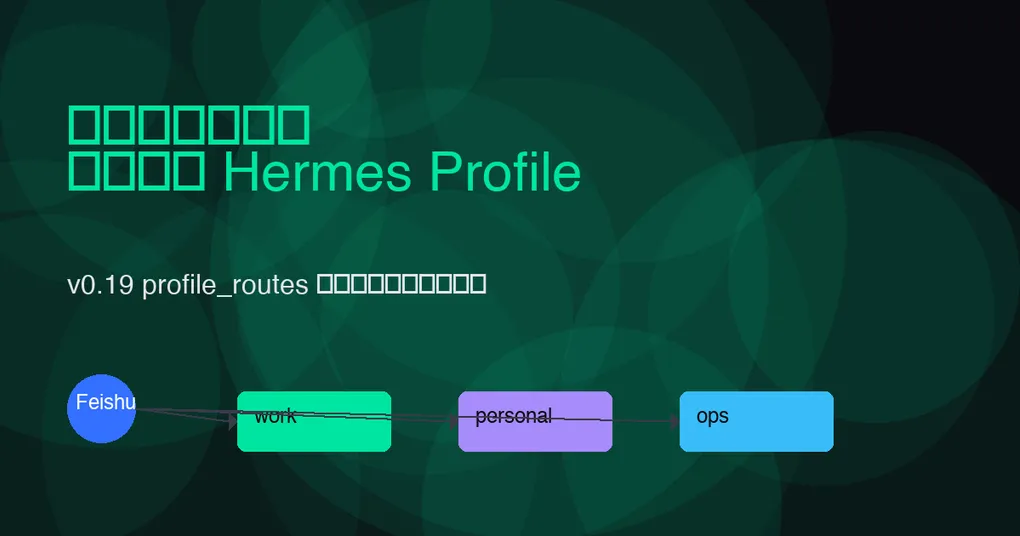
Before Hermes Agent v0.19, if you wanted different agent personas in different Feishu groups, the straightforward approach was: create a separate Feishu bot app for each group and run a separate Hermes Gateway for each. Many tokens, many processes, and scattered configuration.
v0.19’s multiplex_profiles + profile_routes let you use a single Feishu bot app and a single Gateway process to distribute messages from different groups or threads to different Profiles. Each Profile keeps its own model, skills, memory, and secrets, while sharing the same bot identity.
This post is based on the official Hermes v0.19.0 release and existing project docs, and provides a complete, ready-to-use configuration example.
Want the full picture first? Read our Hermes v0.19.0 Quicksilver release overview and the official v0.19.0 release notes.
Prerequisites
- Hermes Agent >= v0.19.0
- A created and approved Feishu (Lark) bot app
- Event subscription enabled on the bot, able to receive
im.message.receive_v1and other message events - You have obtained
app_id,app_secret,encrypt_key, andverification_tokenfrom the Feishu Open Platform
If you have not yet connected a Feishu bot to Hermes, start by setting the base credentials in ~/.hermes/.env:
FEISHU_ALLOWED_USERS=ou_xxxxxxxx,ou_yyyyyyyy
FEISHU_APP_ID=cli_xxxxxxxxxxxxxxxx
FEISHU_APP_SECRET=xxxxxxxxxxxxxxxxxxxxxxxxxxxxxxxx
FEISHU_ENCRYPT_KEY=xxxxxxxxxxxxxxxx
FEISHU_VERIFICATION_TOKEN=xxxxxxxxxxxxxxxx
Hermes’s Feishu adapter has been a full Gateway adapter since v0.6.0, supporting message cards, group chats, image/file attachments, and interaction callbacks, so basic connectivity should not be a blocker.
Core Concepts: multiplex_profiles + profile_routes
Before v0.19, Hermes Gateway already supported “one process connected to multiple platforms.” The new capability in v0.19 is: the same platform, the same bot token, and then route by source to different Profiles.
Key configuration items:
gateway.multiplex_profiles: true— enables multi-Profile reuse modegateway.profile_routes— defines the list of source-matching rules
Note: In multiplex mode, port-binding platforms (webhook, api_server, feishu, etc.) can only be configured in the
defaultProfile; other Profiles receive messages through routing rules. This article discusses exactly that pattern: the default Profile runs the Feishu platform entrypoint, andprofile_routesdispatches messages towork,personal, and other Profiles.
Feishu Configuration Example
Suppose you have three Feishu groups:
| Group | Purpose | Target Profile |
|---|---|---|
| On-call tech group | Handle alerts, check logs, run security commands | ops |
| Product discussion group | Write PRDs, do competitor analysis | product |
| Personal assistant group | Personal schedule, look up information | personal |
In ~/.hermes/config.yaml, write:
profiles:
  default:
    # The Feishu platform entrypoint must live in the default profile
    gateway:
      platforms:
        - platform: feishu
          app_id: "cli_xxxxxxxxxxxxxxxx"
          app_secret: "{{env.FEISHU_APP_SECRET}}"
          encrypt_key: "{{env.FEISHU_ENCRYPT_KEY}}"
          verification_token: "{{env.FEISHU_VERIFICATION_TOKEN}}"
          allowed_users:
            - "ou_xxxxxxxx"
            - "ou_yyyyyyyy"

  ops:
    model: "claude-sonnet-5"
    system_prompt: "You are an on-call technical assistant, skilled at log troubleshooting, container operations, and security response."
    skills:
      - kubernetes
      - sentry
    approvals:
      smart_approvals: true
    deny_rules:
      - pattern: "kubectl delete.*prod"
        reason: "Production delete operations are not allowed to run automatically."

  product:
    model: "gpt-5.6-sol"
    system_prompt: "You are a product manager assistant, skilled at writing PRDs, competitor analysis, and organizing user feedback."
    skills:
      - notion
      - web_search

  personal:
    model: "grok-4.5"
    system_prompt: "You are a personal productivity assistant with a relaxed tone."

gateway:
  multiplex_profiles: true
  profile_routes:
    - name: feishu-ops
      platform: feishu
      chat_id: "oc_xxxxxxxxxxxxxxxx"
      profile: ops

    - name: feishu-product
      platform: feishu
      chat_id: "oc_yyyyyyyyyyyyyyyy"
      profile: product

    - name: feishu-personal
      platform: feishu
      chat_id: "oc_zzzzzzzzzzzzzzzz"
      profile: personal

    # Fallback: route all direct messages from a given user to personal
    - name: feishu-dm
      platform: feishu
      user_id: "ou_xxxxxxxx"
      profile: personal
After saving, run:
hermes config validate
hermes gateway restart
Feishu Routing Fields Explained
v0.19 profile_routes supports the following fields for Feishu/Lark, ordered by match specificity:
| Field | Meaning | Example | Specificity |
|---|---|---|---|
platform |
Platform type, required | feishu |
Base |
chat_id |
Feishu group/session ID (starts with oc_) |
oc_xxxxxxxxxxxxxxxx |
High |
thread_id |
Feishu topic/thread ID | omt_xxxxxxxxxxxxxxxx |
Highest |
user_id |
Feishu user ID (starts with ou_) |
ou_xxxxxxxx |
Medium-high |
tenant_id |
Enterprise/tenant ID (multi-tenant scenarios) | xxx |
Medium |
profile |
Target Profile name | ops |
— |
name |
Rule label | feishu-ops |
— |
Matching rules:
- All declared fields must match (AND logic).
- Undeclared fields are ignored and do not participate in matching.
- Higher specificity wins:
thread_id>chat_id>user_id>tenant_id> platform-only. - At the same specificity level, the earlier declared rule wins.
So you can route an entire group by chat_id, then use thread_id to分流 a specific topic inside that group to a different Profile.
How to Get Feishu chat_id / thread_id / user_id
The easiest way: let Hermes run with the default Profile first, then look at the session_key or event payload in the logs after receiving a message. By default the logs print something like:
[feishu] incoming message chat_id=oc_xxxxxxxxxxxxxxxx thread_id=omt_yyyyyyyy user_id=ou_zzzzzzzzOr temporarily add an echo skill to the default Profile so it replies with:
chat_id: oc_xxxxxxxxxxxxxxxx
thread_id: omt_yyyyyyyy
user_id: ou_zzzzzzzz
Once you have the IDs, write them into profile_routes and restart the Gateway.
A Common Pitfall: Don’t Configure Feishu in Multiple Profiles
In multiplex mode, if you also write this in the ops Profile:
profiles:
  ops:
    gateway:
      platforms:
        - platform: feishu
          ...
Startup will fail. Because feishu is a port-binding platform, the entrypoint can only belong to the default Profile. Secondary Profiles get their Feishu capability entirely from profile_routes.
If you need process-level hard isolation (for example, ops must never share a process with personal), do not use multiplex. Instead, start a separate Gateway for each Profile with
hermes -p ops gateway start.
Debugging and Validation Commands
# Check whether multiplex mode is enabled
hermes config get gateway.multiplex_profiles

# Check the active profile_routes
hermes config get gateway.profile_routes

# Validate configuration syntax
hermes config validate

# Start/restart the Gateway
hermes gateway start
hermes gateway restart

# Check Gateway status and see which Profiles are served under multiplex
hermes status

# View real-time Feishu platform logs (run in another terminal)
hermes gateway --log-level debug
After sending a test message, check the logs for:
[multiplex] routed feishu chat_id=oc_xxx to profile=opsIf you do not see this, the rule did not match. Check whether chat_id is wrong or has extra spaces.
Advanced: Thread Isolation with thread_id Routing
Feishu threads inside a group are like sub-channels. You can route different threads in the same group to different Profiles:
gateway:
  multiplex_profiles: true
  profile_routes:
    - name: feishu-ops-main
      platform: feishu
      chat_id: "oc_xxxxxxxxxxxxxxxx"
      profile: ops

    - name: feishu-ops-oncall
      platform: feishu
      chat_id: "oc_xxxxxxxxxxxxxxxx"
      thread_id: "omt_yyyyyyyyyyyyyyyy"
      profile: ops-oncall
Because thread_id has higher specificity, messages in that thread go to ops-oncall, while other messages in the group go to ops.
Advanced: Multi-Tenant Scenarios with tenant_id
If you install the same bot app in multiple Feishu enterprises (ISV scenario), you can route by tenant_id:
gateway:
  profile_routes:
    - name: tenant-a
      platform: feishu
      tenant_id: "tenant_a_id"
      profile: customer-a

    - name: tenant-b
      platform: feishu
      tenant_id: "tenant_b_id"
      profile: customer-b
Combined with Hermes’s per-profile secret scopes, each tenant can have fully isolated secrets and model configuration.
Security Recommendations
- Always set
allowed_users: Feishu bots should only respond to whitelisted users, preventing abuse if the bot is invited into an unknown group. - Layer permissions across Profiles: the ops Profile can connect to operational tools, but the product Profile should not have production execution permissions.
- Use
deny_rulesas a safety net: even if a Profile is routed incorrectly, deny rules can prevent dangerous commands from executing automatically. See our earlier Hermes v0.19 smart approvals three-gate tutorial. - Verify
chat_idaccuracy: Feishuoc_IDs are easily confused withou_IDs. A mistake causes messages to fall back to the default Profile or fail to match entirely.
Summary
Hermes v0.19’s profile_routes turns a Feishu bot from “one bot, one agent” into “one bot, many agents.” The configuration comes down to three steps:
- Configure the single
feishuplatform entrypoint in thedefaultProfile; - Enable
gateway.multiplex_profiles: true; - Use
gateway.profile_routesto dispatch bychat_id,thread_id,user_id, ortenant_idto different Profiles.
With this, the same Feishu bot can act as an on-call assistant in the tech group, a PRD writer in the product group, and a personal secretary in direct messages—without maintaining multiple bots or Gateway processes.
# Final check and start
hermes config validate
hermes gateway restart
hermes status