Your Hermes workspace in a browser tab — no install, no relay
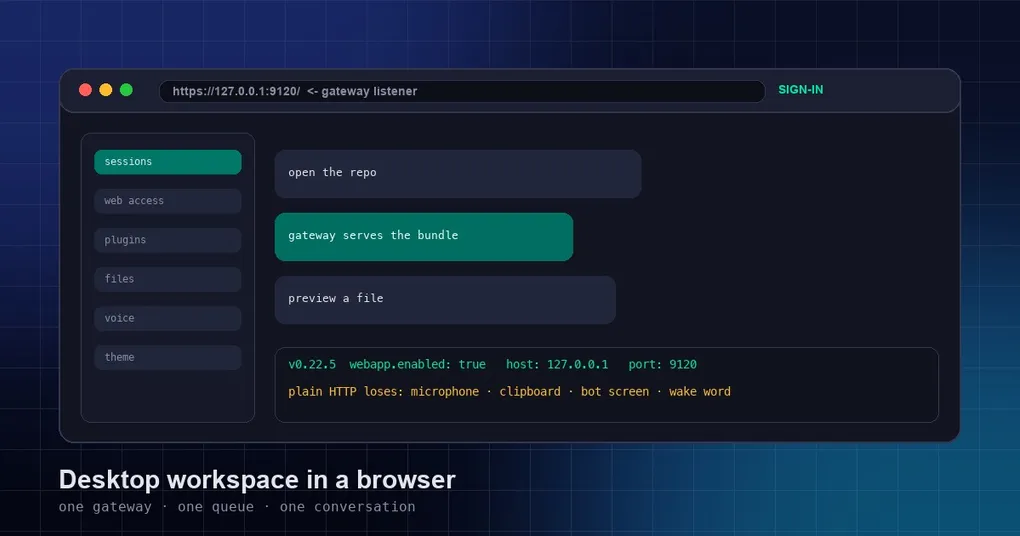
You are on a borrowed laptop, or a locked-down work machine, or a dev box you reached over SSH, and what you actually want is your Hermes workspace — session list, terminal, file tree, preview pane — not a chat box. Installing the Desktop app is not allowed, or not possible, and rebuilding your context by hand in a bare CLI feels like typing with gloves on. The old fallback was the dashboard, which is a different animal: a separate process with its own view of what is running, that happens to look similar and knows nothing about the tab you left open at home.
The webapp change takes a simpler route. The gateway serves the Desktop workspace itself (#141864, merged October 25, 2026), continuing the direction of #93508 — with no separate Webapp server and no relay in the middle.
What the webapp actually is
Short version: the Desktop workspace, hosted by the process you already run.
The gateway is the long-running background process that the CLI, the desktop app and every messaging platform connect to. Sessions in the webapp run on that gateway, inside the profile you pointed it at — literally the same process answering your terminal, your Telegram adapter and your desktop window. Same conversation, same queue. Whatever surface you look at, there is one copy of the state.
That one property explains most of the behaviour that follows. A tab is not a mirror of a desktop session; it is another client of the same backend. Kick off a turn in the browser, switch to the terminal, and the work is right there. Nothing to reconcile, because nothing is duplicated — and nothing extra to run: no Webapp server, no second port, no relay hop that has to be healthy first.
Turning it on
The switch lives in the config.yaml of the profile the gateway runs under, and it is off by default:
webapp:
  enabled: false     # true: the gateway serves the Webapp
  host: 127.0.0.1    # 127.0.0.1 / ::1 / localhost; 0.0.0.0 or :: exposes it to other machines (sign-in required)
  port: 9120         # fixed port, so the browser URL survives a gateway restart
  public_url: ""     # the http(s) address your reverse proxy or tunnel serves (enables sign-in)
enabled is read when the gateway boots, so flip it and restart with hermes gateway restart. Then the command you will live in:
hermes webapp            # open the Desktop workspace in a browser
hermes webapp --status   # current state, and the reason if it declined to start
hermes webapp --no-open  # print the link, don't launch a browser
hermes webapp -p work    # target a specific profile
hermes webapp is more than “open a URL”: it rebuilds the frontend bundle when the one on disk is stale, starts the gateway if it is not running, and only then hands you a one-time sign-in link.
host is stricter than it looks, and this is where most people lose ten minutes. Only 127.0.0.1, ::1 and localhost mean “this machine only”. 0.0.0.0 and :: mean other machines can reach it — which requires a dashboard sign-in provider; without one the gateway keeps serving native clients only, and hermes webapp --status says so. Any other value, including something that looks harmless like 127.0.0.2, leaves the Webapp switched off.
port is fixed on purpose, so your browser URL survives restarts and you can leave the tab open for days. For a standalone profile with no port set, the Desktop’s Settings → Web Access panel (PR #142220) picks a free one — above 9120, not used by another profile — and writes it back into port. It never overwrites a port you set by hand. One gateway per host is the place to work out which profile should serve it.
public_url is for when you already have a reverse proxy or tunnel. Filling it in enables dashboard sign-in even with a loopback host, and it becomes the only external hostname the Webapp answers to — the sign-in callback is built from it, not from the request. It must be http:// or https://, with no credentials, query string or fragment. One trap worth naming: dashboard.public_url only governs hermes dashboard and never applies to the Webapp.
The three ways it refuses to open
| What you notice | What happened | What to do |
|---|---|---|
Browser gets nothing, --status declines |
host is a value the Webapp does not accept, e.g. 127.0.0.2 |
Use 127.0.0.1, ::1, localhost, or a wildcard with a dashboard sign-in provider |
| CLI and desktop fine, browser dark | Port taken, sign-in gate refused, or the browser credential file cannot be read or written | Free the port, then run hermes webapp again |
| The tab worked yesterday, dead this morning | Gateway restarted while the port was occupied, so the browser credential was rotated | Run hermes webapp again for the tab you already have open |
The middle row surprises people because the gateway does not fall over. When the Webapp listener cannot start, it keeps the original private loopback listener and goes on serving native clients — CLI, TUI, desktop unaffected — while swapping out the browser credential. That swap is deliberate: if the port was occupied, some other program may be sitting on it now, and handing an old credential to whoever is listening would be worse than a dead tab. Once the port frees up, hermes webapp re-opens a tab you already have. The third row is the same mechanism from the other side: a restart alone is no reason to reload your browser, but one that happened while the port was held is.
What plain HTTP quietly takes away
Everything above can work over http:// and still leave you a workspace missing pieces — and the error messages were, until recently, useless.
Browsers only expose crypto.subtle in a secure context. On a plain-HTTP address the bot screen (bot screen / noVNC) used to fail with Cannot read properties of undefined (reading 'digest'), which tells you nothing. It now says what is wrong: you need HTTPS, or an SSH tunnel to 127.0.0.1. Same for live voice — there is no navigator.mediaDevices in an insecure context, getUserMedia is undefined, and the message is now simply “microphone not supported” instead of a stack trace from inside the client (#144722).
The launcher and the docs now list what plain HTTP costs you: clipboard read, wake word, bot screen, live voice. If the URL bar is neither 127.0.0.1 nor HTTPS, expect those four gone — put a TLS reverse proxy in front and set public_url, or tunnel the port.
Files belong to the session’s sandbox, not your laptop
A browser tab makes the file tree feel local, and that is the trap #144741 closed as a security fix: file and media requests now resolve against the session’s own sandbox. A session in a Docker sandbox serves files from inside the container; a session in an SSH environment serves them from the remote workspace. Resolving either against the host’s working directory is not cosmetic — it means handing out a tree that belongs to a different machine with a different permission model. For containerised sessions, the boundary described in the setuid strip in Docker sandboxes is the same one the file tree now respects.
The rest of the batch you feel more than read about: large HTML previews open properly, SSH profiles can stage preview text, and browser-side Export profile is documented (#144718); the browser terminal repaints and exit works (#144719); a tab closes cleanly when the input queue is full (#144665); group-chat preview downloads are capped (#144557). The preview pane has also grown real browser control, covered in driving the browser from the preview pane.
One routing detail that trips up integration work: the Webapp’s own routes — staged uploads, file tickets — exist only on the Webapp listener. The standalone dashboard and hermes serve return 404 for them.
Who can get the one-time link
The link hermes webapp prints is valid for 60 seconds and usable exactly once. The browser exchanges it for a login state kept in that tab’s sessionStorage, which is why nothing credential-shaped lands in your browser history or in a screenshot.
Only your own OS user should be able to obtain the link, and the gateway answers over a private control socket rather than the network. What that means in practice depends on the platform:
- Linux — the gateway checks that the connection asking for the link belongs to the current user.
- Windows — no check. The link appears only in the browser launcher’s command line, readable by the same user, by SYSTEM, and by elevated administrators.
- macOS, BSD, illumos, WSL — no check either. The command instead writes the link into a
webapp/launch-*.htmlpage under the gateway home, directory0700and file0600, carrying<meta refresh>, adefault-src 'none'CSP andno-referrer. Opening it clears the previous launch pages, then the link is printed.
Sign-in is conditional: it turns on when host is 0.0.0.0 or ::, or when public_url is set, and uses your dashboard account. Native clients never sign in — the CLI, TUI and desktop listeners never require it, whatever the config says — and the one-time link only opens a Webapp that does not require sign-in. The sign-in handoff walkthrough covers that path.
Before you go looking for the switch
Availability, straight: #141864 and this batch merged on 2026-10-25 and 2026-10-26, after v0.22.5 shipped on 2026-10-23. They are on main only — no release contains them yet, so if hermes webapp is missing from your build, that is why, not a broken install. Track main or wait for the next version; this post describes main, and by the time you read it the feature may well have shipped.
Two more things. Tracking issue #144648 is still open, and its title says what it is — post-merge follow-ups — so the batch above is what has been cleaned up, not a claim the surface is finished. And on Windows the gateway owns the fixed port exclusively, so “something else is already on 9120” is worth checking before you blame the config.
The honest summary: this replaces a second server and a relay with a config block and one command. It does not make an insecure context secure — that is still your TLS terminator or your SSH tunnel.