hermes verify: One Command That Answers 'Does This Project Actually Run?'
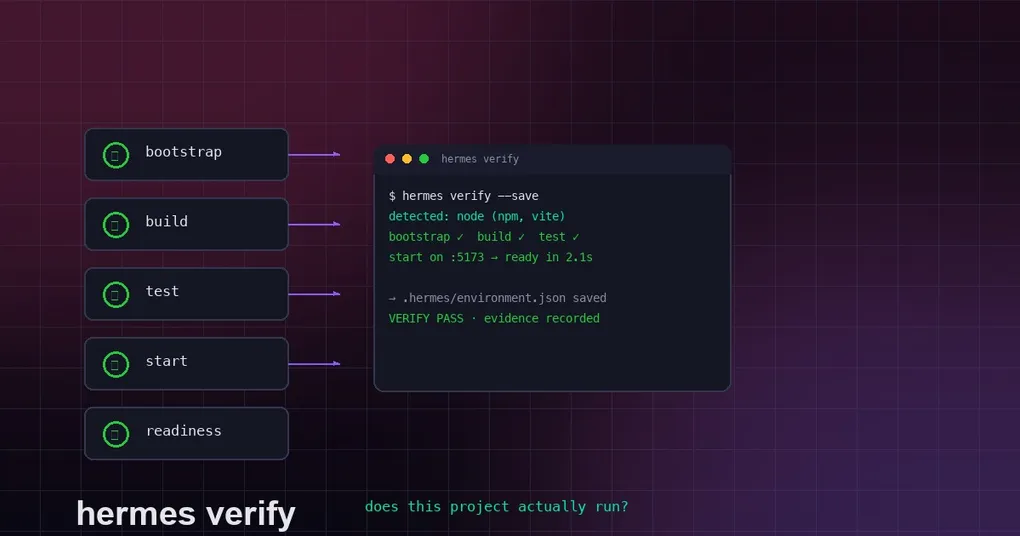
When you take over a repository — or just cloned something fresh — the first thing you do is type the familiar incantation: install dependencies, build, run tests, start the server, check the port. Every project needs its own variant: npm for some, pip for others, cargo build here, docker compose up there.
hermes verify, which landed on Hermes Agent’s main in early August 2026, is built for exactly that moment: one command that answers “does this project actually run?” It auto-detects the project’s run recipe and runs a full smoke pass in the order bootstrap → build → test → start → readiness, then returns a structured verdict.
$ hermes verify
detected: node (npm, vite)
bootstrap ✓  build ✓  test ✓
start on :5173 → ready in 2.1s
VERIFY PASS · evidence recorded
1. What it does
The core workflow of hermes verify:
- Detect — scan the current directory (or a given path) for signature files, figure out which framework the project uses, and build a recipe;
- bootstrap — install/prepare dependencies (e.g.
make installor the detected install target); - build — compile the project (
npm run build,go build ./...,cargo build,mvn package, …); - test — run the test suite (
npm test,pytest,go test ./...,mvn test, …); - start — boot the app in the background and poll for readiness (60s ready-timeout by default, port overridable);
- teardown — clean up, print an evidence summary and a structured pass/fail verdict.
If it can’t recognize the project, it says so explicitly and tells you how to define a recipe manually.
How it fits what Hermes already has
Hermes already had three layers of verification (self-verification, completion contracts, canonical test commands). hermes verify fills the gap they left: runtime smoke verification — does the project really build, really boot, and does the port actually answer? Passing runs are recorded into the verification evidence ledger (agent/verification_evidence), sharing the same evidence store as the verify-on-stop guard — a passing hermes verify carries the same weight as a passing canonical test command.
Key design point: it’s a pure CLI command with zero model-tool footprint — no new model-visible tools, no change to the agent’s tool surface.
2. Supported project types
The real detectors in agent/verify/recipes.py (each with evidence strings):
| Project | Signature | Default build / test / start |
|---|---|---|
| Node.js | package.json + package manager (npm/pnpm/yarn) | npm run build / npm test / npm run dev (vite & friends) |
| Python (Django) | manage.py or django dep | — / python manage.py test / python manage.py runserver 0.0.0.0:8000 |
| Python (FastAPI etc.) | pyproject/requirements | — / pytest (or unittest) / per detection |
| Go | go.mod | go build ./... / go test ./... / go run . |
| Rust | Cargo.toml | cargo build / cargo test / cargo run |
| Java (Maven) | pom.xml | mvn package / mvn test |
| Java (Gradle) | build.gradle(.kts) | ./gradlew build / ./gradlew test |
| Makefile project | Makefile | auto-picks install/build/test/run targets |
| docker-compose | compose.yml etc. | docker compose build / docker compose up |
3. Full flags
hermes verify [path] [options]

  path               project root to verify (default: current directory)

  --detect-only      detect and print the recipe as JSON only; run nothing
  --save             save the recipe as .hermes/environment.json in the project
  --skip-start       run command phases but skip booting the app / readiness poll
  --phase <name>     run only the given phase(s) (bootstrap|build|test|start; repeatable)
  --port <n>         override the port used for the readiness poll
  --timeout <sec>    per-phase timeout (default 600s)
  --ready-timeout <sec>  readiness poll timeout (default 60s)
  --json             emit a machine-readable JSON result
4. Typical usage
Everyday smoke check
cd ~/projects/acme-web
hermes verify
Detect only — see if it recognizes your project
hermes verify --detect-only
# {"source": "detected", "recipe": {"kind": "node", ...}}
Pin the recipe
Detection can drift as directory contents change. --save freezes the recipe into .hermes/environment.json; after that, hermes verify loads this manifest first and results are reproducible:
hermes verify --save
# Saved manifest: /Users/me/projects/acme-web/.hermes/environment.json
JSON output as a CI gate
hermes verify --json
# {"ok": true, "recipe": {...}, "phases": {...}}
Test phase only
hermes verify --phase test5. Defining a recipe manually
When --detect-only fails, the message points you to creating .hermes/environment.json in the project to define the recipe by hand. The manifest is project-scoped, and whether .hermes/ goes into .gitignore is your call — but note it takes precedence over auto-detection, so once saved, all later verifications follow your definition.
6. Design trade-offs worth noting
- Zero model footprint: verify is a CLI command, not an agent tool — it serves “a human in the terminal quickly confirming project health” and costs no agent tool budget;
- Evidence is booked: passing runs land in the verification evidence ledger, shared with the verify-on-stop guard, closing the loop;
- Fails fast: 600s per-phase timeout and 60s readiness timeout by default — a wedged project never hangs forever.
Summary
hermes verify automates the everyday “clone it and make it run” ritual: detect the framework, install, build, test, boot, probe — one command, structured verdict. It’s especially useful if you frequently evaluate unfamiliar repositories or want a cheap smoke gate in CI.
More from our site: pair it with our complete guide to Hermes Agent cron automation to run verify on a schedule, read how Hermes handles errors and recovers, or get Hermes installed in five minutes.