Hermes v0.20.2: The Connections Patch — Multi-Gateway Desktop, One-Click MCP Installs, and Per-Terminal Sessions
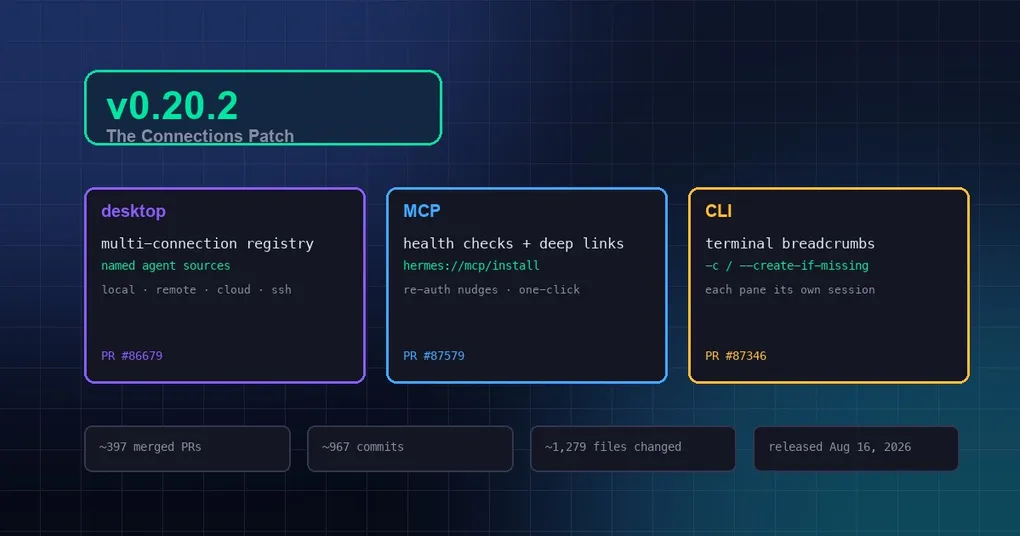
Monday morning, you run hermes update as usual, the terminal quietly prints “Updated to v0.20.2”, and that’s the end of it. Don’t close the terminal just yet — inside this unassuming patch release is a structural change the desktop app has needed for years: the multi-connection era is finally here.
v0.20.2 (tagged v2026.8.16) merged ~397 PRs and 967 commits in the three days since v0.20.1, concentrated in three areas: the desktop connection architecture, the MCP experience, and CLI session resume. The official notes are characteristically brief (full docs ship with v0.21.0), so here’s what’s actually worth your attention this week.
Desktop: from “one connection” to “unlimited connections”
1. Multi-connection registry: local, remote, cloud, and SSH at once
The desktop app used to have a single global connection; reaching a remote gateway or Hermes Cloud meant per-profile overrides that were convoluted and error-prone. Settings → Connections is now a real registry: any number of named agent sources — the local runtime, remote gateways (LAN / Tailscale / public internet), Hermes Cloud instances, SSH hosts — persisted in one place, with case-insensitively-unique labels enforced at save (#86679).
It ships with per-(connection, profile) backend pool routing (#86839), a multi-source agent roster + SDK (#86875), and discoverability affordances: a “Connect another Hermes gateway…” pill pinned in the profile rail and a ⌘K command-palette entry for Settings → Connections (#87603). Managing several machines and gateways no longer means editing config files.
2. Background MCP health checks: expired tokens nudge you now
An MCP server’s OAuth token expiring used to go unnoticed until you happened to open the MCP page. The desktop now runs a background sweep on gateway connect and every 30 minutes (#87579); when a server transitions into needs-auth (or error), an in-app warning fires — “GitHub MCP needs re-authentication” — with a Sign in action that deep-links to the server’s config pane, scrolls to it, flashes it, and puts the Authenticate button one click away. stdio servers are excluded from background probing, since each probe is a real spawn.
3. hermes:// deep links: install MCP servers from a web page
MCP vendors and docs can now offer a one-click “Add to Hermes” button (#87581). The hermes://mcp/install?name=NAME&config=B64 deep link goes through strict validation (name must match ^[A-Za-z0-9._-]{1,64}$, config is base64url-encoded JSON) and an explicit confirmation dialog before anything touches your config — mirroring Cursor’s cursor://anysphere.cursor-deeplink/mcp/install pattern, but with a hard safety gate.
CLI: session resume finally knows your terminal
4. Terminal breadcrumbs: every pane continues its own session
A bare hermes -c / --continue used to resume the globally most recent session — open two tmux panes, one debugging a bug and one designing an API, and -c dragged both into the same conversation. The CLI now records a per-terminal breadcrumb (tty path, tmux pane, kitty window, wezterm pane, Zellij pane, or Windows Terminal session) and resumes that terminal’s own last session (#87346). Breadcrumbs live under $HERMES_HOME/terminal-sessions/, are written atomically, and expire after 30 days.
5. chat -c <title> --create-if-missing: make it if it’s missing
hermes chat -c "title" with no match used to fail silently; now it fails loudly on stderr with exit code 1 and points you to hermes sessions list or --create-if-missing (#87706). With the flag, a missing title creates a fresh titled session and drops you in — giving scripts and plugins a deterministic “send to this named thread, making it if needed” primitive.
Image generation and tool UX fixes
6. Image upscaling is opt-in again
An August 8 change chained the Clarity Upscaler — an SD1.5 creative tile-diffusion enhancer that redraws content — after 100% of sub-2MP FAL/Krea generations. GPT Image 2’s text/CJK rendering, Ideogram typography, and photorealistic faces all came out visibly degraded (#87883). Upscaling is now off by default; pass upscale: true explicitly when you want it.
7. Every tool can be interrupted with Ctrl+C
Some tools (image generation, TTS, transcription) ignored interrupts — a FAL generation + upscale pass could hold your turn hostage for ~40 seconds. The sequential executor now polls the interrupt flag every second and abandons a running tool after a 3-second grace period (#87892); image_generate additionally aborts its in-flight FAL wait cooperatively. Ctrl+C finally means what it says.
Other fixes worth knowing
- Kitty terminal users get their keyboard back: #87074 removed the Kitty keyboard-protocol push to fix Ctrl+C, breaking every modified-key combo in kitty; #87511 mapped 294 Ctrl/Alt/Shift sequences, and #87630 restored the
CSI >1upush — both problems solved. - Bedrock API keys finally arrive: the token used to be stuffed into
OPENAI_API_KEYwith a bareprovider: custom, so requests actually went out withapi_key="no-key-required"; it’s now written as a named provider (custom:bedrock-mantle+key_env) and delivered correctly (#87191). /statusno longer mismatches providers: in multi-provider fallback sessions,/statuscould pair a model with a provider/base URL from a different route (GLM served by NVIDIA NIM displayed asnous); persisted routes are now consistent (#87271).- Disabled lists finally work:
skills.disabledandagent.disabled_toolsetssaved viahermes config setas JSON-array strings were treated as single names and silently dead for months;["a","b"]string forms are now parsed correctly (#86873). - /loop streamed turns complete: streamed
already_sentturns now finish their /loop tick properly (#87704) — pairs well with our /loop command guide.
How to upgrade
hermes updateAfter upgrading, run hermes doctor to verify the install, restart the gateway (hermes gateway), and take a look at Settings → Connections to see the new multi-connection registry.
Deeper details live in our v0.20.2 release notes; the previous patch’s hidden wins are in 13 efficiency wins from v0.20.1, and MCP configuration deep-dives in the MCP context variables guide.