Your renamed Hermes profile left a ghost in the state DB
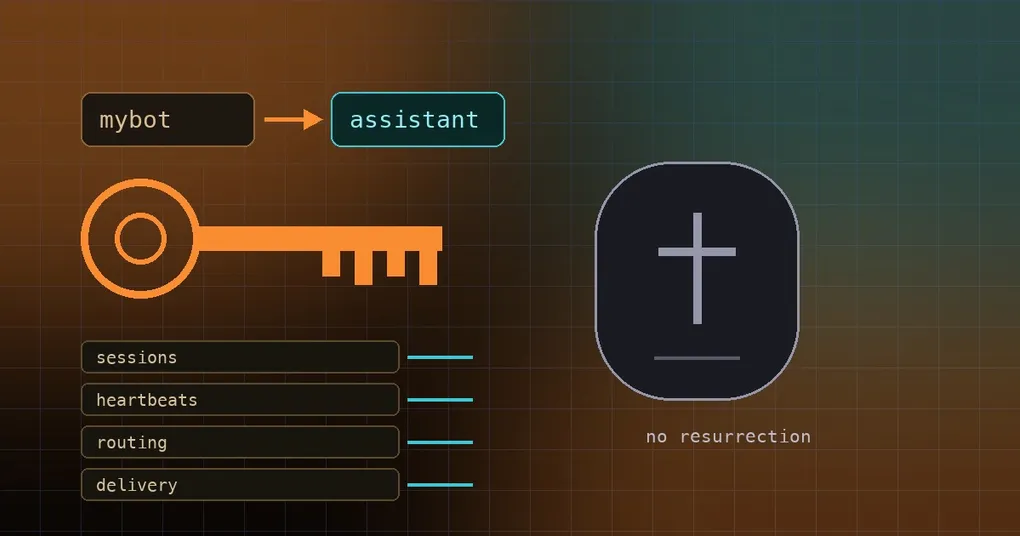
You renamed your Telegram bot’s profile from mybot to assistant. hermes profile rename mybot assistant finished cleanly, the directory moved from ~/.hermes/profiles/mybot to ~/.hermes/profiles/assistant, the shell alias moved with it, and the bot kept answering in the group chat. Then you scrolled back through an old conversation and noticed it was still filed under mybot — a profile that no longer exists — and the gateway’s routing table still carried keys like agent:mybot:*. In the other flavour of this bug, you deleted a profile outright, and a few days later its directory was back on disk with a cache file inside it. PR #112653 fixes both: they are issues #111926 and #112592.
Three words up front. A profile is a self-contained Hermes agent — its own config, credentials, memory and sessions — living under ~/.hermes/profiles/<name>. A routing key is the string the gateway uses to decide which profile and session an incoming message belongs to, shaped like agent:<profile>:<session>. A multiplexed gateway is one gateway process serving several profiles at once, and it keeps the routing index in memory.
The old rename moved the directory, not the identity
The old code did the filesystem half of the job: rename the profile directory, rename the shell alias. The database half was never touched. That hurts because plenty of rows in the Hermes state store are keyed by the profile name itself. After a rename those rows still said mybot, and mybot no longer existed on disk — so they pointed at a ghost.
Nothing explodes immediately; it leaks. Old sessions no longer line up, a heartbeat row keeps reporting a profile that is gone, delivery obligations (the records that say “this message has not been delivered yet and needs a retry”) sit under the dead name, and Telegram topic ownership stops matching. Anyone running several profiles behind one gateway hits this first; the boundaries of that setup are covered in our multi-instance profile guide.
Why the identity tables are keyed by profile name
To the database, the profile name is the identity. Changing the name means the agent changes identity in the state store, so the migration is not a file move — it is a rename plus a rewrite of every row keyed by that name. PR #112653 lists exactly which rows are involved:
sessions.session_key,sessions.profile_name,sessions.origin_jsongateway_heartbeats.profiledelivery_obligations- the Telegram topic tables
- the
gateway_routingindex (both the key and the JSON embedded in it)
There is a second boundary worth knowing — what follows the profile versus what follows the session — and the session boundaries guide walks through it.
What migrates now: one transaction, plus an in-memory index
The database side is SessionDB.rekey_profile_state(old, new) in hermes_state_gateway.py: a single transaction rewriting every profile-name-keyed row to the new name. It collision-checks first — if the new name already has rows that would clash, it refuses instead of writing a mess. It is idempotent, and it skips tables that have not been created yet.
A database-only rewrite is not enough, though. A running multiplexer periodically flushes its in-memory _entries back to the database, which would clobber the rewrite. That is what SessionStore.rekey_profile_routing(old, new) in gateway/session.py handles: it rekeys the in-memory routing index — the entries plus origin.profile — and persists the result. Which is why a live gateway owns the migration: the index lives in its process, so it has the last word.
The chain runs like this. rename_profile calls _migrate_profile_identity in hermes_cli/profile_identity.py. If a multiplexer is live, that delegates to the control socket’s migrate-profile-identity verb; with no gateway holding the store, the CLI performs the durable rewrite itself. Either way the migration is never fatal to the rename — the worst case is a warning, a renamed profile, and identity rows still under the old name.
Rename a profile safely, step by step
hermes profile list              # see what you are about to rename
hermes profile rename mybot assistant
hermes profile show assistant    # confirm the new name and its display info
hermes profile list              # the list should show assistant, not mybot
Read the output of the rename. If it warns that the live gateway could not migrate session identity, do not shrug it off — fix it with the command in the next section. If you are not sure whether your gateway is a multiplexer, follow the output: no warning means the migration landed; a warning means restart the gateway and retry. Every flag behind these commands is documented in the hermes profile command reference, and the install page covers getting Hermes onto the machine in the first place.
If the migration could not run: retry with migrate-identity
You cannot repeat the rename — profiles/mybot is gone. The retry has its own command:
hermes profile migrate-identity <old-name> <new-name>A real session looks like this:
hermes profile rename mybot assistant
# ⚠ Profile was renamed, but the live gateway could not migrate session identity (…).
#   Restart the gateway, then run:
#     hermes profile migrate-identity mybot assistant

hermes profile migrate-identity mybot assistant
# ✓ Session/routing identity migrated: mybot → assistant
The first block tells you the profile was renamed but the live gateway could not migrate session identity, and gives you two ways out: restart the gateway (it reloads the routing index from the database on startup, so the migration lands), or stop it — with no process holding the store, the command performs the durable rewrite itself.
Properties worth knowing:
- The migration is driven by the rows that still name the old profile, so
profiles/mybotdoes not have to exist. Only the new name is checked. - It is idempotent: re-running a completed migration succeeds with nothing left to rekey.
- It exits non-zero when a live gateway refuses the migration, or when a database rejects the rewrite — a routing collision, a lock, or one of the two databases failing while the other succeeds. The error names the database and the problem.
Renaming the default profile only sets a display name
You may want a nicer name for the default profile. Here is the trap: the default profile’s internal ID is always default, because ~/.hermes is the installation root — it cannot be truly renamed. What this command sets instead is a display name:
hermes profile rename default Harumesu # Unicode fine: 小助手That display name shows up in hermes profile list and show, in the /profile chat command, in the dashboard, and in the desktop app including the Bot Mode roster. It is presentation-only: -p default, service names, cron jobs and every other reference keep using the canonical default ID. It lives as display_name in ~/.hermes/profile.yaml — delete that line to revert. Named profiles can carry a display_name too (it survives a real rename), but for them rename renames the profile itself.
A deleted profile leaves a tombstone — nothing may resurrect it
Deleting looks like this:
hermes profile delete coderIt stops the gateway, removes the systemd/launchd service, removes the command alias, and deletes all of the profile’s data. You are asked to type the profile name to confirm; --yes skips that. The default profile cannot be deleted (it is ~/.hermes itself) — to remove everything, use hermes uninstall.
What used to go wrong afterwards: a thread that still carried the dead home path could perform a late atomic write, and the mkdir(parents=True) in front of it would rebuild the directory tree. Your deleted coder profile reappeared on disk holding nothing but a cache file.
#112592 closes that path. utils._atomic_write plus atomic_roundtrip_yaml_update / atomic_roundtrip_yaml_save now create their parents through mkdir_under_hermes_home — the tombstone guard — so every atomic JSON, text, bytes or YAML write refuses a tombstoned named home with FileNotFoundError and leaves nothing behind. The stray pre-write mkdir(parents=True) calls in callers were routed through the same guard: the models cache, the models.dev ETag, the lifecycle sentinel, the secret cache, MCP OAuth, the memory store, and the mechanical sweep of the remaining pre-write sites; two sites that need an explicit mode= keep their mkdir behind assert_named_profile_home_live.
The guard is not blanket. Unless the target path has a provable profiles/<name> ancestor it is a no-op, so the default home, hidden .staging directories and unrelated paths that merely contain profiles keep writing normally.
Caveats and the short version
- Read the rename output. A failed migration never fails the rename, it only warns — restart the gateway, then run
hermes profile migrate-identity <old> <new>. - The retry is idempotent, so running it when you are unsure costs nothing.
- A live multiplexer wins, because it holds the routing index in memory; stop the gateway instead and the command does the durable rewrite itself.
- The default profile never really renames — you only set a display name, and the internal ID stays
default. - After a delete, leave it deleted. The tombstone guard makes sure no late write turns a deleted named profile back into a home directory on disk.