I Ran Hermes Inside Obsidian for a Week: The Official Skill + Plugin Combo Made My Vault Feel Alive
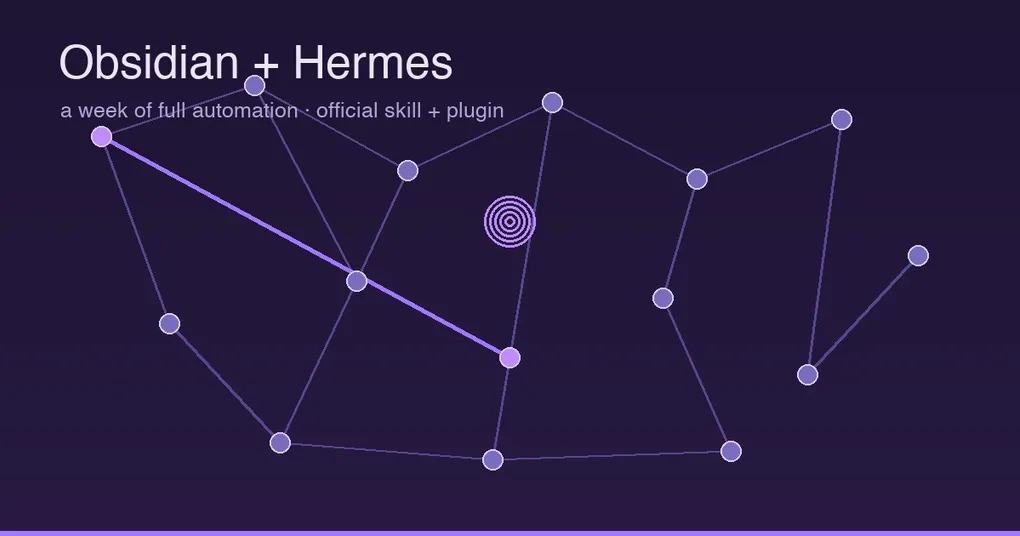
A week ago I formally wired Hermes Agent into my Obsidian vault and set myself a challenge: let it handle all note work automatically for seven days. The result surprised me — not because it saved me time, but because my vault felt alive for the first time. The morning briefing was ready when I woke up, the inbox emptied itself every night, and the most striking part was an automatically drawn semantic graph that put connections in front of me that I’d never made explicit. This is the full week log, including the two official ways to connect — and a heads-up: the command hermes memory setup --provider obsidian floating around Chinese communities does not exist in the official source. Don’t copy it.
The Two Official Paths
Path A: the official built-in obsidian skill (read/write notes)
Hermes ships an obsidian skill out of the box (note-taking category, by Teknium). It treats your vault as a filesystem-first workspace: read notes, list them, full-text search, create notes, append, targeted edits, and add wikilinks — all through the official file tools, no MCP detour.
- The vault path is configured via the
OBSIDIAN_VAULT_PATHenvironment variable (defaults to~/Documents/Obsidian Vaultwhen unset); - Paths with spaces are fine (file tools handle them natively);
- New notes link to each other with
[[Note Name]]syntax — the soul of Obsidian, and the skill treats it as a rule.
Usage in one line: set OBSIDIAN_VAULT_PATH in your .env, then just tell Hermes “read today’s daily note” or “save this as a note and link it to related topics”.
Path B: the Obsidian community plugin (vault as working directory)
One step beyond the skill is the community plugin Hermes Agent (jsun2020/hermes-agent-obsidian-plugin, MIT). It turns Obsidian into a frontend for Hermes:
- Multi-tab sidebar chat: a conversation panel embedded in Obsidian, using the gateway’s Runs transport (tool/reasoning event streams) with Chat Completions as fallback;
- One-click context attach: send the current note or a selection to Hermes directly — no copy-paste;
- Vault as working directory: set a working folder and the agent can genuinely read, write, search, and run multi-step workflows over your notes — this is what made “a week of automation” possible;
- Smart Graph: Hermes reads note summaries and surfaces semantic connections (shared topics, one note elaborating another, prerequisites/dependencies, contradictions), rendered as an interactive force-directed graph — Obsidian’s native Graph View only knows explicit
[[wikilinks]]; Smart Graph finds the ones you felt but never wrote. Results are cached, so the graph survives reopening.
Auth uses the gateway’s API_SERVER_KEY (auto-generated by Hermes Desktop, in ~/.hermes/.env). Install via the BRAT community plugin, or manually with the main.js / manifest.json / styles.css trio.
The Week, Day by Day
- 6:30 every morning: a cron job fires; Hermes reads yesterday’s daily note and every project’s
overview.md, and writes “what matters today + one-line project status + open loops” into04 - HERMES-OUTPUTS/briefings/— five minutes of reading before any notifications, and it beats the news. - 20:00 every night: the inbox processor classifies whatever was dumped into
00 - INBOX/, files it, and forces every new permanent note to carry at least one wikilink — no connections, no permanent folder. A week in, the inbox never backlogged. - Anytime: select a good article, send it to the sidebar chat, “read this and turn it into a literature note” — it writes back with sources and links attached.
- Weekend surprise: I ran Smart Graph and it connected a note about my writing workflow from three months ago to this week’s project notes — I had no idea those were related. That connection became the seed of my next article.
Pitfalls I Hit (honest log)
- Codex / gpt-5.5 read-only sandbox: with OpenAI-Codex-family models, the agent runs in a read-only sandbox, so vault-path reads get rejected (“two read-only permission requests were rejected”). Fix: in
~/.codex/config.toml, setsandbox_mode = "workspace-write"and add your vault to[sandbox_workspace_write].writable_roots, then restart Hermes Desktop (the gateway loads the config at startup). Locked-down Windows environments may needdanger-full-accesswhen the sandbox can’t even start. - The TUI is not the gateway: the plugin talks to the HTTP gateway (default
127.0.0.1:8642); running only the TUI chat isn’t enough —hermes gatewayor Hermes Desktop must be up. - Named profiles move the port: with named profiles the gateway binds 8643–8742; just update the base URL in the plugin settings.
- Don’t use the fake command:
hermes memory setup --provider obsidiandoesn’t exist in the official source — Obsidian is not a memory provider; it’s a workspace for the skill + plugin.
Quick Start (Both Paths)
# Path A: official skill (read/write notes)
echo "OBSIDIAN_VAULT_PATH=$HOME/Documents/Obsidian Vault" >> ~/.hermes/.env
# Then in chat: /skill obsidian, or just "use the obsidian skill to read my daily note"

# Path B: plugin (vault as working directory)
# 1. In Obsidian, install BRAT → add https://github.com/jsun2020/hermes-agent-obsidian-plugin
# 2. In settings, fill in the gateway URL (default http://127.0.0.1:8642) + API_SERVER_KEY
# 3. Click Test connection, then open the sidebar chat
For scheduling (morning briefings, inbox processing) Hermes cron does the orchestration — see the complete cron automation guide. For isolating vaults per profile: multiple independent instances on one machine. The earlier turn conversations into notes post covers the one-way capture pipeline; this one is the two-way workspace — they complement each other.
Wrap-up
After a week of “full automation”, my biggest takeaway: Obsidian and Hermes are a natural pair — Obsidian provides the human-readable, permanent, linkable knowledge layer; Hermes provides the thinking, remembering, scheduled-executing brain layer. The official skill handles read/write, the community plugin handles two-way collaboration and semantic discovery, and cron handles timing. Skip the fabricated commands floating around Chinese forums; follow the two official paths and your vault will feel alive within a week too.