Browser snapshots capped at 15,000 chars? Hermes makes the budget configurable — and kills the hidden LLM-summary cost
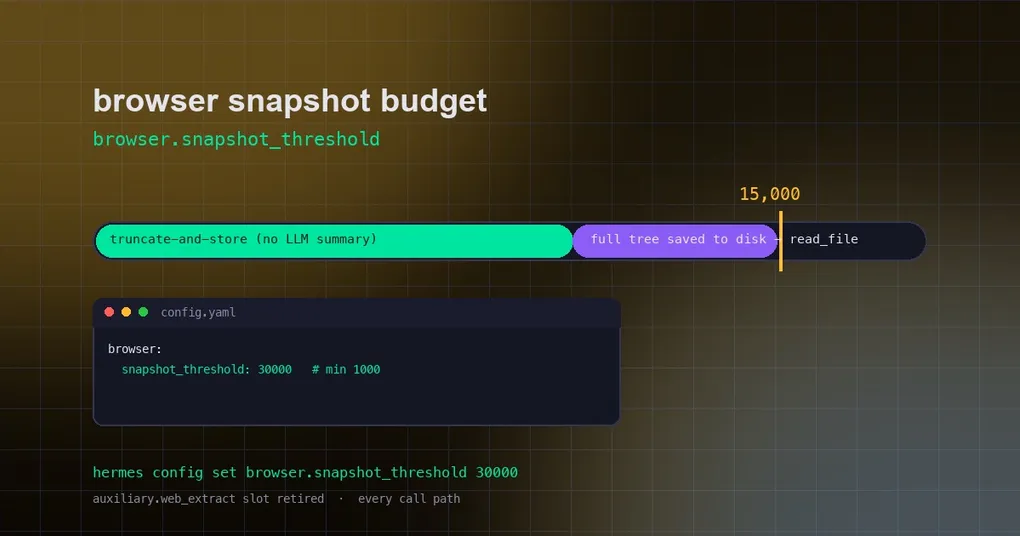
You ask Hermes to read a long online documentation page, and it only sees the opening paragraphs — the rest got cut off by the snapshot budget. Or the opposite: the page isn’t even that big, but Hermes quietly ran one “summarization model” call to compress the page for you, adding a line to the token bill you never noticed. Two PRs merged on August 25 fix both at once: PR #94453 turns the browser-snapshot character budget into a config option, and PR #94401 retires the “call an auxiliary LLM to summarize snapshots” path entirely.
Background: what a browser snapshot is and why the budget exists
When Hermes “looks” at a web page, it doesn’t stuff a full screenshot into the model — that’s slow and expensive. Instead it converts the page’s accessibility tree (a standardized description of the page structure) into a text snapshot for the model to read. Bigger snapshot = more of the page the model can see, but also more context (tokens) consumed. So Hermes gives snapshots a character budget: anything over the budget gets truncated.
That budget used to be a hardcoded constant (15,000 chars) — not user-adjustable. PR #94453 turns it into browser.snapshot_threshold:
# check the current value
hermes config get browser.snapshot_threshold
# raise it: keep more of long documentation pages
hermes config set browser.snapshot_threshold 30000
# lower it: save context space
hermes config set browser.snapshot_threshold 8000
The default stays 15,000, with a floor of 1,000. In config.yaml it lives under the browser section:
browser:
  snapshot_threshold: 30000
Invalid values (e.g. 0 or negative) fall back to the default instead of crashing. Camofox’s snapshot paths honor the same setting.
The bigger change: snapshots stop paying for LLM summaries
PR #94401 fixes a quiet waste. Previously, when a page snapshot exceeded the budget, Hermes borrowed an auxiliary-model slot called auxiliary.web_extract — the “Web extract” option you see in hermes model — to generate a summary. In other words, every oversized page could trigger an extra LLM call, and the picker entry was even misleadingly named “Web extract”: it sounded like a scraping feature, but it only served browser-snapshot summaries, and the original text was truncated anyway.
After the change, snapshots use a uniform truncate-and-store strategy: anything over budget is cut at line boundaries, and the full snapshot is kept in the local cache — when the model needs the whole content, it pages through it with read_file. That’s the same deterministic pattern web_extract already uses. Results:
- Zero extra LLM calls: truncation is deterministic text processing — no tokens spent;
- Nothing is lost: the full snapshot stays on disk, pageable anytime;
- The dead slot disappears:
auxiliary.web_extractis removed from thehermes modelaux-task list, the dashboard, and desktop settings.
If you previously configured auxiliary.web_extract in config.yaml, leave it — stale values are safely ignored.
What this means in practice
| Scenario | Before | After |
|---|---|---|
| Page exceeds the snapshot budget | One auxiliary-LLM summary call (tokens spent) | Deterministic truncation; full snapshot stored and pageable |
| Want more of a long page visible | Impossible — hardcoded 15,000 | Tune browser.snapshot_threshold freely |
hermes model aux tasks |
A misleading web_extract slot | Removed; cleaner surface |
Summary
One addition, one removal: the addition is configuration freedom (browser.snapshot_threshold, default 15,000, floor 1,000); the removal is hidden cost (snapshot summaries no longer call an LLM). The browser tool’s overall workflow is unchanged, but long-page reading is more controllable and the bill is cleaner. For the full picture of Hermes’ browser tooling, see when browser-use became the default and desktop read-preview; more token-saving tricks live in our four hidden tricks roundup. Config operations are covered by the hermes config command reference.