Hermes Studio
A local-first AI agent workspace for Hermes Agent — a desktop app, local runtime, and web console in one. Chat with agents, manage models and profiles, connect platform channels, automate jobs, and keep everything on your machine.
What Is It
Hermes Studio is a local-first AI agent workspace for Hermes Agent — a desktop app, local runtime, and web console in one. Rather than replacing the CLI, it adds a control plane on top of it: chat with your agents, manage profiles, models, and providers, connect messaging platforms, schedule jobs, browse files, and run coding agents — all from a single dashboard, with your data staying on your machine.
Built with Vue 3, Naive UI, and TypeScript, it ships in three forms: a native Electron desktop app for Windows, macOS, and Linux; an npm CLI package (hermes-web-ui); and a Docker image. It’s licensed under BSL-1.1.
Key Features
| Feature | What it does |
|---|---|
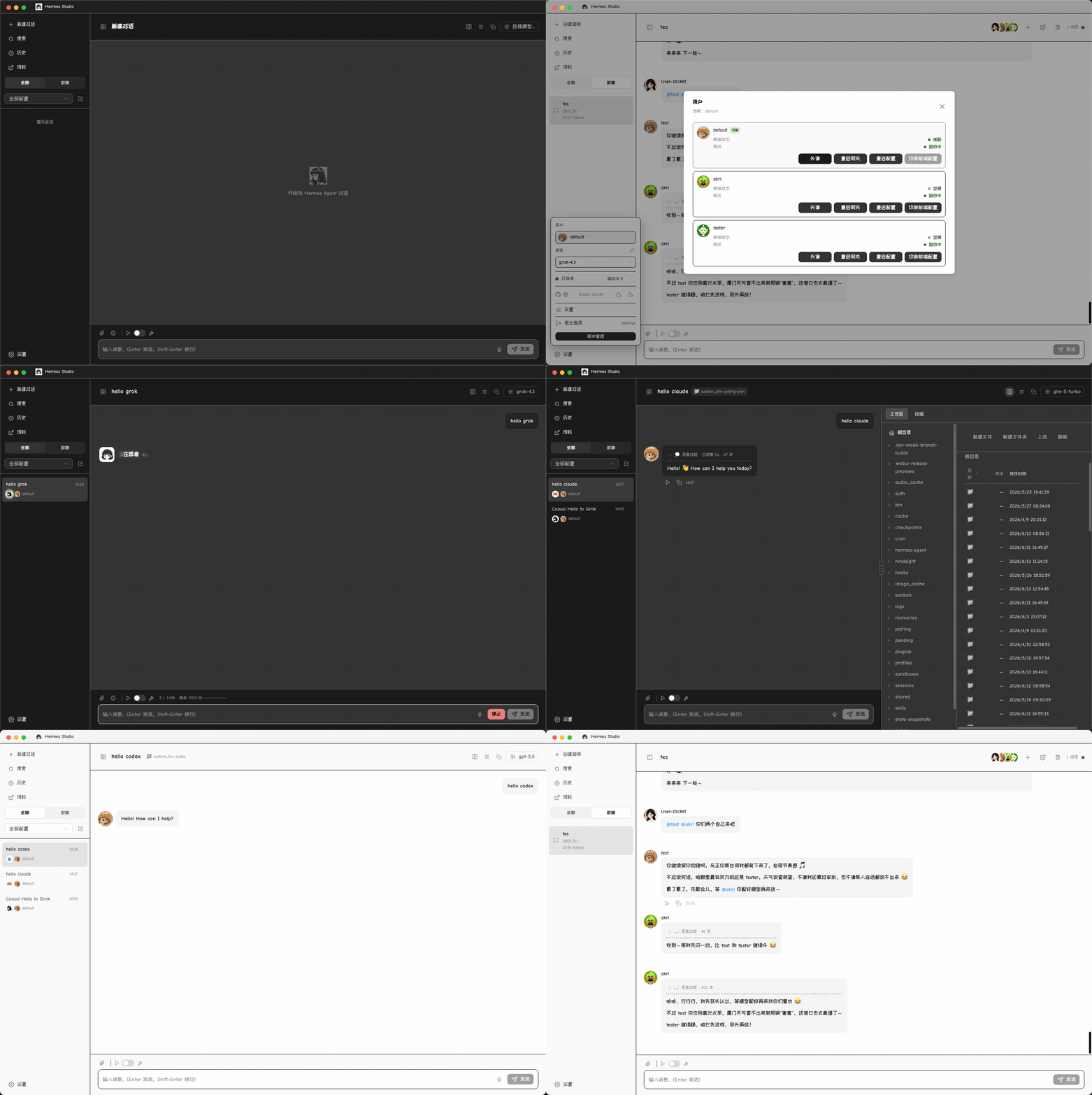
| Agent Chat | Streaming conversations with sessions, Markdown, tool traces, file uploads/downloads, and inline previews for generated HTML, PDF, DOCX, XLSX, images, and source files |
| Local control plane | Manage profiles, providers, models, credentials, memory, skills, plugins, logs, and runtime settings from one dashboard |
| Platform Channels | Configure 10 platforms in one page: Telegram, Discord, Slack, WhatsApp, Matrix, Feishu, DingTalk, QQBot, WeChat, and WeCom |
| Visual Workflows | Build executable workflows on a Vue Flow canvas — Hermes, Codex, and Claude Code nodes, conditions, loops, approval gates, run budgets, and playback |
| Jobs & Kanban | Schedule cron jobs with quick presets and organize agent work on a profile-aware Kanban board |
| Usage Analytics | Token usage, cost tracking, cache hit rates, model distribution, and 30-day trends |
| File Browser | Browse, upload, download, preview, and edit files across local, Docker, SSH, and Singularity backends |
| Web Terminal | Full PTY terminal in the browser via node-pty and xterm.js, with multi-session WebSocket support |
| Coding Agents | Install, configure, launch, and monitor Claude Code and Codex from the dashboard, with dedicated proxy routes |
| Group Chat | Multi-agent chat rooms with @mention routing, context compression, and real-time collaboration |
| Voice / TTS / STT | TTS and STT adapters (Edge, ElevenLabs, Gemini, OpenAI-compatible, and more) plus a full-screen real-time voice stage |
| Desktop Agent Browser | A desktop-only multi-tab browser that agents can drive through the managed MCP server |
Getting Started
The fastest path is the npm CLI:
npm install -g hermes-web-ui && hermes-web-ui startPrefer a GUI? Grab the desktop installer for macOS, Windows, or Linux from GitHub Releases — it bundles the runtime and starts the local server automatically.
First login: authentication is token-based (auto-generated on first run, or set via the AUTH_TOKEN env var). The default bootstrap account is admin / 123456, and you’ll be prompted to change it. Models are auto-discovered from your credential pool (~/.hermes/auth.json), with OAuth/device flows for OpenAI Codex, Nous Portal, xAI, Claude, and GitHub Copilot.
Why It Matters for Hermes Users
Hermes Agent is powerful, but most of that power lives behind the terminal and messaging platforms. Hermes Studio layers a visual, local-first control plane on top: instead of hand-editing YAML to switch models or wire up platforms, you do it from one dashboard. Everything stays local — channel credentials go to ~/.hermes/.env, sessions live in a local SQLite database, and the desktop runtime is kept separate from your Hermes Agent data. If you want a full GUI over Hermes Agent without giving up self-hosting, this is one of the most complete options in the ecosystem today.
Links
- Repository: github.com/EKKOLearnAI/hermes-studio
- Website: hermes-studio.ai