8 Must-Have Advanced Skills for Hermes Agent: Unlock the Self-Evolving AI
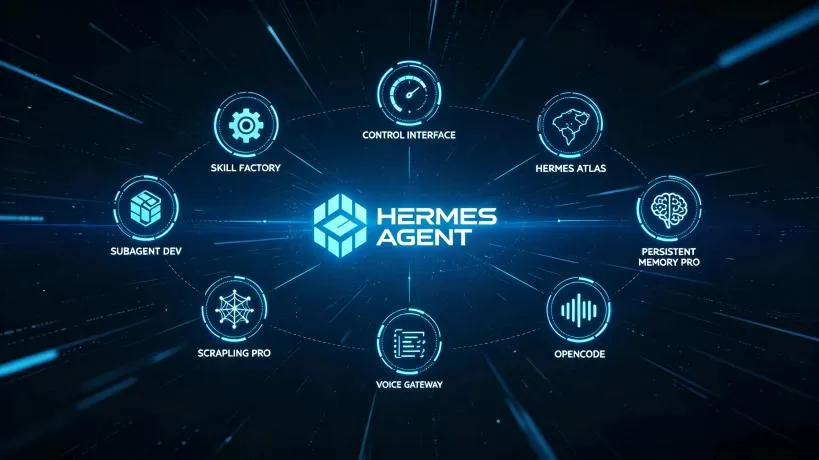
Hermes Agent’s power lies not only in its underlying model and Gateway, but in its Skills ecosystem. Skills are pluggable capability modules: install a browser skill and it can view web pages; install a Docker skill and it can spin up containers; install a code-wiki skill and it can persist project knowledge for repeated use.
Nous Research has packaged many capabilities as optional skills under optional-skills. You don’t need to write prompts or manually wire APIs — one command installs, activates, and makes the skill ready to use.
Today we’ve selected 8 must-have advanced skills covering coding, DevOps, research, web operations, and protocol extensions. After installing them, Hermes evolves from a chatbot into a workbench that can do real work and keep improving itself.
Visit the Hermes Agent Lab homepage to explore the full Hermes Agent ecosystem.
1. code-wiki: Load Your Project Knowledge into Hermes
When coding, the bottleneck is rarely typing — it’s understanding the codebase. Taking over a legacy project, reviewing someone else’s PR, or tracing logic across microservices often means endless grepping and doc reading.
code-wiki lets Hermes structure your project knowledge. It scans the codebase, extracts modules, functions, dependencies, and call chains, and builds a queryable code encyclopedia. After that you can simply ask:
How does the payment module handle callbacks in this project?
How do user-service and order-service communicate?
Hermes no longer needs to re-read files every time; it looks them up in code-wiki.
Install
hermes skills install code-wikiBest for
- Onboarding to large codebases
- Code reviews and refactoring
- New team member ramp-up
- Cross-module troubleshooting
2. subagent-driven-development: Let Subagents Work in Parallel
Complex tasks pushed through a single session are hard to manage. subagent-driven-development lets Hermes split a task into sub-tasks and launch multiple subagents to handle them in parallel.
For example, building a new feature:
- One subagent writes the backend API
- One subagent writes the frontend page
- One subagent writes the test cases
- The main Hermes coordinates and merges results
This significantly speeds things up and lets different subtasks use different models. API development can use a long-context model while test generation can use a code-specialized model.
Install
hermes skills install subagent-driven-developmentBest for
- Full-stack feature development
- Large refactoring tasks
- Multi-file code generation
- Parallel research and implementation
3. docker-management: Let Hermes Control Containers
Local development increasingly relies on Docker. With this skill, Hermes can:
- List running containers
- Start, stop, and rebuild services
- Read container logs
- Run commands inside containers
- Write
Dockerfileanddocker-compose.ymlfor you
You no longer need to leave Hermes to type docker ps:
Restart the postgres container and show the last 50 log lines
Write a multi-stage Dockerfile for this Flask project
Install
hermes skills install docker-managementBest for
- Maintaining local dev environments
- Troubleshooting containerized services
- Quickly spinning up temporary dependencies
- Writing and optimizing Docker configs
4. watchers: Hermes Knows When Files Change
watchers gives Hermes filesystem monitoring. You can point it at a directory or file and trigger actions automatically on changes.
Common uses:
Watch the src directory and run tests whenever files change
Watch the dist directory and deploy to preview after builds
Watch a log file and notify me when an Error appears
It turns Hermes from “ask-and-answer” into “proactive doer.” Combined with Cron, it covers most automation scenarios.
Install
hermes skills install watchersBest for
- Hot-reload testing
- Post-build automation
- Log anomaly monitoring
- Auto-build and preview
5. darwinian-evolver: Let Hermes Evolve Its Own Prompts
This is one of the most interesting skills. darwinian-evolver uses a Darwinian evolution approach: Hermes generates, evaluates, mutates, and selects prompts across multiple rounds to find better, more stable versions.
You give it a goal and an evaluation criterion, such as:
Goal: generate more accurate function names
Evaluation: use static analysis to check if generated names follow project conventions
It then runs automatic evolution and outputs the best prompt. Extremely valuable for any task that requires iterative tuning.
Install
hermes skills install darwinian-evolverBest for
- Optimizing system prompts
- Generating higher-quality code or copy
- Auto A/B testing prompts
- Continuously improving repetitive tasks
6. gitnexus-explorer: Turn GitHub into a Queryable Knowledge Base
GitHub holds enormous amounts of code and issue history, but search is not always efficient. gitnexus-explorer lets Hermes deeply explore repositories: read READMEs, check issues, review PRs, analyze code structure, and extract commit history.
You can ask:
What PRs have been merged in this repo in the last month? What changed?
Has this issue been resolved? Where is the related discussion?
Great for researching open-source projects, tracking dependency updates, and learning from reference implementations.
Install
hermes skills install gitnexus-explorerBest for
- Open-source library research
- Tracking issue and PR status
- Analyzing competitor or reference implementations
- Preparing technical proposals
7. page-agent: Let Hermes Operate Web Pages
Hermes already has browser tools, but page-agent upgrades it to a true web-operation agent. It can:
- Open pages
- Click elements
- Fill forms
- Scroll, screenshot, and extract content
- Execute multi-step web workflows
For example:
Log in to the Cloudflare dashboard and add a DNS record for me
Open this jobs page and extract all job listings
Export data in bulk from this admin panel
Install
hermes skills install page-agentBest for
- Automating web admin panels
- Scraping login-required content
- Batch form filling
- Web testing and monitoring
8. fastmcp: Plug Hermes into the MCP Ecosystem
MCP (Model Context Protocol) is becoming the standard protocol for connecting AI tools to the external world. fastmcp lets Hermes quickly connect to MCP servers, turning databases, filesystems, APIs, and SaaS tools into callable capabilities.
Compared to traditional tool calling, MCP is more standardized and the community server ecosystem is growing fast. With fastmcp installed, Hermes can use remote MCP services as if they were local tools.
Install
hermes skills install fastmcpBest for
- Connecting databases and knowledge bases
- Integrating enterprise APIs
- Reusing community MCP servers
- Building scalable AI workflows
How to Discover and Manage More Skills
Hermes includes a built-in Skills Hub. Installing and managing skills is simple:
# Browse all skills, official ones shown first
hermes skills browse

# Browse only official optional skills
hermes skills browse --source official

# Search by keyword
hermes skills search docker

# Install a skill
hermes skills install <identifier>

# List installed skills
hermes skills list
Official optional skills live in NousResearch/hermes-agent/optional-skills. There are also many third-party skills in the agentskills/agentskills repository.
How to Combine These 8 Skills
You don’t need all eight, but together they cover most advanced scenarios:
| Scenario | Recommended skills |
|---|---|
| Daily coding and code reading | code-wiki + subagent-driven-development |
| Local dev environment ops | docker-management + watchers |
| Automatic prompt/workflow optimization | darwinian-evolver |
| Open-source research and competitive analysis | gitnexus-explorer |
| Web operations and data collection | page-agent |
| Connecting external systems and databases | fastmcp |
Key Takeaways
- Hermes Skills are pluggable capability modules that extend functionality without writing your own tools.
- code-wiki solves project knowledge retention; subagent-driven-development parallelizes complex tasks.
- docker-management and watchers let Hermes actively operate local environments and react to file changes.
- darwinian-evolver lets Hermes evolve prompts; gitnexus-explorer lets it deeply research GitHub.
- page-agent extends web operation capabilities; fastmcp connects to the standardized MCP ecosystem.
- Use
hermes skills browseandhermes skills installto manage skills.
References: