Hermes Desktop Closes the Loop: In-App Browser Lands and the Agent Can Finally Read the Page It Opened
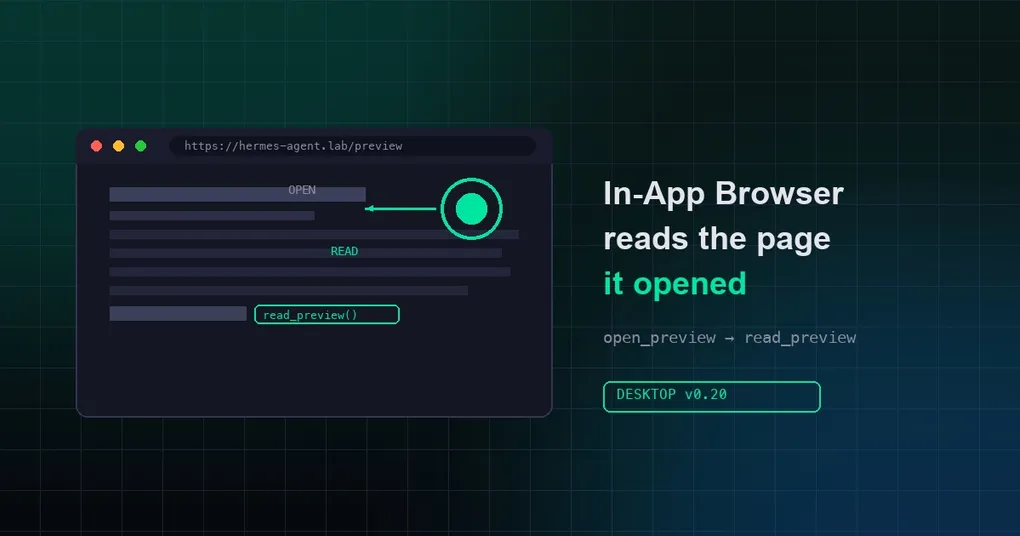
On August 5, 2026, Hermes Agent merged two updates back-to-back that fill in the last blind spot on the desktop:
- PR #77705 — the in-app browser and preview rail became real layout-tree tabs
- PR #79482 — a new
read_previewtool lets the agent read the content of the page currently open in the in-app browser
In one sentence: the agent could always “open” a web page, but it couldn’t see the page it opened — now it can read it. For anyone building with Hermes Desktop, this completes the loop of “generate UI → open preview → inspect the result → fix it yourself.”
This article doesn’t repeat the PR notes. It digs into the technical details of both changes, the design trade-offs behind them, and how to actually use them.
Background: the agent opened pages “blind”
A quick look at the tool evolution makes the value of these two PRs obvious:
- July 22 (PR #69519):
open_preview(url[, label])andfocus_pane(...)shipped. For the first time the agent could actively open a URL, a localhost dev server, or a local file in the desktop preview pane. But notice: it could only open — the page content was a black box. - Around the same time,
read_terminal/close_terminallet the agent read what was shown in the embedded terminal pane — but the web side never got its “read” counterpart. - August 5: both PRs landed together — the browser tab UI refactor plus the
read_previewtool.
In the maintainer’s own words: open_preview could open a page and read_terminal could read the terminal, but “what does this page say?” had no answer. read_preview closes that gap.
Update 1: the in-app browser becomes a first-class tab
Before PR #77705, the desktop preview rail was a second-class citizen of the UI:
- It rendered its own separate tab strip with a different height, its own close menu, and its own label casing
- It had its own ⌘W behavior, welded to the file browser’s zone (⌘J would drag the preview away with it)
- Console/DevTools toggles hung off the titlebar, and their state was driven by click handlers — closing the DevTools window directly left the button stuck “on”
The refactor pulls it fully into the layout tree:
- Preview tabs are now layout-tree tiles:
$previewTabsmirrors into pane contributions through the samepaneMirrorsession the route tiles use. Tab strip, drag, stack, split, shared close verbs, plain ⌘W — whatever the main area has, the preview gets. - URL tabs are titled “Browser” — the tab names the surface, not the page. Cleaner semantics.
- ⌘W / ⌃Tab now work over preview and page zones: previously ⌘W over a lone preview emptied the main chat instead. Fixed.
- Session drags can land in preview/page zones — the drag-in asymmetry is gone.
- DevTools state is event-driven: the glyph is driven by the webview’s
devtools-opened/closedevents, so closing the DevTools window directly no longer leaves a stale “on” state. - Bonus: the duplicated i18n keys and the whole independent rail code were deleted — net code reduction.
Technical note: the tab strip itself was abstracted into a shared primitive set (PaneTabStrip, PaneStripGlyph/PaneStripTool, paneTabCloseItems), with glyphs contributed as data the way titlebar tools are. Future preview types get the unified tab experience for free.
Update 2: read_preview — the agent’s eyes
PR #79482 is the functional core: a new read_preview tool that mirrors read_terminal end to end. No new machinery — just a second consumer of the existing shape:
Tool layer (tools/read_preview_tool.py):
- Desktop-gated via
check_fnonHERMES_DESKTOP— zero schema footprint outside the GUI, exactly like the other desktop pane tools - Windowed reads with
start/count(character offsets): long pages paginate instead of flooding the context window
Gateway bridge:
preview.read.request/preview.read.respondthrough the same blocking-prompt bridge asterminal.read- 45s timeout,
allow_expired, and.expireon timeout — a late renderer answer resolves quietly instead of erroring
Renderer (preview-reader.ts):
- The URL pane registers a page reader: webview
executeJavaScript→ title + visible innerText readActivePreviewresolves the active tab, capping a single read at 24k chars- File/artifact tabs answer with identity plus a pointer to the more appropriate tool (
read_fileor the conversation itself) — no webview round-trip for content the agent already has a better tool for
The PR’s manual test is a vivid acceptance scenario: open Reddit in the Browser, ask “what’s the top post?” — the agent calls read_preview and answers from the page.
How to actually use this
1. Self-verification loop for local development
The most practical case: you’re running a React/Vue app on localhost:3000 and you’ve asked the agent to change a component. Now it can:
open_preview(localhost:3000)     # open the preview
# …edit code, restart the dev server…
read_preview()                    # read the page's current content and verify the change
Before, the agent changed code “blind.” Now it can read back what the page actually renders and confirm the fix itself.
2. Web research with context safety
After opening a long article or docs page, the agent reads it with start/count pagination, pulling only the paragraphs it needs into context — far cheaper than dumping the whole page in.
3. Pairing with v0.20 Artifacts
If you’re using the sandboxed Artifacts previews from Hermes v0.20, you can now have the agent read the actual rendered content of generated HTML apps — turning “generate → preview → human reviews” into “generate → preview → read → revise.”
4. Limits and boundaries (worth knowing)
- Desktop only:
read_previewexists only in Hermes Desktop (gated onHERMES_DESKTOP); the CLI, TUI, and messaging platforms don’t get it. Same foropen_preview/focus_pane. - Visible text only: it returns title + innerText — not the DOM tree, not a screenshot. To “see” what a page looks like you still need screenshot/vision tooling.
- Active-tab semantics: it reads the currently active tab — with multiple tabs open, mind which page the agent is reading.
- 24k char cap: single reads are capped; long pages need pagination.
What this means for developers
Two PRs — “a UI refactor and one tool” — but together they mark a turning point in the interaction model:
Before, the desktop agent’s workflow was “I generate, you look.” It produced HTML or opened a page, then waited for human feedback. Now it becomes “I generate, I open, I read, I fix” — an autonomous loop. read_terminal covered the terminal; read_preview covers the web; combined with the existing file tools, the agent’s “sensorium” on Hermes Desktop is basically complete.
The natural next step (and what the community is watching for): pairing read_preview with vision so the agent doesn’t just read text but actually sees the rendered result — at which point “reading a web page” becomes indistinguishable from a human driving a browser.
How to try it
- Update to the latest desktop build:
hermes update(or install fresh via the installation guide) - In Hermes Desktop, ask the agent to
open_previewa URL - Ask it “what does this page say?” — watch it call
read_previewto answer
For more desktop capabilities see the Hermes Desktop docs, and for the broader v0.20 update, our Herald release deep dive.